
Introduction
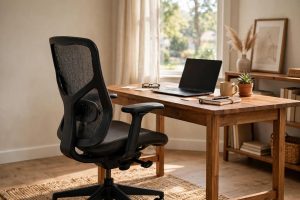
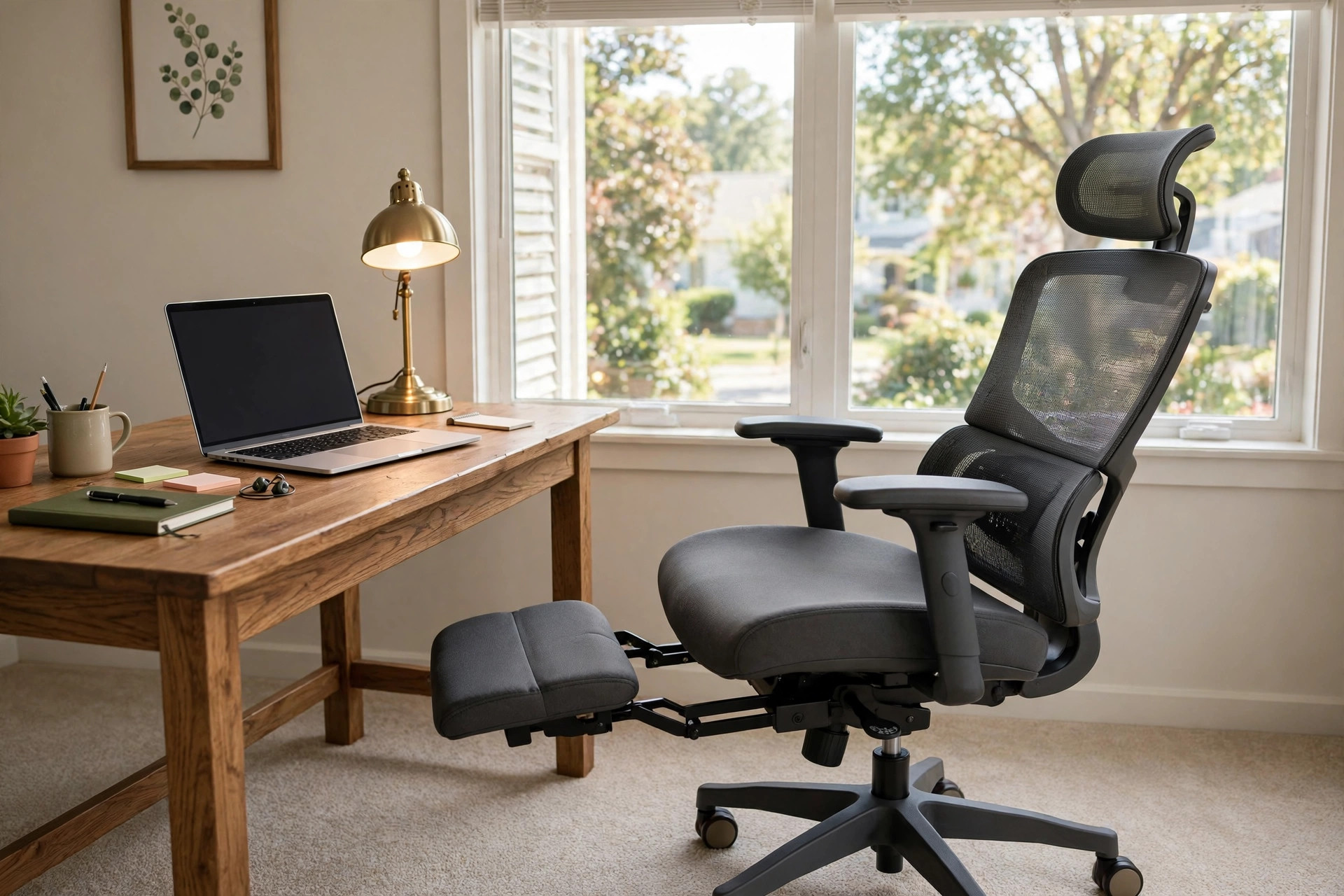
An ergonomic office chair with footrest reclining is a chair built to support your body while you work, and to tilt back with your feet raised when you rest. It blends the support of a task chair with the comfort of a recliner. Many remote workers now sit for eight to ten hours a day. That long stretch of sitting puts pressure on the lower back, the neck, and the legs. A chair that reclines and lifts the feet can ease that pressure. This guide explains what the chair does, who it suits, how to choose one, what it costs, and how to keep it in good shape. Read it before you buy.
Why It Matters: Ergonomic Office Chair with Footrest Reclining
Sitting is hard on the human body. The spine curves in ways that chair designers study for years. When you sit upright at a desk, the discs in your lower back carry more load than when you stand. When you recline slightly, the load falls. When you raise your feet, blood flows more freely through your legs. That is why an ergonomic office chair with footrest reclining can make a real difference over a full workday.
Research from workspace designers such as Steelcase shows that posture changes through the day. People shift, lean, and stretch. A good chair moves with them. A rigid chair does not. The footrest adds a place for your legs during breaks. The reclining back lets your spine rest between tasks. Together they lower the strain that builds up by late afternoon.
This type of chair also suits homes where one room serves many needs. A guest room, a corner of the bedroom, or a shared study all work. The chair folds its comfort into a small footprint. You do not need a separate recliner. One piece of furniture does both jobs. That saves space and money.
What to Look For: How to Choose
Shopping for an ergonomic office chair with footrest reclining can feel complex. Keep to these points and the choice gets simple.
Lumbar Support
The lower back needs firm but gentle support. Look for a chair with an adjustable lumbar pad or a backrest that curves to match your spine. Some chairs use mesh that flexes with you. Others use a foam pad you can move up or down. Test it if you can. Sit for ten minutes. Your lower back should feel held, not pressed.
Recline Mechanism
Not all reclining chairs work the same way. The best models use a synchronized tilt. The seat and the backrest move together at a fixed ratio. This keeps your feet flat and your eyes level as you lean back. Cheaper models tilt the backrest alone. That can push you out of position. Check the lock settings too. A chair with two or three lock positions lets you fix the angle you like. Look for a tension knob under the seat. It sets how hard you must push to recline.
Footrest Design
The footrest should pull out smoothly and hold its place. Some slide under the seat on rails. Others swing down from the front edge. Padding matters. Bare plastic bars dig into your calves after twenty minutes. A padded, wide rest spreads your weight. The rest should reach far enough for your legs. Tall buyers should check the length before they buy. A rest that stops at your calves will not do the job.
Seat Size and Height
Measure your body before you shop. The seat should be wide enough for your hips with room to spare. Seat depth matters too. There should be a gap of two or three fingers between the seat edge and the back of your knees. Seat height should adjust so your feet rest flat on the floor. Most chairs suit people between five feet two and six feet two. If you fall outside that range, look for a tall or petite model.
Materials
Mesh backs breathe. They keep you cool in warm rooms. Foam backs feel soft but can trap heat. For the seat, molded foam holds its shape for years. Cheap foam flattens in months. The footrest pad should use the same quality foam as the seat. Check the base. Five-star bases in metal last longer than plastic ones. Casters should roll smooth on your floor type.
Weight Capacity
Every chair has a weight limit. Standard models hold up to 250 pounds. Heavy-duty models hold 300 or more. Buy a chair rated above your weight. A chair worked at its limit wears out fast.
Warranty
A long warranty tells you the maker trusts the build. Look for three to five years on parts. Some makers cover ten years. Keep the receipt and the order number. Review sites such as The Spruce often note warranty terms in their chair guides.
Types and Options
Ergonomic office chairs with footrests come in several styles. Each suits a different kind of worker.
Mesh Reclining Chairs
These are the most common. The back is a breathable mesh frame. The footrest slides out from under the seat. They suit warm rooms and long typing sessions. They are light and easy to move. Many budget models use this style. Readers who want a cooler seat may also like our guide to the best office chair for long hours home office.
Leather and Faux Leather Reclining Chairs
These look like executive chairs. The padding is thick. The footrest is wide and soft. They suit formal home offices and video calls. Real leather costs more and needs care. Faux leather costs less but can crack after a few years. Keep them out of direct sun.
High-Back Chairs with Headrests
These chairs reach to the top of your head. The headrest holds your neck when you recline. They suit readers and people who take calls while leaning back. The extra height adds weight. Make sure your room has space behind the chair.
Compact Reclining Chairs
These are built for small rooms. The footrest folds tight under the seat. The back is shorter. They suit apartments and shared spaces. Shoppers on a budget should read our notes on the ergonomic mesh office chair under 200 dollars before they decide.
Gaming-Style Reclining Chairs
These borrow their look from racing seats. The sides are raised. The footrest is built in. They suit long sessions at a desk for work or play. Some find the side bolsters tight. Try one before you buy if you can.
Cost and Price
Prices run wide. A basic ergonomic office chair with footrest reclining costs between 150 and 250 dollars. These models cover the basics. The mesh is thin. The footrest is narrow. The warranty is short. They suit light use or tight budgets.
Mid-range models cost between 250 and 500 dollars. This is the sweet spot for most buyers. The foam is denser. The recline locks in more positions. The lumbar support adjusts. The base is metal. Many of these chairs last five to eight years of daily use.
Premium models cost 500 dollars and up. Some reach 1,500 dollars or more. These use top-grade materials. The recline mechanism is smooth and silent. The mesh is strong. The warranty runs five to ten years. Makers such as Herman Miller built their name on chairs in this class.
What drives the price up? Better foam, a smoother tilt, a metal base, and a longer warranty. What can you skip? Built-in massage and heating. They add cost and often break first. Spend your money on the frame, the tilt, and the foam. Those parts decide how long the chair serves you.
Sales happen often. Big retailers such as Wayfair and IKEA run chair sales through the year. Watch for holiday weekends. Prices can drop by a third. If you need a chair for back pain on a budget, compare with our guide to the best ergonomic office desk chair for back pain.
Care and Upkeep
A good chair lasts longer with simple care. Dust the chair each week with a soft cloth. Vacuum mesh backs with a brush attachment. This keeps the fibers clear and lets air pass.
Clean spills at once. For fabric, blot with a damp cloth and mild soap. Do not rub. Rubbing spreads the stain. For faux leather, wipe with a damp cloth and dry at once. Never soak it. For real leather, use a cleaner made for leather. Test it on a hidden spot first.
Check the bolts twice a year. Sit-down screws loosen with daily use. Tighten them with the right tool. A wobbly chair wears out faster. Oil the casters if they stick. Hair wraps around wheel axles. Pull it free with tweezers.
Keep the footrest rails clean. Dust builds up in the slides. Wipe them with a dry cloth each month. If the rest sticks, a drop of silicone spray on the rails helps. Do not use oil. Oil attracts dust.
Place the chair on a mat if your floor is hard. Mats protect wood floors from caster marks. They also make rolling smooth on carpet. Advice on full room setups can be found at UPLIFT Desk, which covers desks and seating together.
Store the chair away from heat vents and sunny windows. Heat dries out foam and cracks faux leather. Cold rooms are fine. The chair just feels stiff until it warms up.
Safety
Chairs seem safe, but a few rules keep them that way. Never stand on the chair. The base is built for sitting weight, not standing. Standing can tip it and cause a fall.
Lock the recline before you get up. An unlocked back can swing as you stand. This is easy to forget. Make it a habit.
Keep children off the reclining parts. Fingers can get caught in tilt joints and footrest rails. Teach children to sit still in the chair. Keep pets clear of the moving parts too.
Check the weight rating and honor it. An overloaded chair can crack at the base. If the chair creaks or wobbles, stop using it until you find the cause. Loose bolts are the usual cause. Tighten them and test again.
Place the chair on flat ground. A chair on a rug edge can roll without warning. Caster locks help on hard floors. The safety pages at HON give clear guidance on office chair use.
Frequently Asked Questions
Is a reclining chair with a footrest good for your back?
Yes, when it fits your body. Reclining opens the angle between your torso and your thighs. This lowers pressure on the discs in your lower back. Raising your feet takes load off your legs and helps blood flow. The key is good lumbar support. A chair that reclines without lumbar support can let your lower back slump. Adjust the lumbar pad so it meets the curve of your spine.
Can I use this chair all day for work?
Yes. These chairs are built for full workdays. Sit upright with the footrest closed while you type. Recline with the footrest out during calls and breaks. Change position often. No chair removes the need to stand and stretch each hour. A short walk and a glass of water do more for your body than any chair can.
How much should I spend?
Plan for 250 to 500 dollars for a chair that lasts. This range buys dense foam, a metal base, and a smooth recline. Cheaper chairs work for a year or two. Costly chairs suit people who want a decade of daily use. Test chairs in stores when you can. Reviews from Wirecutter and PCMag can narrow your list before you shop.
Does the footrest get in the way while working?
No, if you pick the right design. Good footrests slide fully under the seat. They stay out of sight while you work upright. They pull out in seconds when you want to rest. Avoid chairs where the rest hangs at the front of the seat. Those bump your calves all day.
What size room do I need?
The chair itself needs about three feet square. Reclining needs another foot of space behind it. Measure from the wall to where the back of the chair will sit. Small rooms suit compact models with tight-folding footrests. Big rooms can take high-back executive styles. Newer brands such as Autonomous publish exact chair footprints, which helps with tight layouts.
Mesh or leather: which is better?
It depends on your room and taste. Mesh keeps you cool and suits warm rooms. It shows wear less over time. Leather and faux leather look sharp and wipe clean. They suit cool rooms and formal offices. Try both in a store if you can. Your back and your skin will tell you which you like.
A Final Word
An ergonomic office chair with footrest reclining is a sound buy for anyone who works from home. It supports your back while you work and rests your body when you pause. Choose by fit first: lumbar support, seat size, and a smooth recline. Then weigh materials, price, and warranty. Care for the chair with simple cleaning and it will serve you for years. Sit well, rest well, and your workdays will feel shorter.
References
Autonomous. (n.d.). Ergonomic work equipment. https://www.autonomous.ai Herman Miller. (n.d.). Office furniture and ergonomic seating. https://www.hermanmiller.com HON. (n.d.). Office furniture and seating. https://www.hon.com IKEA. (n.d.). Home furnishings. https://www.ikea.com PCMag. (n.d.). Technology product reviews. https://www.pcmag.com Steelcase. (n.d.). Office furniture and workplace research. https://www.steelcase.com The Spruce. (n.d.). Home and garden advice. https://www.thespruce.com UPLIFT Desk. (n.d.). Standing desks and ergonomic office furniture. https://www.uplift-desk.com Wayfair. (n.d.). Furniture and home goods. https://www.wayfair.com Wirecutter. (n.d.). Product reviews from The New York Times. https://www.nytimes.com/wirecutter
Was this guide helpful?

About David Wilson
The My Garden US editorial team writes practical, in-depth home and garden guides for American homeowners — tested advice, no fluff.
You May Also Like
Ergonomic Office Stool With Back Support: Sit Well, Work Well
June 5, 2026 0 views
Wall Mounted Desk Shelf Above Computer Monitor: A Simple Buying Guide
September 26, 2026 0 views
Home Office Desk with Keyboard Tray Slide Out: A Full Buyer’s Guide
May 12, 2026 0 views