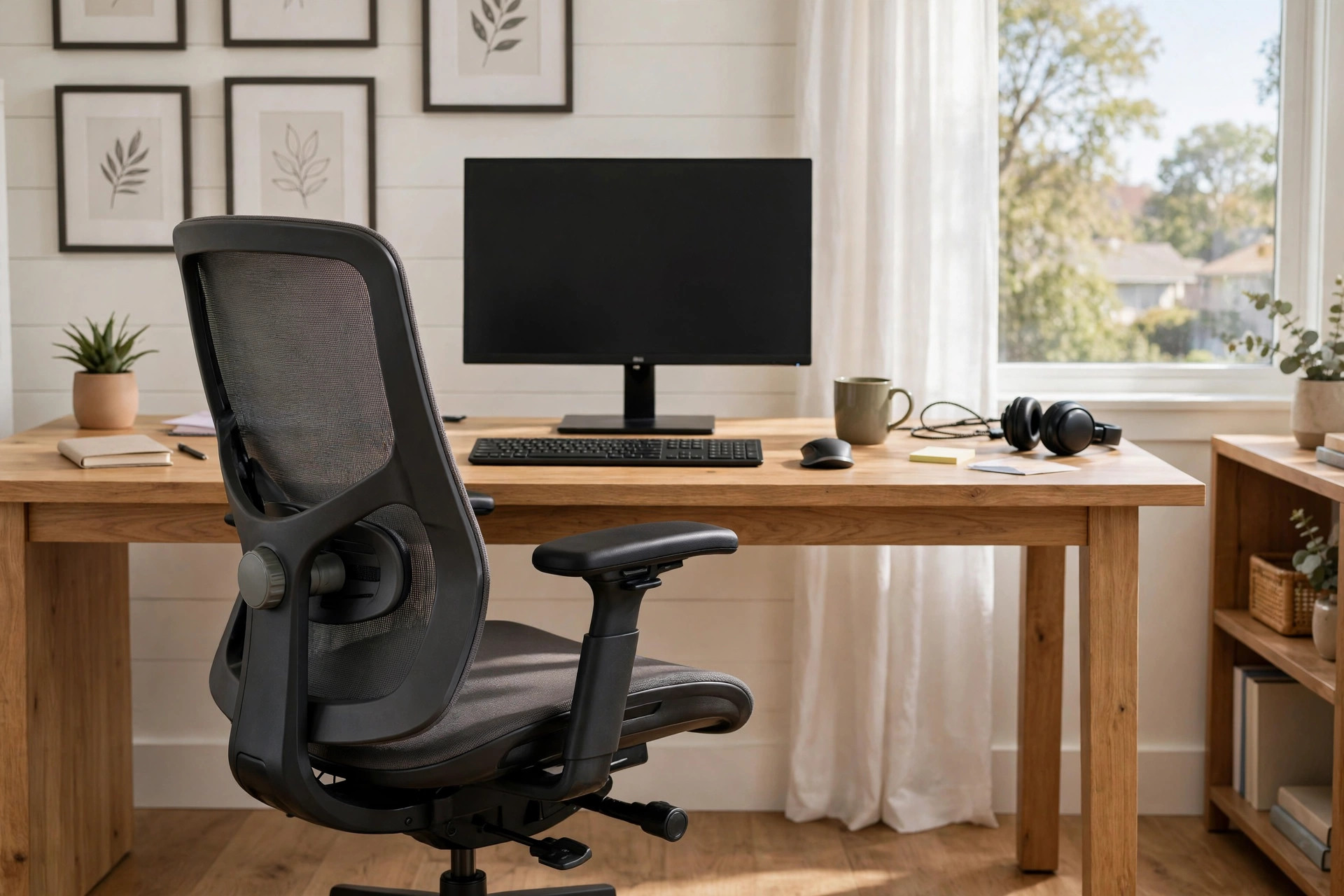

A sore back can ruin a work day. Many people sit for eight hours or more. A cheap chair makes that time hard on the spine. A good chair can change the whole day. This guide will help you find the best ergonomic office desk chair for back pain. It covers what to look for, the main types, what they cost, and how to keep your chair in good shape for years.
Back pain is one of the most common complaints among office workers. Doctors often point to long hours of sitting in poor posture. The chair you sit in is the tool you use most at work. It should support your body, not fight it. When you choose well, you may feel the difference in the first week.
Why a Good Chair Matters for Back Pain
The human spine has a natural curve. When you sit, your lower back should keep a slight inward curve. Most flat, stiff chairs do the opposite. They let the lower back round out. This puts extra weight on the discs between the bones of the spine. Over time, that strain can lead to a dull ache or a sharp pain that stays.
An ergonomic chair works with your body. It holds the lower back in place. It lets your feet rest flat on the floor. It keeps your knees near a right angle. It lets your arms rest at a comfortable height. Small things add up. When every part of the chair can be set to fit you, the load spreads out. No single spot takes all the pressure.
Studies of office health have shown the same pattern again and again. Workers who sit in adjustable chairs report less pain. They also miss fewer days of work. Painkillers and heating pads only treat the symptom. The best ergonomic office desk chair for back pain treats the cause.
What to Look for in an Ergonomic Office Chair: Best Ergonomic Office Desk Chair for Back Pain
Not every chair with the word “ergonomic” on the box will help your back. Look for real features that you can test with your own body.
Lumbar Support
Lumbar support is the most important feature. It is a pad or panel that presses gently into the lower back. It should be adjustable in height. It should also be adjustable in depth, so you can set how far it pushes in. Your own hand can tell you if it works. Sit back. The support should touch the small of your back without forcing you forward.
Fixed lumbar pads are a compromise. They suit the average body, but few bodies are average. If you have real back pain, adjustable lumbar support is worth the extra cost. Some chairs use a mesh panel that flexes with you. Others use a small cushion you can move up and down. Both can work well if the shape fits you.
Seat Depth and Height
Seat height should adjust so your feet lie flat on the floor. Your knees should sit at or slightly below hip level. If the seat is too high, pressure builds behind the knees. If it is too low, the hips fold and the lower back rounds.
Seat depth matters too. There should be two to three inches of space between the front edge of the seat and the back of your knees. A seat that is too deep pushes you forward and steals your lumbar support. A seat that is too shallow leaves the thighs hanging. Many good chairs slide the seat forward and back. That one feature fits a wide range of body sizes.
Armrests
Armrests take weight off the shoulders. Look for armrests that move up and down. The best ones also move in and out, and the pads pivot. Your elbows should rest near your sides at about a right angle. Armrests that are too high will hunch the shoulders. Armrests that are too low leave the arms hanging and pull on the neck.
Backrest Tilt and Lock
A chair that lets you lean back is a good thing. The backrest should tilt smoothly and lock in at least two or three positions. A slight recline, about 100 to 110 degrees, takes pressure off the lower spine. A good tilt also keeps your feet on the floor while you lean. This is called a synchro tilt. It moves the seat and back together in a fixed ratio.
Material and Build
Mesh backs allow air flow and flex with your body. They suit warm rooms. Foam cushions feel softer at first but can pack down with time. Look for high density foam if you choose a padded chair. A strong base with five legs and smooth casters will last longer and roll well on your floor type.
Types of Ergonomic Office Chairs
Chairs come in several shapes. Each suits a different body and a different way of working.
Task chairs are the classic office chair. They have a full back, armrests, and many adjustments. Most of the best ergonomic office desk chair for back pain models are task chairs. They suit people who sit for long stretches.
Mesh chairs use a breathable mesh back instead of padding. The mesh gives flex and airflow. They are light and easy to move. In a warm home office they keep you cool. Some people miss the soft feel of a cushion, but the support is real.
High back chairs rise to the shoulders or the head. They support the whole spine and let you rest your head. They suit tall users and long days. If you want the best office chair for long hours home office, a high back model is a strong place to start.
Knee tilt and kneeling chairs tilt the seat forward and shift weight to the knees. Some people find them kind to the lower back. Others find them hard on the knees. They are a niche choice, not a first pick for most buyers.
Gaming style chairs look bold and offer thick padding. Some models have decent lumbar pillows and solid builds. Many do not. Judge them by the adjustment list, not the look.
When you shop, sit in the chair if you can. A store that lets you test chairs is worth the trip. Online stores with long return periods are the next best thing. Your back will tell you more in thirty minutes than any review can.
Cost and Price
Prices vary widely. A basic ergonomic chair costs between one hundred and two hundred and fifty dollars. These chairs offer height adjustment and basic lumbar support. They suit light daily use.
Mid range chairs run from two hundred and fifty to six hundred dollars. This is where the best value lives. You get adjustable lumbar depth, seat slide, four way armrests, and a good tilt. Most people with real back pain should shop in this band.
Premium chairs cost six hundred dollars and more. Some reach past one thousand. They offer fine materials, wide adjustment ranges, and long warranties of ten to twelve years. They suit people who work from home full time and plan to keep the chair for a decade.
Do not judge a chair by price alone. A three hundred dollar chair that fits you beats a nine hundred dollar chair that does not. Set a budget, then test for fit. Good buying guides from Wirecutter can help you compare models side by side. Retailers like IKEA and Wayfair carry wide ranges at fair prices, while Staples and Office Depot often stock office grade models you can test in person.
How to Set Up Your Chair and Desk
A great chair only works if you set it up right. Follow these steps once, and your back will thank you every day.
First, set the seat height. Your feet should rest flat on the floor. Your thighs should slope slightly down to the knees. If your feet cannot reach the floor, use a footrest. An ergonomic footrest for under desk at home is a cheap fix that helps a lot.
Second, set the seat depth. Slide the seat so you keep two to three inches of space behind your knees while your back touches the lumbar support.
Third, set the lumbar support. Move it up or down until it fills the small of your back. Add depth until you feel gentle pressure, not a push.
Fourth, set the armrests. Your shoulders should stay relaxed. Your elbows should rest at about a right angle.
Fifth, set the screen and desk. The top of your monitor should sit at or just below eye level. Your keyboard should sit close, so your wrists stay straight. A riser like an adjustable height desk converter for existing table can lift a low desk to the right height. Pairing the chair with a best laptop stand for standing desk posture also helps if you work from a laptop.
Stand up and move every thirty to forty five minutes. No chair, however good, replaces movement. A short walk to the kitchen keeps the spine fed with blood and the muscles loose.
Care and Upkeep
A good chair is an investment. Simple care keeps it working for years.
Dust and vacuum the chair once a month. Crumbs and dust grind into fabric and wear it down. Use a soft brush attachment on a vacuum. Wipe mesh backs with a damp cloth and mild soap. Never soak the mesh.
Check the screws and bolts twice a year. Chairs loosen with daily use. A small hex key set is usually all you need. Tighten what has worked loose.
Oil the moving parts once a year. A drop of silicone spray on the tilt mechanism and the height cylinder keeps the motion smooth. Wipe away the extra oil so it does not catch dust.
Watch the casters. Hair and thread wrap around the wheels. Pull them free or pop the wheels off to clean them. Hard floor casters differ from carpet casters. Using the wrong type wears out the wheels fast.
Foam cushions will soften over time. Rotate or flip the seat pad if the design allows it. If the foam collapses, a replacement seat pad is cheaper than a new chair. Keep the chair out of direct sun. Sun fades fabric and dries out vinyl and leather.
Safety
A chair is safe when it is used as built. Sit with your weight centered. Do not lean far over the side. Do not stand on the chair to reach a shelf. Use a step stool instead.
Check the weight rating before you buy. Most office chairs rate for two hundred and fifty to three hundred pounds. Heavier duty models rate higher. Stay within the rating for safe daily use.
Lock the tilt before you stand up or sit down. An unlocked chair can slide away and cause a fall. Teach children not to spin or ride the chair across the room. Keep small parts and tools from assembly out of reach during setup.
Frequently Asked Questions
Will an ergonomic chair cure my back pain? A chair can help a great deal, but it cannot cure every cause of pain. Poor posture, weak core muscles, and old injuries all play a part. The best ergonomic office desk chair for back pain removes one big cause. If pain stays after a few weeks in a good chair, see a doctor or a physical therapist.
How long does it take to feel a difference? Many people feel relief in the first week. Your body may need two to three weeks to adjust to sitting in a new posture. Give the chair a fair trial. Fine tune the settings a little each day.
Is a mesh chair or a padded chair better for back pain? Both can work. Mesh gives flex and airflow. Foam gives a soft feel. What matters is adjustable lumbar support and a seat that fits your body. Test both and trust your back.
What is the best ergonomic office desk chair for back pain on a tight budget? Look for a mid range task chair with adjustable lumbar height and seat depth. Brands like Herman Miller and Steelcase set the high bar, while UPLIFT Desk offers strong value in the mid range. Buying guides from PCMag and The Spruce track sales and compare budget picks each year.
Should I replace my chair or just add a lumbar pillow? A lumbar pillow is a good cheap test. If it helps, your body wants more support. If the rest of the chair still fails you, the seat is too deep, or the arms are wrong, a full replacement will serve you better.
How often should I replace an office chair? A well made chair lasts seven to ten years with care. Replace it when the foam packs down, the tilt sticks, or the adjustments slip. Your comfort is the true test. If you ache by lunch, the chair has done its time.
A Final Word
The best ergonomic office desk chair for back pain is the one that fits your body and your work day. Look for adjustable lumbar support, a seat that fits your legs, arms that rest your shoulders, and a tilt that lets you lean back. Set the chair up with care. Keep it clean and tight. Move often. Your back carries you through every day. A good chair carries your back.
References
Herman Miller. (n.d.). Office furniture and ergonomic seating. https://www.hermanmiller.com IKEA. (n.d.). Home furnishings. https://www.ikea.com Office Depot. (n.d.). Office supplies and furniture. https://www.officedepot.com PCMag. (n.d.). Technology product reviews. https://www.pcmag.com Staples. (n.d.). Office supplies and furniture. https://www.staples.com Steelcase. (n.d.). Office furniture and workplace research. https://www.steelcase.com The Spruce. (n.d.). Home and garden advice. https://www.thespruce.com UPLIFT Desk. (n.d.). Standing desks and ergonomic office furniture. https://www.uplift-desk.com Wayfair. (n.d.). Furniture and home goods. https://www.wayfair.com Wirecutter. (n.d.). Product reviews from The New York Times. https://www.nytimes.com/wirecutter
Was this guide helpful?

About James Carter
The My Garden US editorial team writes practical, in-depth home and garden guides for American homeowners — tested advice, no fluff.
You May Also Like

Home Office Label Maker for Filing Organization
May 21, 2026 0 views
Adjustable Monitor Arm for Dual Screen Setup
June 23, 2026 0 views
Small L Shaped Desk With Monitor Shelf: A Practical Guide for Small Home Offices
February 2, 2026 0 views