Your eyes burn by three in the afternoon. Your head aches. You squint at the screen even though your vision is fine. The culprit is often not the screen at all. It is the light around it. Lighting mistakes that strain eyes at desks are some of the most common and most fixable problems in home offices. A few smart changes to brightness, glare, and lamp placement can end the daily eye fatigue without buying a new monitor or new glasses. This article explains lighting mistakes that strain eyes in simple terms.
Table of Contents
Table of Contents
- Lighting Mistakes That Strain Eyes: Why Desk Lighting Hurts Your Eyes
- Mistake 1: Working in a Dark Room With a Bright Screen
- Mistake 2: Overhead Light Glaring on the Screen
- Mistake 3: Sitting With a Window Behind Your Monitor
- Mistake 4: No Task Light for Paperwork
- Mistake 5: Wrong Bulb Color or Brightness
- Mistake 6: Flickering or Aging Bulbs
- Mistake 7: Screen Brightness Set Wrong
- Mistake 8: Never Taking Eye Breaks
- A Simple Lighting Checklist for Your Desk
- When to See an Eye Doctor
- Frequently Asked Questions
- Is a desk lamp really necessary if I have overhead lights?
- What is the best position for a desk lamp?
- Do blue-light glasses help with eye strain?
- Can poor lighting really cause neck and back pain?
- Conclusion
- References
Lighting Mistakes That Strain Eyes: Why Desk Lighting Hurts Your Eyes
When it comes to lighting mistakes that strain eyes, getting the details right makes all the difference.
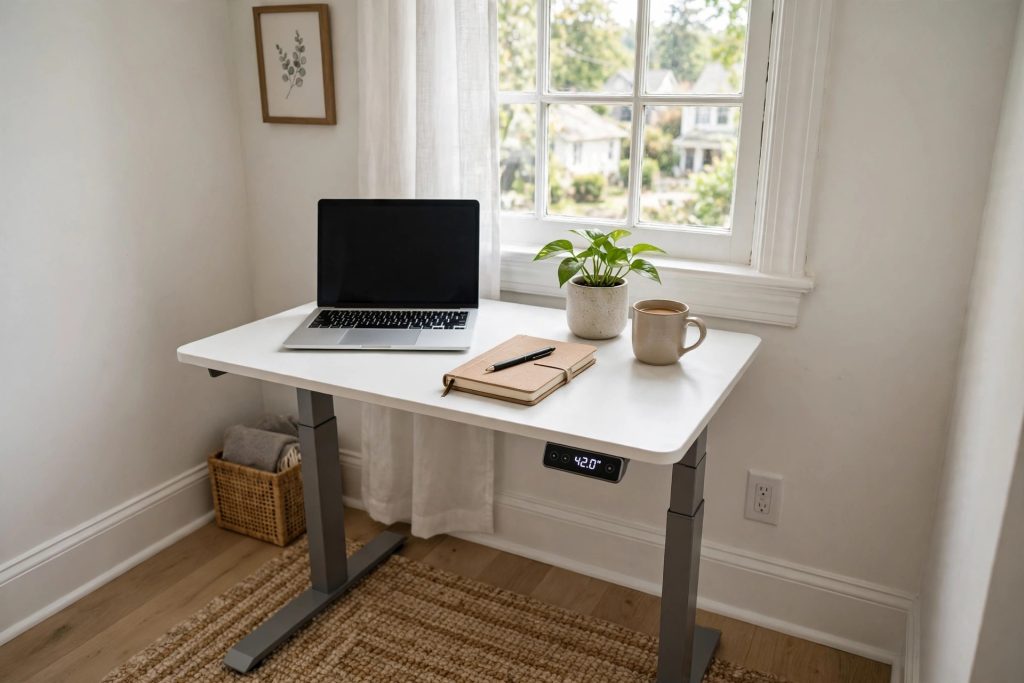
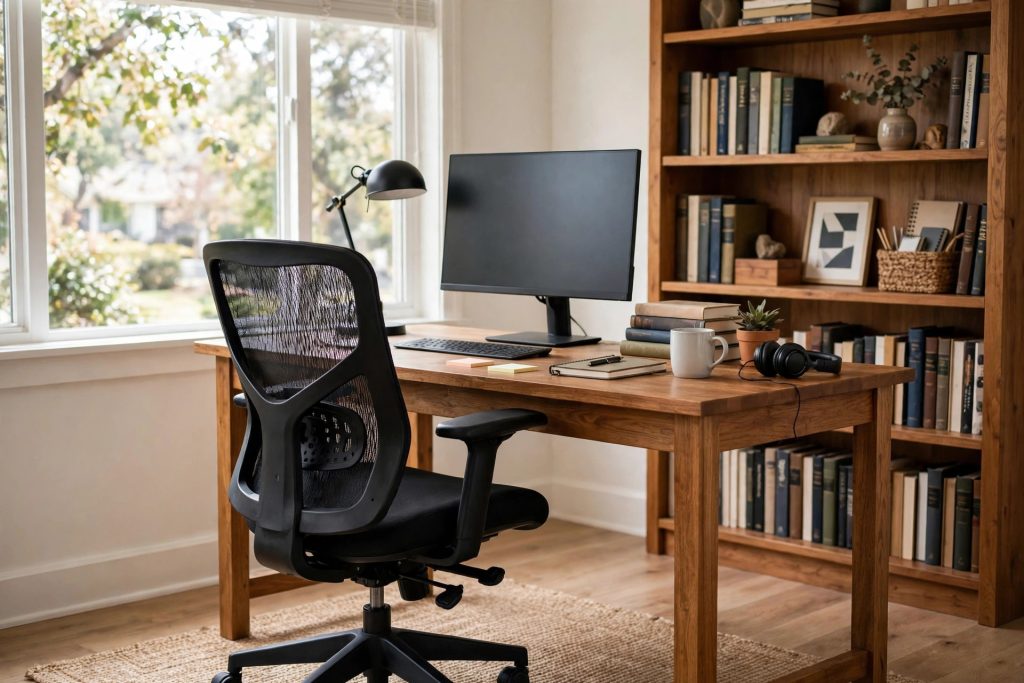
Many homeowners find that lighting mistakes that strain eyes is easier than they expected once they know the basics.
Your eyes work hardest when light levels fight each other. A glowing screen in a dark room forces your pupils to adjust constantly between bright and dark. Harsh overhead light bouncing off the screen washes out what you are reading. A window behind your monitor turns the screen into a mirror.
The result is a familiar list of complaints: dry or gritty eyes, headaches, trouble focusing, and neck or shoulder pain from leaning in to see better. Researchers have long linked poor office lighting to visual discomfort that spills into posture problems, because people twist and lean to escape glare. Fixing the light often fixes the posture too.
Mistake 1: Working in a Dark Room With a Bright Screen
Many homeowners find that lighting mistakes that strain eyes is easier than they expected once they know the basics.
The key to lighting mistakes that strain eyes is choosing the right approach for your space and budget.
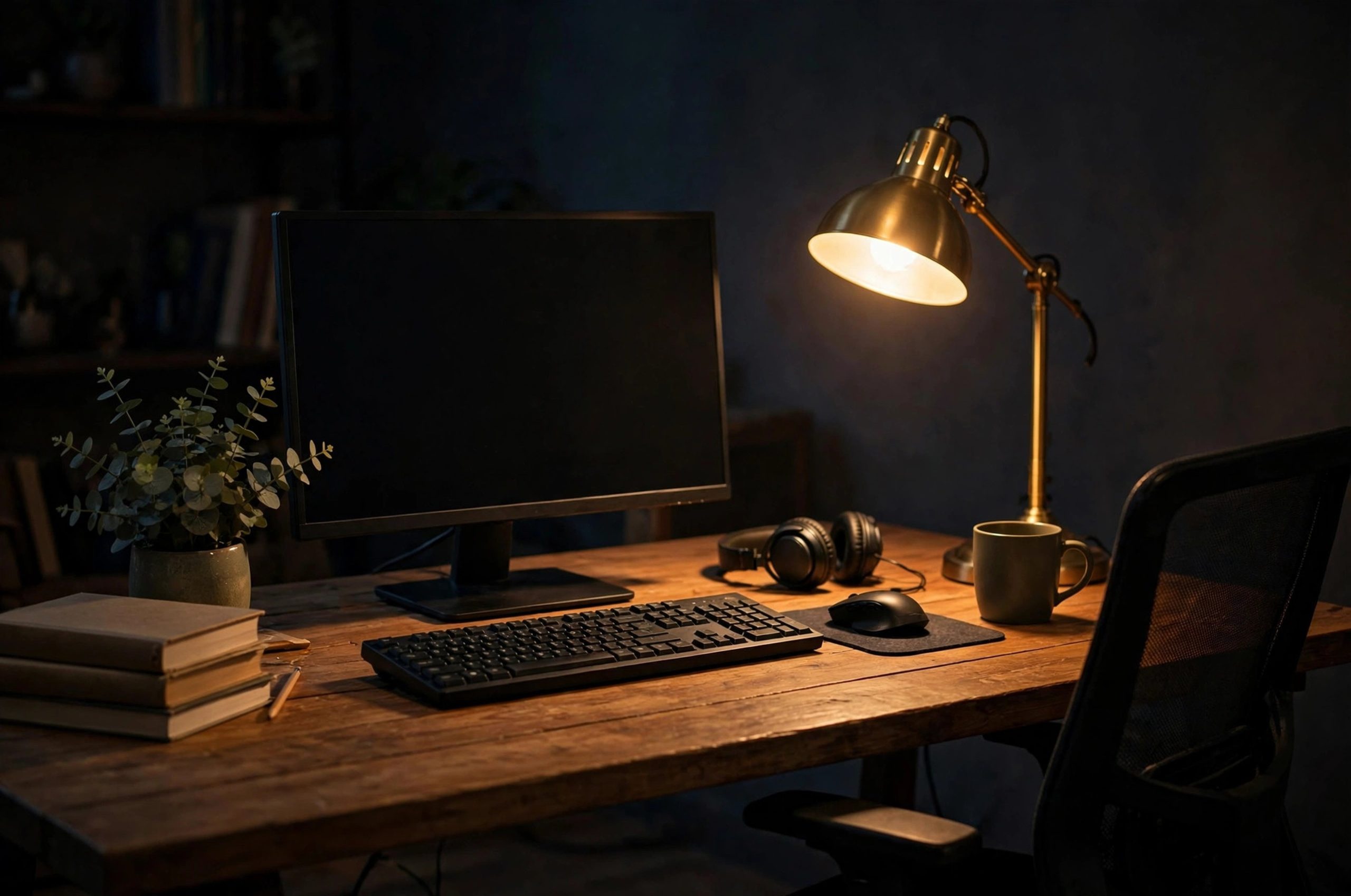
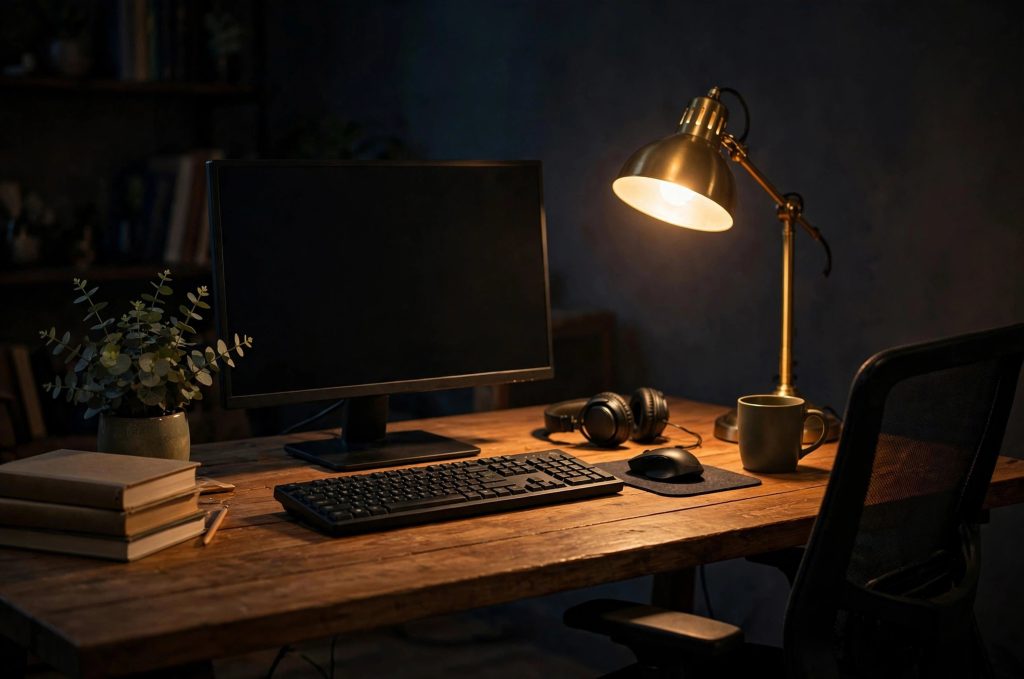
This is the classic evening setup: room lights off, monitor glowing. The sharp contrast between the bright screen and the dark room makes your eyes work overtime. Every glance away and back forces a full readjustment.
The fix: Keep the room softly lit. A gentle ambient light behind or beside the desk cuts the contrast without adding glare. A desk lamp with a dimmer lets you match the room brightness to the screen through the day. Aim for balance: the screen should not be the brightest thing in your field of view by a wide margin.
Mistake 2: Overhead Light Glaring on the Screen
The key to lighting mistakes that strain eyes is choosing the right approach for your space and budget.
With a little planning, lighting mistakes that strain eyes can fit even a busy schedule.
Ceiling lights shining directly onto your monitor wash out the image. You respond by squinting, leaning closer, and cranking the screen brightness up. All three make the strain worse.
The fix: Position your monitor so overhead lights do not reflect in it. Screens do best parallel to overhead light rows, not directly under a bright fixture. If you cannot move the desk, dim the overheads and rely on task lighting instead. OSHA's lighting guidance stresses arranging the office to minimize glare from overhead lights, desk lamps, and windows, and suggests supplemental task lighting for reading and writing so the overheads can stay low.
Mistake 3: Sitting With a Window Behind Your Monitor
With a little planning, lighting mistakes that strain eyes can fit even a busy schedule.
Before you start, it helps to understand how lighting mistakes that strain eyes works in real homes.
Bright light behind the screen creates a harsh halo effect. Your eyes fight the contrast all day, and you may not even notice you are doing it until the headache arrives.
The fix: Face the window, or sit with the window to your side. Facing the window gives you natural light on your face and your desk, which looks better on video calls too. Side light works well if you add blinds to control direct sun. Never put the bright window directly behind the screen. Boston University's ergonomics lighting tips note that severe headaches rank among the most common work complaints tied directly to problem lighting.
Mistake 4: No Task Light for Paperwork
Before you start, it helps to understand how lighting mistakes that strain eyes works in real homes.
A good plan for lighting mistakes that strain eyes saves time, money, and frustration.
Screens make their own light. Paper does not. If you read printed documents, take notes, or review files at your desk, the screen's glow is not enough. Straining to read dim paper under screen-only light is a fast track to eye fatigue.
The fix: Add a task lamp aimed at your documents, not at your screen. The Canadian Centre for Occupational Health and Safety advises that the task lamp should light the document, not the monitor, and that paper tasks need more light than screen tasks. A desk lamp with a charging station covers both paperwork light and device charging in one footprint. CCOHS's full eye discomfort guide is worth reading for the complete picture.
Mistake 5: Wrong Bulb Color or Brightness
A good plan for lighting mistakes that strain eyes saves time, money, and frustration.
For most people, lighting mistakes that strain eyes comes down to a few smart choices.
Bulbs come in color temperatures, and the wrong one makes a desk feel wrong. Very cool, blue-white bulbs can feel harsh and clinical. Very warm, dim bulbs can feel sleepy and force you to squint at fine print.
The fix: For desk work, a neutral white bulb usually feels best: bright enough to read by, soft enough to live with. Make sure the bulb is bright enough for the task. A lamp that looks cozy but leaves your paperwork dim is not doing its job. If your eyes feel better in daylight, consider a daylight-balanced bulb for your task lamp. A floor lamp guide for reading can help if you also read away from the desk.
Mistake 6: Flickering or Aging Bulbs
For most people, lighting mistakes that strain eyes comes down to a few smart choices.
Old fluorescent tubes flicker. You may not see the flicker consciously, but your eyes feel it. The subtle pulsing forces constant micro-adjustments that add up to real fatigue by day's end.
The fix: Replace old fluorescents with modern LED bulbs or fixtures. LEDs do not flicker the way aging tubes do, they last far longer, and they sip power. If your office still has a buzzing tube fixture overhead, replacing it is one of the highest-value upgrades you can make.
Mistake 7: Screen Brightness Set Wrong
If you are new to lighting mistakes that strain eyes, start with the simplest option and build from there.
Many people run their screens at full brightness all day. In a softly lit room, a max-brightness screen is a spotlight aimed at your face. Others set it too dim and strain to read.
The fix: Match screen brightness to the room. The screen should look like a piece of paper in the same light: comfortable, not glowing. Most operating systems have a night mode that warms the screen color in the evening. Use it. And clean the screen regularly. Dust and smudges scatter light and force your eyes to work harder for no reason.
Mistake 8: Never Taking Eye Breaks
When it comes to lighting mistakes that strain eyes, getting the details right makes all the difference.
Even perfect lighting cannot fix eight unbroken hours of staring. When you focus on a screen, you blink less. Less blinking means drier eyes. Drier eyes mean burning, itching, and blur.
The fix: Follow the 20-20-20 rule from the American Optometric Association: every 20 minutes, look at something at least 20 feet away for 20 seconds. Set a timer until it becomes habit. Blink fully and deliberately during breaks. If your eyes still feel dry, preservative-free artificial tears help, especially in air-conditioned rooms. Lab Manager's eye strain prevention guide covers the same break routine and adds workstation setup tips that apply to any desk.
A Simple Lighting Checklist for Your Desk
Many homeowners find that lighting mistakes that strain eyes is easier than they expected once they know the basics.
Run through this list once and your eyes will thank you daily:
- Room softly lit, no dark-room-plus-bright-screen contrast
- Monitor positioned to avoid overhead glare and window reflections
- Blinds or curtains on windows to control direct sun
- Task lamp aimed at paperwork, not at the screen
- Neutral-white bulbs, bright enough to read by
- No flickering or buzzing fixtures
- Screen brightness matched to the room, screen kept clean
- 20-20-20 breaks on a timer
OHS Canada's eye discomfort primer adds that many eye discomfort symptoms resolve with lighting alone, which shows how much of the problem is environmental rather than medical.
When to See an Eye Doctor
Lighting fixes solve most desk eye strain, but not all of it. See an eye doctor if headaches and eye pain persist after you fix the lighting, if your vision blurs and does not clear with breaks, or if you notice you are squinting even in good light. You may need an updated prescription or computer-specific glasses. Tell the doctor about your work setup so the prescription matches your real viewing distance.
Frequently Asked Questions
Is a desk lamp really necessary if I have overhead lights?
Often, yes. Overheads light the whole room evenly, but your paperwork and keyboard need focused light. A task lamp lets you brighten the work zone without flooding the room, which also helps control screen glare. An LED desk lamp with a wireless charging base adds phone charging to the same small footprint.
What is the best position for a desk lamp?
To the side of your dominant hand's opposite side: left side for right-handed writers, so your hand does not cast a shadow on your writing. Angle it at your documents or keyboard, never directly at the screen or into your eyes.
Do blue-light glasses help with eye strain?
The main proven causes of desk eye strain are glare, poor lighting, and reduced blinking. Fixing those helps more than any filter. If you like blue-light glasses and they feel good, they do no harm, but treat them as a complement to good lighting, not a replacement.
Can poor lighting really cause neck and back pain?
Yes. When glare or dim light makes the screen hard to see, people lean forward, crane their necks, and hunch their shoulders to compensate. EHS Today's lighting report describes exactly this chain: poor contrast leads to awkward postures, which lead to neck and back strain over time.
Conclusion
Lighting mistakes that strain eyes at desks are easy to make and easy to fix. Soften the room instead of working in the dark. Kill the glare on your screen. Move the window out from behind your monitor. Add a task lamp for paperwork. Match your screen to the room and take real eye breaks.
Work through the checklist this weekend. Your eyes do thousands of focusing adjustments every workday. Give them light that works with them instead of against them, and the afternoon headaches may simply stop showing up. That is all it takes to handle lighting mistakes that strain eyes with confidence.
References
- Dazor Manufacturing. (n.d.). OSHA recommendations for proper lighting. https://www.dazor.com/cmss_files/attachmentlibrary/OSHA-Recommendations-for-Proper-Lighting.pdf
- Lab Manager. (n.d.). Essential lab safety tips for eye strain prevention. https://www.labmanager.com/preventing-eye-strain-and-vision-problems-in-the-lab-33806
- Canadian Centre for Occupational Health and Safety. (n.d.). Office ergonomics - eye discomfort in the office. https://WWW.CCOHS.CA/oshanswers/ergonomics/office/eye_discomfort.pdf
- OHS Canada. (n.d.). Look out for eye discomfort. https://www.ohscanada.com/opinions/look-out-for-eye-discomfort/
- Jacobs, K. (n.d.). Ergonomic strategies: Lighting. Boston University. https://people.bu.edu/kjacobs/Ergonomics%20Tips-%20LIGHTING.pdf
- Electrical Contractor Magazine. (n.d.). Seeing in a new light: Ergonomic lighting in the workplace. https://www.ecmag.com/magazine/articles/article-detail/seeing-in-a-new-light-ergonomic-lighting-in-the-workplace
- EHS Today. (n.d.). The power of light. https://www.ehstoday.com/health/article/21915948/the-power-of-light?page=1
- Cleveland Clinic. (n.d.). How to set up an ergonomic home office. https://health.clevelandclinic.org/heres-how-to-set-up-your-office-to-avoid-aches-pain?fbclid=IwAR3IrJwQbvEka9O1iJa2nbUQ6yDmCQUyR9BhjiihJl7IhXHRRHFDeygfX1o
Was this guide helpful?

About My Garden US
The My Garden US editorial team writes practical, in-depth home and garden guides for American homeowners — tested advice, no fluff.
You May Also Like
Ergonomic Wrist Rest for Keyboard and Mouse: A Practical Guide
August 24, 2026 22 views
Best Cable Management Box for Desk Wires: A Complete Guide
April 7, 2026 19 views
A Home Office Desk with Cable Management Holes: A Plain Guide
May 10, 2026 18 views