Many home workers bought a standing desk and still feel pain. Their neck aches by lunch. Their shoulders burn by midafternoon. The problem is rarely the desk itself. The problem is the laptop. A laptop sits flat on the desk, and its screen sits far too low. When you stand, you bend your neck down to read that low screen. Hour after hour, that bend adds up. The best laptop stand for standing desk posture fixes this one flaw. It lifts the screen to eye level. It holds the machine steady while you type on a separate keyboard. It turns a standing desk into a workstation that truly supports your body.
This guide explains why posture fails at standing desks, what to look for in a stand, what types exist, what they cost, and how to set one up correctly. The advice is written for plain home offices in the United States.
Why Posture Suffers at a Standing Desk
A standing desk solves one problem and creates another. It gets you out of your chair, which helps your hips, legs, and circulation. But most people set their laptop directly on the desk surface. The desk height fits your hands, not your eyes. When you stand at a desk that is 40 to 44 inches high, a laptop screen rests near your waist. You tilt your head down about 30 to 45 degrees to see it. Ergonomic research from Herman Miller and Steelcase has long shown that this forward head tilt greatly raises the strain on the neck and upper back.
Your head weighs about ten to twelve pounds. Held upright over your shoulders, your spine carries it with ease. Tilted forward, the load on your neck muscles climbs fast. At a steep downward angle, those muscles carry what feels like forty or fifty pounds. A standing desk posture setup only works when the screen meets your eyes, not when your eyes go down to meet the screen.
There is a second problem. When the laptop sits flat, you also tend to hunch your shoulders and round your upper back to reach the built-in keyboard. That rounded position shortens the chest muscles and stretches the muscles between the shoulder blades. After weeks of this habit, the rounded shape starts to feel normal. A good stand breaks this pattern. It separates the screen from the keyboard so each one can sit where your body wants it.
A third problem is eye strain. A low screen forces your eyes to look sharply downward for hours. Many workers report dry eyes and headaches by late afternoon. Raising the screen to a neutral eye line, as recommended in home office guides from The Spruce, reduces this fatigue. Your eyes stay moist and your focus lasts longer.
What to Look for in a Laptop Stand: Best Laptop Stand for Standing Desk Posture
The best laptop stand for standing desk posture does a few jobs well. First, it must raise the screen to eye level. Measure from the floor to your eyes while you stand relaxed. Then measure from the floor to the top of the screen on your desk. The gap is the height your stand must add. For most adults, a lift of six to ten inches is right.
Second, the stand must hold your laptop size and weight. A 13-inch machine and a 17-inch workstation weigh very different amounts. Check the stand’s rated load. A stand rated for at least ten pounds handles nearly every common laptop. Stands made of thick aluminum or steel last longer than thin plastic models. Reviews from PCMag and Wirecutter often praise metal stands for their stiffness and long life.
Third, look at stability. A standing desk moves slightly when you lean on it. Your stand should not wobble when you type. Wide bases, rubber feet, and a low center of gravity all help. If you use a separate monitor arm later, an adjustable monitor arm for dual screen setup pairs well with a laptop stand and keeps the whole desk calm and steady.
Fourth, check ventilation. Laptops run hot when they work hard. A stand with an open frame or vent slots lets air move under the machine. Heat shortens the life of a battery, so cooling protects your investment.
Fifth, think about cable management. A raised laptop leaves its cords dangling in the air. Stands with clips or a back channel keep those lines tidy and safe.
Sixth, consider portability. If you work from a kitchen table one day and a bedroom desk the next, a folding stand that slips into a bag has real value. For workers who roam, a portable standing desk for working from anywhere combined with a light travel stand creates a full posture setup in any room.
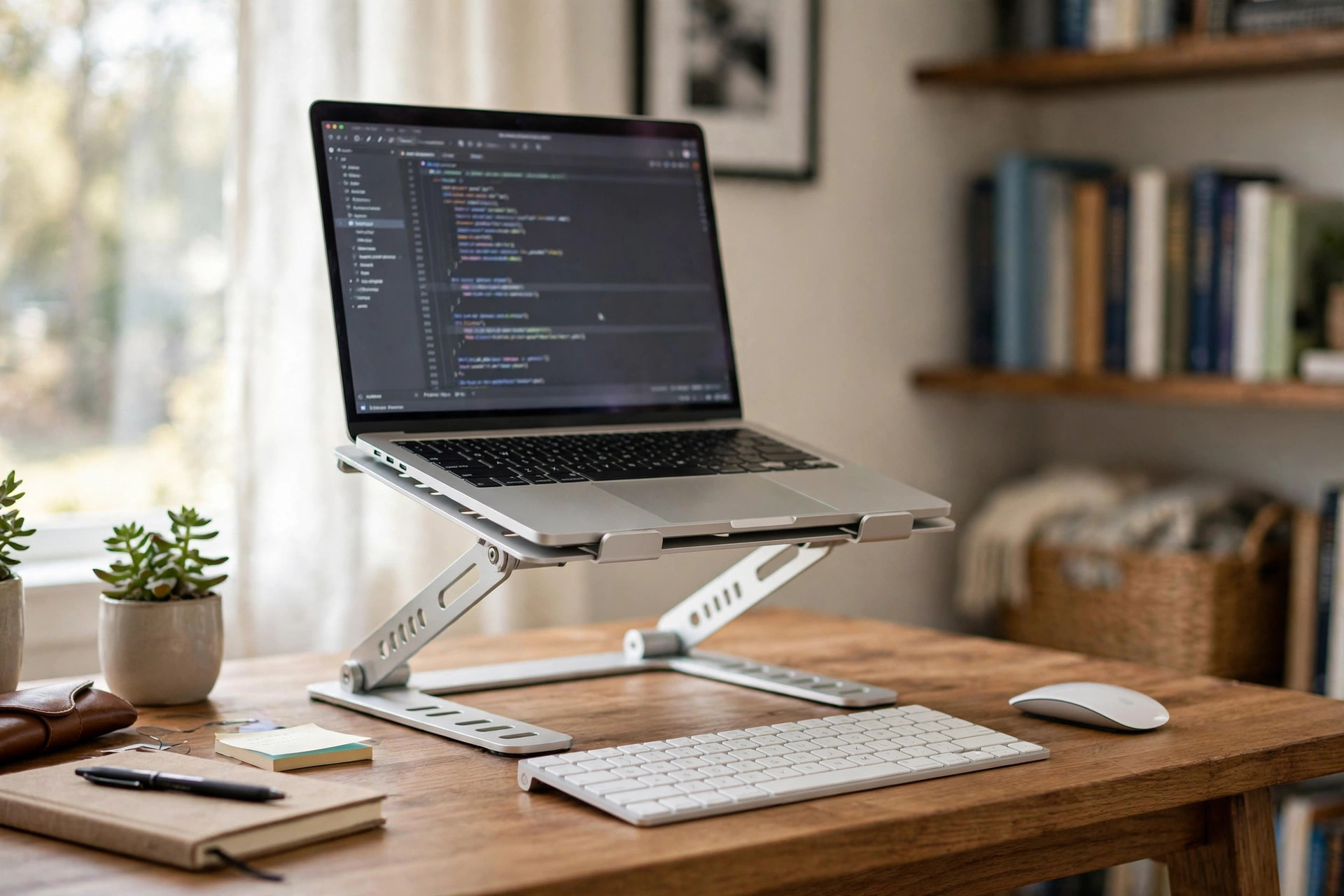
Finally, check that the stand leaves room for a real keyboard and mouse. This is the golden rule of laptop ergonomics. The laptop becomes the screen only. Typing happens on a separate keyboard at elbow height. Without this split, even the finest stand cannot fix your posture.
Types of Laptop Stands
Laptop stands fall into a few clear families. Each suits a different worker.
Fixed-height risers are the simplest. They are usually a single piece of bent aluminum or a small platform on legs. They lift the laptop six or seven inches and never move. They cost little and never break. Their weakness is obvious: they cannot adjust.
Adjustable folding stands use hinges and locking arms to change height and tilt. Many fold flat for travel. They suit students, remote workers who move between rooms, and desks that serve more than one person. Cheap models may drift down under a heavy laptop, so read the load rating and check reviews on Wayfair or IKEA before you buy.
Desktop riser platforms are wide trays that raise the whole laptop, sometimes with a drawer or shelf beneath. An adjustable height desk converter for existing table works on the same idea at a larger scale, turning any ordinary table into a sit-stand desk.
Clamp or arm-mounted holders attach to the desk edge or to a monitor arm pole. They suit programmers and designers who run two screens and want the laptop as a second display. They free the most desk space but cost more and need a sturdy desk edge.
Cooling stands with fans add small powered fans under an open frame. They suit gamers and video editors whose machines run hot for hours. The fans add noise, so they are a poor choice for shared rooms or phone-heavy jobs.
For most home office workers at a standing desk, an adjustable folding stand in thick aluminum is the sweet spot. It costs a moderate amount, it adjusts to your exact height, and it folds away when the desk becomes a dining table again.
Cost and Price
Laptop stands range from very cheap to surprisingly dear. Simple fixed risers often cost between fifteen and thirty dollars. They are fine for light laptops and patient users. Adjustable folding stands from respected brands usually cost between thirty and seventy dollars. This range holds the best value for standing desk posture work. You get metal construction, real height adjustment, and a stable base.
Premium stands, arm-mounted holders, and designer models can cost eighty to one hundred fifty dollars or more. They earn their price with finer machining and longer warranties. For a worker who stands six to eight hours a day, the extra cost can be worth it.
Watch for false economy. A twelve-dollar plastic stand that wobbles or lets your laptop slide is not a bargain. Test reports from Consumer Reports often show that mid-priced models beat the cheapest ones on stability by a wide margin. Buy the stand once, and buy it right.
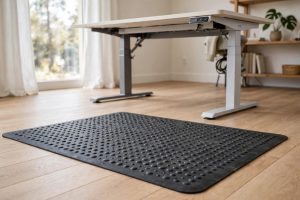
Also budget for the partners a stand needs. A basic wireless keyboard and mouse add twenty to fifty dollars. An anti-fatigue mat for standing adds thirty to sixty dollars. These three items together, stand plus keyboard plus mat, form the core of a healthy standing workstation.
Setting Up Your Stand for Good Posture
Follow these steps in order.
Stand at your desk in your normal work shoes. Relax your shoulders. Let your arms hang loose at your sides. Note where your eyes look straight ahead.
Raise the desk so your elbows bend at about ninety degrees when your hands rest on the keyboard. Your forearms should lie nearly level. If your desk does not adjust, add a mat or change your stance until the height feels right. Guides from This Old House use the same elbow rule for workbench height, and the human body does not change between a bench and a desk.
Now set the stand height so the top of the laptop screen sits at or just below your eye line. The center of the screen should sit about fifteen to twenty degrees below straight-ahead gaze. If you wear bifocals or progressive lenses, you may prefer the screen a touch lower.
Push the laptop back until the screen sits an arm’s length away, roughly twenty to twenty-eight inches from your eyes. A screen that is too close strains your eyes. A screen that is too far makes you lean forward.
Place the separate keyboard in front of you, close enough that your upper arms hang nearly vertical. Place the mouse at the same height, just to the side. Keep your wrists straight and floating.
Check your feet. Stand with your weight even on both feet, knees soft, not locked. Shift your weight every twenty minutes or so. No posture, however perfect, should be held frozen all day.
Finally, sit down on purpose. Even the best standing setup should not keep you standing for eight straight hours. Alternate between sitting and standing through the day.
Care and Upkeep
A laptop stand needs little care, but a little care goes far. Wipe the stand with a dry cloth each week to clear dust. Dust under the laptop traps heat. Check the rubber feet and pads every few months. Worn pads let the stand slide, and a sliding stand is a falling laptop waiting to happen. Replacement pads cost almost nothing.
If your stand has hinges, open and close them gently. Forcing a hinge past its stop bends the metal and ruins the lock. If a locking arm starts to slip under the laptop’s weight, stop using that height setting. A stand that cannot hold its position cannot be trusted.
Keep liquids away from the raised laptop. A spill that would merely wet a flat desk can run straight into the keyboard vents of a tilted machine. Use a cup with a lid, and keep drinks to the side of the stand, never above the keyboard.
Safety
A raised laptop changes the balance of your desk. Make sure the stand sits fully on the desk surface, not hanging over the edge. Route the power cord so it cannot snag on your sleeve or chair. A yanked cord can pull the whole stand off the desk.
Never stack books or boxes under a stand to gain extra height. The stack can shift, and the laptop can fall. If the stand is too short, buy a taller stand. Your laptop and your data are worth more than the price difference.
If children or pets share the room, place the desk where a bumped table cannot send the laptop flying. A stand with a front lip or edge guard adds real protection against slides.
Unplug the stand’s cooling fans, if it has them, before you move the desk up or down. A caught cable can tip the stand. These small habits prevent the most common accidents.
Frequently Asked Questions
Do I really need a separate keyboard with a laptop stand? Yes. The stand raises the screen to eye level, which puts the built-in keyboard too high for comfortable typing. A separate keyboard at elbow height lets your shoulders relax and your wrists stay straight. Without it, you trade neck pain for shoulder pain.
What is the right screen height for a standing desk? The top of the screen should sit at or just below eye level. Most adults need the laptop lifted six to ten inches above the desk surface. Adjustable stands let you find your exact number.
Can a laptop stand help with back pain? It can help with pain that comes from hunching. A stand that lifts the screen lets you stand tall with your ears over your shoulders. Many workers report less upper back ache within two weeks.
Will a stand fit my large 17-inch laptop? Most quality stands list the screen sizes and weights they support. A 17-inch laptop needs a wide platform and a load rating of at least ten pounds.
Is a standing desk alone enough for good posture? No. A standing desk helps your legs, hips, and circulation, but it does nothing for your neck and eyes on its own. The screen height decides your head position. Without a stand, most people crane their necks down at a standing desk all day.
How often should I stand versus sit? A common pattern is to stand for thirty to forty-five minutes, then sit for fifteen to thirty minutes, and repeat. Change position before you feel stiff. Movement matters more than any single perfect posture.
A Final Word
Good posture at a standing desk is not a mystery. It is a short list of plain facts. Raise the screen to eye level. Keep the keyboard at elbow height. Stand tall, move often, and alternate with sitting. The best laptop stand for standing desk posture is the one that is sturdy, adjustable, and matched to your height. Buy it once, set it up with care, and your neck, shoulders, and back will thank you every workday.
References
Consumer Reports. (n.d.). Product reviews and ratings. https://www.consumerreports.org Herman Miller. (n.d.). Office furniture and ergonomic seating. https://www.hermanmiller.com IKEA. (n.d.). Home furnishings. https://www.ikea.com PCMag. (n.d.). Technology product reviews. https://www.pcmag.com Steelcase. (n.d.). Office furniture and workplace research. https://www.steelcase.com The Spruce. (n.d.). Home and garden advice. https://www.thespruce.com This Old House. (n.d.). Home renovation guidance. https://www.thisoldhouse.com UPLIFT Desk. (n.d.). Standing desks and ergonomic office furniture. https://www.uplift-desk.com Wayfair. (n.d.). Furniture and home goods. https://www.wayfair.com Wirecutter. (n.d.). Product reviews from The New York Times. https://www.nytimes.com/wirecutter
Was this guide helpful?

About David Wilson
The My Garden US editorial team writes practical, in-depth home and garden guides for American homeowners — tested advice, no fluff.