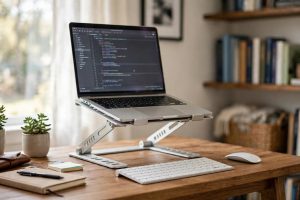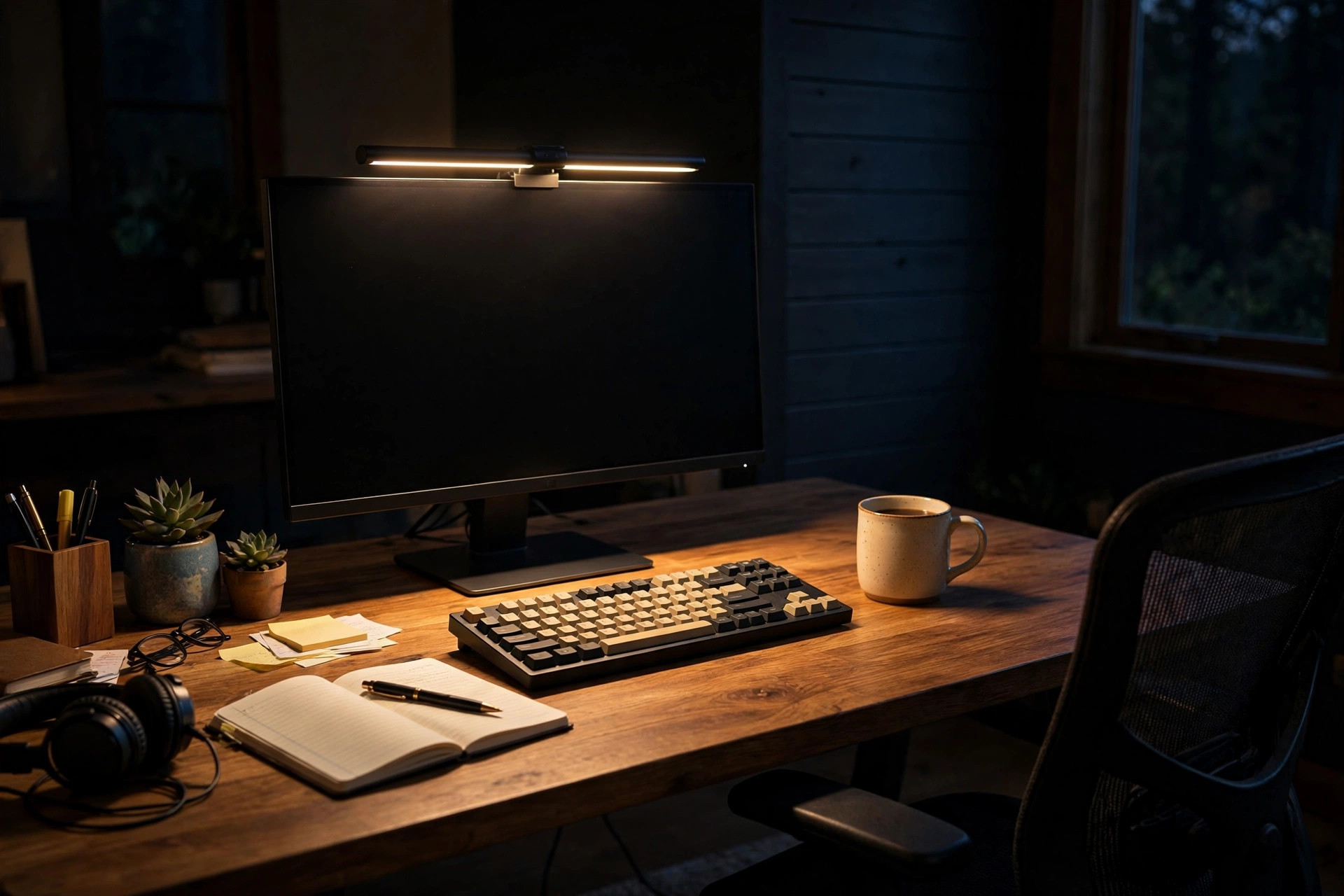

Many people who work late at a computer know the dull ache behind the eyes. The screen glows bright, the room sits dark, and the gap between the two wears the eyes down. An adjustable monitor light bar for eye care was built to close that gap. It sits on top of the monitor and throws a soft, even wash of light across the desk and keyboard. The idea is old. Task lighting has lit work desks for a hundred years. What is new is the form: a slim bar that clips to a screen, draws little power, and keeps the light off the screen itself. This guide explains why that matters, what to look for when buying one, how much to pay, and how to use one in a safe and sound way.
Why Proper Desk Light Matters for Eye Comfort
The human eye adapts to light slowly and tires quickly when forced to adapt again and again. A bright screen in a dark room forces the pupils to trade off between two worlds. They open wide for the dim room and close fast for the bright screen. Over hours this trade-off adds up. Tired eyes water. They burn. The head aches. Work slows. None of this is new knowledge. Doctors who study vision have warned for decades that poor light at a desk is one of the chief causes of eye strain, and the rise of the home office has only made the problem more common.
The usual fix has been a desk lamp. A desk lamp helps, but it has weak points. It takes up desk space. Its light often spills onto the screen and washes out the picture. Many lamps glare straight into the eyes of the person sitting at the desk. A light bar placed above the monitor avoids these faults. It aims down and forward, onto the desk and the keyboard, and it keeps the beam clear of the screen. The room gets a gentle lift in brightness. The screen no longer stands alone as the one bright object in a dark room. The eyes relax. This is the simple science behind the adjustable monitor light bar for eye care, and it is why so many night workers have made the switch.
There is a second reason the light bar helps. Most models let the user change the color of the light from cool white to warm amber. Cool light suits the morning. Warm light suits the night. Late at night the body grows more sensitive to bright blue-rich light, which can push back the hour of sleep. A warm amber setting gives the desk a soft glow that feels easy at midnight. In this way the bar aids the eyes and the evening alike.
What to Look for When Choosing One: Adjustable Monitor Light Bar for Eye Care
Mounting and Fit
The first thing to check is the fit. The bar must sit on the top edge of the monitor and stay there. Most models use a weighted clip that hooks over the top bezel of the screen. Before buying, measure the thickness of the monitor at the top edge and compare it with the range the maker lists. Most home monitors fall inside the common range, but curved screens and very thin laptop lids can pose a problem. Some light bars offer a small stand or a stick-on base as an extra option for odd cases. Read the fine print. A light bar that slips off the monitor at midnight is worse than no light bar at all.
Brightness and Adjustment
The word adjustable in the name is doing real work. A good light bar should let the user set the brightness up and down in smooth steps. Some models use a touch strip on the top of the bar. Others use a small round remote that sits on the desk. A few use a puck or dial. Any of these will do, but the control should be easy to reach and simple to use in the dark. Look for a model that remembers the last setting when the power goes off and on again. That small detail saves a daily chore.
Brightness is measured in lux at the desk surface. More important than the top number is the low end. A bar that dims down very low is worth more than a bar that only blasts at full power. The goal is to match the light to the room, not to flood the desk.
Color Temperature
As noted above, the ability to shift from cool white to warm amber is one of the main selling points of an adjustable monitor light bar for eye care. Look for a range that runs from about 2700 kelvin to about 6500 kelvin. The low number is the warm amber end. The high number is the cool daylight end. A model with only one fixed color can still work, but it cannot do the warm-evening trick that many buyers want. For night workers, the color shift is close to a must.
Flicker and Glare
The human eye is quick to notice flicker, even when the mind does not name it. Cheap drivers can make an LED bar flicker at a fast rate that tires the eyes and causes headaches in some people. Look for makers who state that their product is flicker-free or that it uses direct current dimming. This is one area where the well-known brands earn their price. The reviews on sites such as PCMag and Wirecutter often note flicker in their tests of desk lighting, and those notes are worth reading before a purchase.
Glare control matters too. The bar should have a shape that throws light down at the desk and not back into the eyes. When the bar is set up right, the screen shows no bright reflection of the bar itself.
Types and Options on the Market
Light bars for monitors come in a few clear types. The classic type clips to the monitor and draws power from a USB port on the computer or a wall plug. This is the most common form and the one most buyers choose. The second type adds a small control puck that sits on the desk, which makes changes easier without reaching up to the monitor. The third type is a longer bar made for wide or ultra-wide screens, which needs more length to cover the full width of the desk area.
Some models aim at gamers and add colored backlight on the rear of the bar that paints the wall behind the monitor. That feature is a matter of taste. It does not help eye care in any proven way. For a work desk, the plain front-light model is the safer choice.
Shoppers comparing desk furniture will find that the light bar pairs well with an adjustable monitor arm for dual screen setup, which clears the desk of stands and leaves more room for the light to wash over. It also works well beside an affordable dual monitor setup for remote workers usa, since a single long bar can sit over the main screen while the side screen shares the lifted room light. For those still choosing their general desk lighting, a look at the best task lighting for home office desk setup gives a wider view of the options.
Retailers that carry home office goods, such as IKEA and Wayfair, list several light bar models alongside their desk collections, which makes it easy to compare sizes and prices in one place.
Cost and Price: What to Expect
Prices for an adjustable monitor light bar for eye care run in a wide band. At the low end, simple no-name bars sell for about fifteen to thirty dollars. These often lack flicker-free dimming and may have a narrow color range. In the middle, from about forty to eighty dollars, sit the well-reviewed models from known lighting and accessory makers. These usually offer smooth dimming, a wide color range, memory of the last setting, and a decent mounting clip. At the high end, above a hundred dollars, sit the premium models from firms that make full desk systems, with wireless remotes and very even light fields.
For most buyers the middle band is the sweet spot. The price difference between a thirty-dollar bar and a sixty-dollar bar is small next to the number of hours the desk will be used. Think of it as a cost per year of night work. A sixty-dollar bar used for three years costs under two dollars a month. The eyes are worth that much.
Watch for hidden costs. Some bars need a USB wall plug that is not in the box. Check the listing for what is included before the box arrives.
Care and Upkeep
A light bar asks for very little care, but a few habits keep it working well for years. Dust the bar once a month with a dry soft cloth. Dust on the lens dulls the light and can throw soft shadows on the desk. Do not use water or spray cleaners on the lens or the electronics. If the touch strip stops responding, wipe it dry and try again; skin oil is the usual cause.
Keep the USB cable tidy. Route the cable behind the monitor and down to the port with a small clip. Major office furniture makers such as Steelcase and Herman Miller publish guidance on keeping desk electronics clean and in good working order. Check the mounting clip twice a year. Heat and time can loosen the grip, and a small twist back to snug keeps the bar level.
Safety Notes
Light bars are low-voltage devices and carry little risk, but a few safety points are worth stating. Buy from a known maker or a seller with a clear return policy. Very cheap bars from unknown sellers may lack proper electrical testing. Look for a UL or ETL mark on the product or its packaging, which shows it passed standard safety tests in the United States.
Do not cover the bar with cloth or paper while it is on. LEDs make little heat, but the driver inside can warm up, and covering it traps that warmth. Keep the bar away from open drinks on the desk. If the remote uses a button battery, keep spare batteries out of the reach of small children, as the safety guidance from The Spruce and other home guides reminds parents each year.
One more point concerns the eyes themselves. A light bar eases strain, but it is not medical care. If the eyes hurt often, if vision blurs, or if headaches keep coming back, see an eye doctor. No desk lamp can stand in for a proper eye exam.
Positioning and Daily Use
Good results come from good placement. Set the bar so it sits centered on the top of the monitor. Tilt it slightly forward so the beam lands on the keyboard and the near half of the desk, not on the wall behind the screen.
Build a small routine. In the morning, set the bar to a cool white at medium brightness. After dinner, shift to the warm amber end and lower the brightness. This daily arc follows the natural light outside and keeps the evening calm.
Users of height-adjustable desks should check the beam after each height change. A desk raised to standing height moves the desk surface closer to the bar, which makes the light stronger at the same setting. Standing desk specialists such as Uplift Desk note that lighting should be rechecked whenever the desk height changes, and the advice holds for light bars as well.
Frequently Asked Questions
Will a monitor light bar fit my curved screen?
Most bars are made for flat screens, and a strong curve can keep the clip from sitting flat. Some makers sell versions with a wider or jointed clip that handles mild curves. Check the maker’s fit list for your exact monitor model before buying. For deep curves, a desk lamp placed to the side may be the better choice.
Does it work with a laptop?
Yes, with care. Many bars fit the top edge of a laptop screen, but the thinner lid gives the clip less to hold. Some users prefer a small stand version for laptops, or they dock the laptop and use the bar on the external monitor instead. Make sure the bar’s weight does not pull the laptop lid backward.
Can I use it in a bright daytime room?
It helps less in daylight. When the room is already bright, the screen no longer stands out as the lone bright object, so the main benefit fades. Many users switch the bar off during the day and turn it on as the sun goes down. A model with a memory function makes this daily switch painless.
Is the light safe for the eyes?
The light from a quality LED bar is no different in kind from ordinary room light. It is safe when used as directed. Avoid staring directly into the bar, and keep the brightness at a level that feels easy.
A Short Final Word
The adjustable monitor light bar for eye care is a small tool that solves a real problem. It puts the right light in the right place, keeps it off the screen, and lets the user tune it from cool morning white to warm evening amber. Choose a model with smooth dimming, a wide color range, and a solid clip. Set it up with care. Then let the quiet light do its work while you get on with yours.
References
Herman Miller. (n.d.). Office furniture and ergonomic seating. https://www.hermanmiller.com IKEA. (n.d.). Home furnishings. https://www.ikea.com PCMag. (n.d.). Technology product reviews. https://www.pcmag.com Steelcase. (n.d.). Office furniture and workplace research. https://www.steelcase.com The Spruce. (n.d.). Home and garden advice. https://www.thespruce.com UPLIFT Desk. (n.d.). Standing desks and ergonomic office furniture. https://www.uplift-desk.com Wayfair. (n.d.). Furniture and home goods. https://www.wayfair.com Wirecutter. (n.d.). Product reviews from The New York Times. https://www.nytimes.com/wirecutter
Was this guide helpful?

About Jennifer Lee
The My Garden US editorial team writes practical, in-depth home and garden guides for American homeowners — tested advice, no fluff.
You May Also Like
Home Office Wall Shelf for Printer Storage: A Practical Guide
July 19, 2026 0 views
Home Office Printer Paper Storage Organizer: A Complete Guide
August 18, 2026 0 views
Ergonomic Desk Chair for Plus Size Adults: A Complete Buying Guide
April 10, 2026 0 views