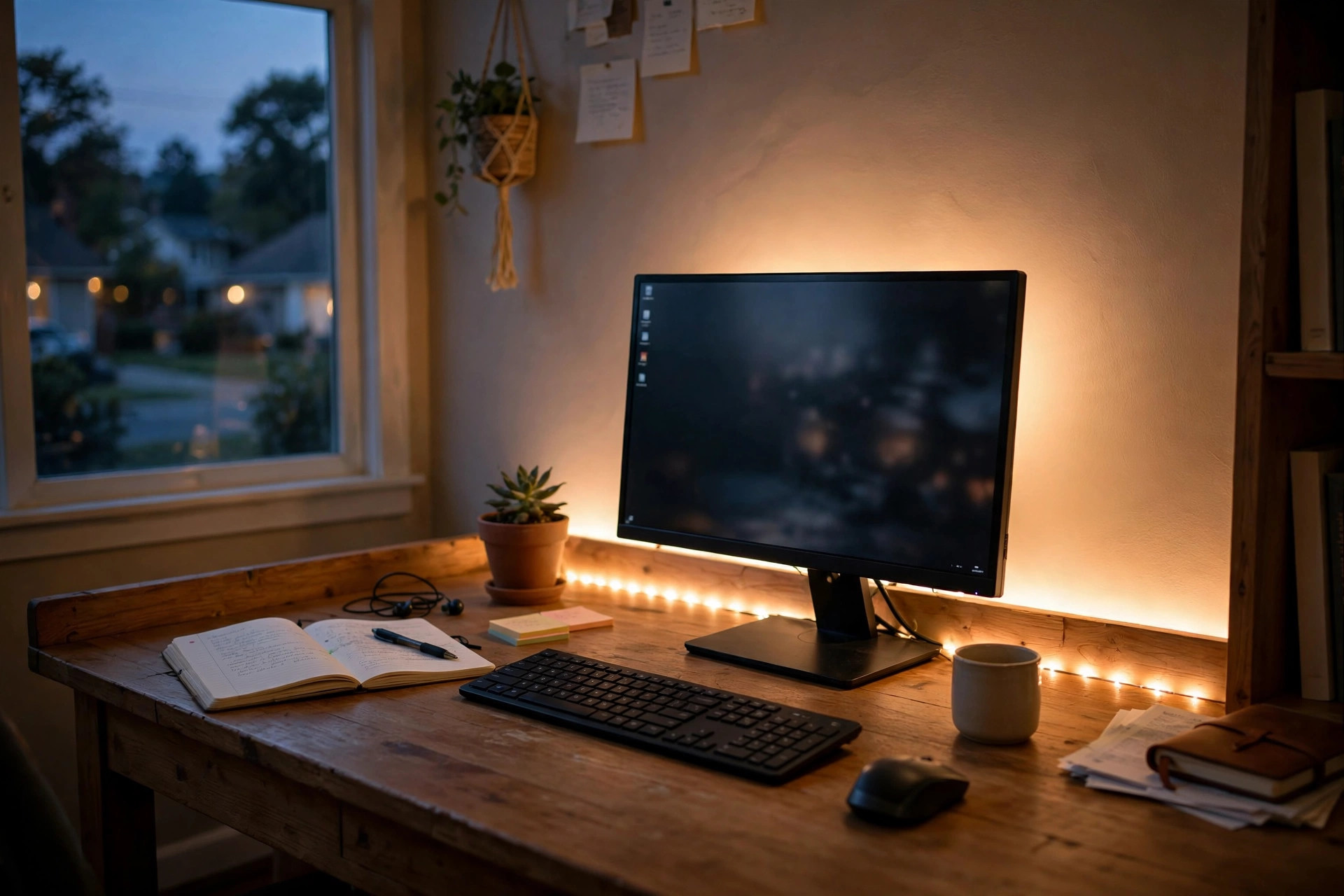
A home office desk feels very different at night than it does at noon. In the day the room is bright. At night the screen is the only light. The best led strip lights for home office desk setups fix this gap. They put a soft band of light behind the desk, the monitor, or the shelves. The room feels calm. The eyes feel less strain. The work corner looks sharp and neat.
These lights are thin, flexible strips that stick to a surface. They run on low voltage. Most plug into a wall outlet or a USB port. Many let you change color and brightness with a remote or a phone app. In this guide you will learn why they matter, what to look for, the main types, what they cost, and how to keep them working for years.
Why LED Strips Matter in a Home Office
Less Eye Strain at Night
When the room is dark and the monitor is bright, the eyes work hard. The sharp contrast between the screen and the dark wall behind it causes fatigue. A soft light behind the desk narrows that contrast. The bias lighting principle is old. It has been used with televisions for years. The same idea helps at a desk. Many office workers say their eyes feel fresher after long evenings with a light band behind the screen. Ergonomic studies from makers like Herman Miller have long stressed that balanced light in a work zone cuts visual fatigue.
A Calmer Work Zone
Light sets the mood of a room. Harsh overhead light can feel cold. A warm strip glow behind the desk feels settled. People who work from spare bedrooms or small corners need every comfort they can get. A strip of light can mark the office zone and separate it from the rest of the room. It turns a corner into a place that feels built for work. Design writers at The Spruce often note that layered light makes a room feel finished.
Low Cost, Big Change
Few home office upgrades cost so little and change so much. A strip kit often costs less than a lunch out. It needs no tools beyond a pair of scissors and a cloth. You can set one up in ten minutes. If you move desks, you peel it off and stick it again. For renters this matters. Nothing is drilled. Nothing is damaged.
What to Look For When You Choose: Best Led Strip Lights for Home Office Desk
Brightness
Brightness in LED strips is rated in lumens per meter. For desk use, soft is better than bright. Around 300 to 800 lumens per meter is plenty for a glow behind a monitor. Too much light will bounce off the wall and wash out the screen. A dimmer function is almost required. You want to tune the light down in the evening and up when the room needs fill light.
Color Temperature
Color temperature is measured in Kelvin. Warm white sits near 2700K. Cool white sits near 6500K. Warm light suits evening work and reading. Cool light suits detail work in the morning. Many strips can shift across the full range. This is called tunable white. Full RGB strips can also show red, blue, green, and mixed colors. For a work desk, tunable white is the most useful choice. Colors are fun, but white light is what you will use for eight hours a day.
Length and Fit
Measure the desk or the surface before you buy. Common kits come in 5 feet, 10 feet, or 16 feet lengths. You need enough to run behind the monitor and along the back edge of the desk, or along a shelf above it. A strip that is too short leaves a dark gap. A strip that is too long must be cut. Most strips can be cut at marked points, usually every inch or two. Check the cut marks before you trim.
Power and Voltage
Desk strips use 12 volts or 5 volts USB. USB strips plug into a computer or a phone charger. They are simple but sometimes dimmer. Plug-in 12V kits give more even brightness along long runs. Make sure the power supply matches the strip length. A weak supply on a long strip will make the far end look dim and yellow. Gear reviewers at PCMag often test this fade problem in their lighting reviews.
Control Options
Basic kits use a small remote. Better kits use a phone app with timers and scenes. Some strips work with voice assistants. For a desk, a simple remote or a small inline dimmer is often enough. Apps add setup time but give you schedules, so the light turns on when your workday starts.
Types of LED Strips for a Desk
Single-Color White Strips
These show one shade of white. They are the cheapest and the simplest. Pick warm white if you work evenings. Pick neutral white if you work days. They have no color games to fiddle with, which suits people who want light and nothing else.
Tunable White Strips
These move from warm to cool white. You can shift from a crisp morning tone to a soft evening tone with one control. They cost a bit more. For a home office used all day, they are the best value. One strip serves every hour of the day.
RGB and RGBIC Strips
RGB strips show millions of colors. RGBIC strips are a newer style with separate zones along one strip, so each segment can show a different color at the same time. They look striking behind a gaming desk or a shelf. They cost more and need more setup. For pure work use, the color feature sits idle most days.
USB-Powered Strips
These plug into a laptop or a USB charger. They are ideal for short runs behind a monitor. Setup is one cable. The trade-off is lower brightness on long runs. Check that the USB port can supply enough current.
Cost and Price Range
LED strips for desks are cheap goods. Short single-color kits sell for under fifteen dollars. Tunable white kits with remotes sell for twenty to forty dollars. Longer RGBIC kits with app control can run forty to eighty dollars. Brand names from lighting reviewers like Wirecutter tend to cost more but last longer.
The cost of use is tiny. A typical desk strip draws five to fifteen watts. Running it all evening costs only a few dollars a year in power. The bulbs in these strips last a long time. A good strip is rated for thirty thousand to fifty thousand hours. At ten hours a day, that is eight to thirteen years. You will likely move the desk before the strip dies.
Watch for false bargains. Very cheap strips often have weak adhesive. They peel off in summer heat. They may also show uneven color along the length. Spending a little more on a known brand often pays off in two years of trouble-free use.
How to Install Them in Ten Minutes
First, clean the surface. Wipe the back of the desk or the wall behind it with a dry cloth. Dust kills adhesion. Measure and cut the strip at a marked cut point if you need a shorter run. Peel back a few inches of the adhesive backing at one end. Press the strip into place a few inches at a time. Do not stretch it. Connect the power supply and test before you hide the cables.
Hide the cable along the desk edge with small clips or cable ties. A tidy cable path matters more than people think. One loose cord can ruin the clean look. If the strip sits behind a monitor, aim it so the light washes the wall, not your eyes. The glow should be seen, not the light source itself.
For standing desks or adjustable desks, leave slack in the cable. The desk moves up and down. A tight cable will pull the strip loose. A small loop of spare cable near the power brick solves this.
Care and Upkeep
Keep Them Dust Free
Dust settles on strips and dulls the light. Wipe the strip with a dry cloth every month or two. Do not use water or sprays on the strip. If a section sits inside a diffuser channel, clean the channel cover instead.
Watch the Adhesive
Heat softens cheap adhesive. If a corner starts to lift, press it back and hold for thirty seconds. For stubborn spots, add small clear mounting clips. These cost a few dollars and hold the strip for good. They also work well on textured walls where tape alone fails.
Check the Power Supply
A supply that runs hot or buzzes should be replaced. Use a supply with the right voltage and enough amps. Never mix a 24V supply with a 12V strip. If one section of the strip flickers, check the connector at that joint first. Most failures are loose connections, not dead LEDs.
Replace Rather Than Repair
Individual LED chips are hard to fix. When a strip section dies after years of use, cut out the bad section at the cut marks and splice in a matching piece, or replace the whole run. Full replacement of a desk-length strip takes minutes and costs little.
Desk Setup Pairings
LED strips work best as part of a full desk plan. Pair them with the best task lighting for home office desk setup so your papers and keyboard get direct light while the strip lights the wall behind. If you run two screens, read up on an affordable dual monitor setup for remote workers usa to place both monitors where the strip glow frames them evenly. And if the desk itself is cramped, a small corner desk with drawers for apartment office pairs well with a short strip run that does not waste light.
Office gear reviewers also track how desk lighting fits with furniture. Steelcase research on work posture reminds us that screen height and light position matter together. Big-box guides from IKEA and Wayfair show how small rooms can hold both a desk and a layered light plan without clutter.
Safety Notes
Keep Them Cool
LED strips run cool, but the power supply should have air around it. Do not bury it under papers or inside a closed box. A warm supply is normal. A hot one is not.
Use the Right Voltage
Match the supply to the strip. Twelve-volt strips need twelve-volt supplies. Using the wrong supply can burn out the strip or start a fire. This is rare, but the rule is simple and worth keeping.
Keep Cables Tidy
Loose cables near a rolling chair are a trip risk. Route cables along the desk frame. Use clips every foot or so. Unplug the strip when you leave for long trips.
Check Certifications
Look for UL or ETL marks on the power supply. These marks mean the part passed safety tests. Uncertified supplies from unknown sellers are the one real risk with these kits. Safety agencies like the CPSC advise buying electrical parts with recognized certification marks.
Frequently Asked Questions
Do LED strips damage the desk paint when removed?
Usually not. The foam tape can be peeled off slowly. Warm it with a hair dryer on low for a minute first. Clean any residue with a soft cloth and a little rubbing alcohol. Test the alcohol on a hidden spot first.
Can I cut an LED strip to a custom length?
Yes. Cut only at the marked cut lines. Cutting between marks kills that section. After cutting, you can join a new piece with snap connectors sold by strip makers.
Will the light bother my eyes if the strip faces me?
It should not face you. Mount it so it glows against a wall or the back of a shelf. You see the reflected glow, not the bare LEDs. If you can see the dots of light, move the strip further back.
Are RGB strips good for real office work?
They can be. Set them to plain white for work hours. Use colors only for breaks or evening mood. Tunable white strips are simpler if you never want colors.
How long do desk LED strips last?
A quality strip lasts thirty thousand hours or more. At eight hours a day, that is more than ten years. Cheap strips may dim sooner. Heat and bad power supplies shorten life.
Do I need Wi-Fi or an app?
No. Most strips work with a handheld remote or a small button controller. Apps and voice control are optional extras. Buy the simple kit if you dislike setup steps.
A Short Final Word
The best led strip lights for home office desk setups are not the flashiest ones. They are the ones you forget are there. A soft tunable-white band behind the monitor. A remote with a dimmer. A clean cable run. Total cost less than dinner out. In ten minutes your work corner goes from a dark corner with a bright screen to a calm, balanced desk that treats your eyes well. That small change pays you back every single evening you work.
References
Herman Miller. (n.d.). Office furniture and ergonomic seating. https://www.hermanmiller.com IKEA. (n.d.). Home furnishings. https://www.ikea.com PCMag. (n.d.). Technology product reviews. https://www.pcmag.com Steelcase. (n.d.). Office furniture and workplace research. https://www.steelcase.com The Spruce. (n.d.). Home and garden advice. https://www.thespruce.com U.S. Consumer Product Safety Commission. (n.d.). Product safety information. https://www.cpsc.gov UPLIFT Desk. (n.d.). Standing desks and ergonomic office furniture. https://www.uplift-desk.com Wayfair. (n.d.). Furniture and home goods. https://www.wayfair.com Wirecutter. (n.d.). Product reviews from The New York Times. https://www.nytimes.com/wirecutter
Was this guide helpful?

About David Wilson
The My Garden US editorial team writes practical, in-depth home and garden guides for American homeowners — tested advice, no fluff.