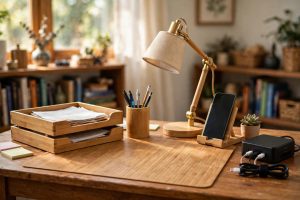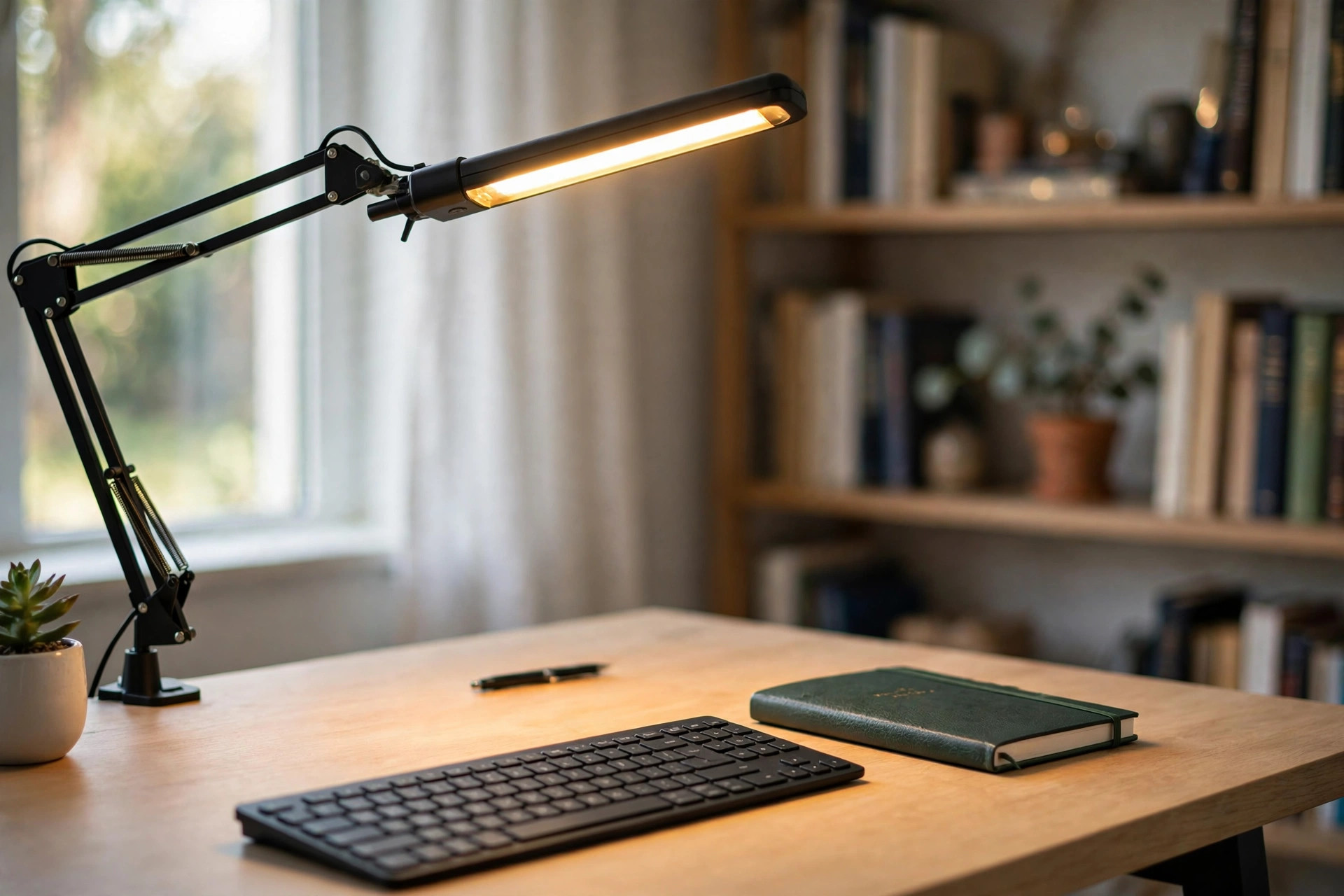

A poor lamp can spoil a good workday. The best task lighting for home office desk setup gives steady, clear light where you need it most. It eases eye strain, lifts your mood, and keeps your desk a place you want to sit down at each morning. This guide explains why task lighting matters, what to look for, the main types of lamps, what they cost, how to keep them working, and how to use them safely.
Why It Matters
Most home offices suffer from bad light. A single ceiling bulb sits far overhead and casts shadows across your keyboard. A window behind you makes your screen glare. A window in front of you leaves your face in shadow on video calls. These small problems add up over a long day.
Good task light solves them at the source. It puts a pool of even light right on your work area. Your eyes do not have to fight dark corners and bright spots. Readers who switch from a bare ceiling bulb to a proper desk lamp for a focused workspace often say their afternoon headaches fade within a week.
Light also sets the tone of a room. A warm glow in the evening tells your mind the day is winding down. A cool, bright light in the morning keeps you alert. With the right lamp, one corner of a spare room can feel like a real office.
There is a health angle too. Eye strain from poor light can bring dry eyes, blurred vision, and neck pain as you lean closer to see. The best home office lighting for video calls solves a related problem, and task lighting handles the hours between calls. Older readers, who need more light to read fine print, gain the most of all.
What to Look For When You Choose: Best Task Lighting for Home Office Desk Setup
Shopping for a lamp is easier when you know the terms that matter. Four ideas do most of the work: brightness, color, aim, and controls.
Brightness is measured in lumens. For a desk, 400 to 1,000 lumens is the usual range. Reading and writing need the high end of that range. A lamp that only throws 200 lumens will leave you squinting. Very bright lamps should have a dimmer so you can turn them down at night.
Color temperature is measured in kelvins and tells you whether light feels warm or cool. Warm light, around 2700K, feels like an old table lamp and suits evenings. Daylight, around 5000K, feels like noon sun and suits morning work. Many good lamps let you change between three or four settings. A lamp with adjustable color is one of the strongest marks of the best task lighting for home office desk setup.
Aim is about how well the light lands where you work. An articulated arm lets you swing the head low over papers. A clamp mount frees desk space entirely. Fixed lamps are cheaper but force you to move papers under the light instead of moving the light to the papers. Think about how you work before you buy.
Controls matter more than they seem. Touch controls on the base are fine. A small remote or a foot switch saves you from reaching across the desk. Memory settings that return to your last brightness are a quiet pleasure you will use every day.
Sizing the Lamp to the Desk
A lamp that is too small will not cover a wide desk. A lamp that is too large will crowd it. For a standard 48-inch desk, a lamp with a reach of 20 to 30 inches covers most of the work area. If your desk holds two monitors, look for a wide light bar or a lamp with a long arm. Pair your lighting with the right furniture, and your whole home office standing desk with drawers attached setup feels calmer and better planned.
Measure before you order. Note the distance from the desk surface to where your eyes sit. Most desk lamps place their head 12 to 20 inches above the surface, which suits seated work. Standing-desk users may want a taller reach or a lamp with a high clamp so the light clears the raised surface.
Types and Options
The market offers more shapes than it did twenty years ago. Each has a place.
Classic Desk Lamps
The banker lamp and its modern cousins sit on the desk base and need no mounting. They are easy to move from room to room. The best ones now use LED heads with long life and low heat. A wide metal shade spreads light evenly and keeps glare out of your eyes. Prices run from modest to mid range.
Clamp-On and Swing-Arm Lamps
These fasten to the edge of the desk and lift the light off the surface. They are favorites in small rooms where every inch of desk counts. The spring arm folds flat when you do not need it. Look for joints that stay where you put them. Weak springs droop within a month and are a common complaint. Guides to home office furniture and lighting show many of these designs side by side.
Monitor Light Bars
A bar that clips to the top of your monitor throws light down on the desk without touching the desk at all. It is a clean answer for monitor-heavy desks. It also cuts screen glare because it lights the surface without shining into your eyes. The trade is that it cannot aim at papers to the side. Some people pair a light bar with a small desk lamp for the best of both worlds.
LED Panels and Ring Lights
Wide LED panels sit on a stand or mount to a wall and wash a broad area in soft light. They suit crafters and anyone who spreads work across the desk. Ring lights, known from video work, give even light for calls and photos. They are less useful for reading but fine as extra fill light. Product reviewers at PCMag often test these alongside desk lamps.
Floor Lamps With a Reading Head
If your desk is really a side table or your office shares space with a living room, a tall floor lamp with an adjustable reading head can serve as task light. It keeps the desk clear. Choose one with a heavy base so it does not tip when the arm swings.
Cost and Price
Task lighting covers a wide price range. Here is what to expect in 2026.
Under $30: Basic LED desk lamps from big-box stores. They light the desk and dim in steps. Color may be fixed. Fine for light use, but joints and dimmers feel cheap. Retailers with wide lamp selections carry dozens of these.
$30 to $80: The sweet spot for most buyers. You get adjustable color temperature, smooth dimming, sturdy arms, and memory settings. Many lamps in this range last for years of daily use. This is where most office designers say to shop.
$80 to $200: Premium lamps with better build, wider light heads, and smarter features like motion sensors and phone apps. Some mount to monitor arms. Buyers who work under a lamp ten hours a day may find the extra comfort worth it.
Over $200: Designer lamps and professional-grade units. You pay for looks, materials, and brand names. The light itself is rarely better than a good mid-range lamp.
Running cost is small either way. A typical LED desk lamp draws 5 to 12 watts. Used four hours a day, it adds only a few dollars a year to your power bill. Check ENERGY STAR listings when you want the most efficient models.
What Adds to the Cost
Extra features add to the price. Wireless charging pads built into the base, USB ports, and color-changing party modes each push the price up. Ask whether you will use them. A plain lamp with good light often beats a fancy lamp with weak light.
Buying two smaller lamps can beat buying one big one. Two lamps on either side of a wide desk erase shadows better than one central lamp. The total may cost less than a single premium unit.
Care and Upkeep
LED lamps need little care, but small habits keep them working for years.
Dust the head and shade once a month. Dust dims light more than most people guess. A soft dry cloth is enough. Never use water or sprays on the head or switches.
Keep cords tidy. A cord that catches on a chair leg can drag the whole lamp off the desk. Simple clips or a cable tray solve the problem. If the lamp has a clamp, check the screw every few months and tighten it by hand.
Let the lamp cool. LEDs run cooler than old bulbs, but they still make heat in the driver. Do not push a lamp hard against a wall or cover the head with cloth. Good airflow adds years to its life.
If your lamp uses a replaceable bulb, buy a spare when you buy the lamp. Models change fast, and the exact bulb may be gone in three years. For built-in LEDs, ask about the rated life before you buy. Thirty thousand hours means more than a decade of office use. Quality home office brands such as Herman Miller and Steelcase publish clear life ratings, and UPLIFT Desk does the same for its lighting range.
Safety
Task lamps are low risk, but a few rules keep them safe.
Heat: Even cool LEDs can warm a shade after hours of use. Keep paper and fabric a few inches from the head. Do not drape a shirt over a lamp to dry.
Electrical: Check cords for nicks before you plug in. Do not run cords under rugs where feet press on them. One lamp per outlet is the safe rule for desk lamps with high-wattage extras like heaters or chargers.
Eyes: Never look straight into a bright LED head. Aim the lamp down and away from your face. If a lamp has no diffuser and the bare dots of light hurt your eyes, add a simple shade or choose a different model. Guides at The Spruce cover glare control in detail.
Kids and pets: Clamp lamps can tip if pulled hard. In homes with small children or large dogs, a heavy-base lamp or a wall mount is safer than a springy clamp. Keep small remotes out of reach of toddlers.
Fire: Lamps rarely cause fires, but cheap chargers built into lamp bases can. Use only the adapter that came with the lamp. If a lamp smells hot or the base feels too warm to touch, unplug it and stop using it.
FAQ
How bright should task lighting be for a desk?
Aim for 400 to 1,000 lumens on the work surface. Reading fine print wants the high end. General computer work is fine in the middle. Choose a lamp with a dimmer so you can adjust for day and night.
What color temperature is best for a home office desk?
Most people like 3000K to 4000K for daily work. It feels clean without the harsh blue of full daylight. Use 2700K warm light in the evening to wind down, and 5000K only if you need maximum alertness for detail work.
Where should I place my desk lamp?
Place it on the opposite side of your writing hand so your hand does not cast a shadow on the page. Right-handed writers put the lamp on the left, and left-handed writers put it on the right. Aim the head down at about 30 degrees toward the work area.
Is LED better than old-style bulbs for task lighting?
Yes. LEDs use far less power, last many years, and stay cool enough to sit close to your work. They also dim smoothly and change color temperature, which old bulbs cannot do. There is little reason to buy a non-LED task lamp today.
Do I still need task lighting if I have a bright room?
Often, yes. Room light comes from above and behind, which leaves your work area in shadow from your own body. A task lamp fills that shadow. People who pair overhead light with a good desk lamp report less eye fatigue than those who rely on room light alone. For a fuller room plan, see these desk lighting ideas.
How do I reduce glare from my lamp on my screen?
Keep the lamp head below screen height and to the side of the monitor. Use a matte screen filter if glare persists. A monitor light bar that throws light downward is one of the simplest fixes for screen glare.
A Final Word
The best task lighting for home office desk setup is not the most expensive lamp. It is the lamp that fits your desk, your eyes, and your hours. Choose one with enough brightness, adjustable color, and a sturdy arm. Place it where your hand cannot block it. Keep it clean and safe. Pair it with a comfortable chair, such as an ergonomic zero gravity office chair recliner, and the corner where you work will feel like it was built for you. Good light is a small buy that pays back every single day.
References
ENERGY STAR. (n.d.). Energy efficient products. https://www.energystar.gov Herman Miller. (n.d.). Office furniture and ergonomic seating. https://www.hermanmiller.com IKEA. (n.d.). Home furnishings. https://www.ikea.com PCMag. (n.d.). Technology product reviews. https://www.pcmag.com Steelcase. (n.d.). Office furniture and workplace research. https://www.steelcase.com The Home Depot. (n.d.). Home improvement products. https://www.homedepot.com The Spruce. (n.d.). Home and garden advice. https://www.thespruce.com UPLIFT Desk. (n.d.). Standing desks and ergonomic office furniture. https://www.uplift-desk.com Wayfair. (n.d.). Furniture and home goods. https://www.wayfair.com Wirecutter. (n.d.). Product reviews from The New York Times. https://www.nytimes.com/wirecutter
Was this guide helpful?

About Jennifer Lee
The My Garden US editorial team writes practical, in-depth home and garden guides for American homeowners — tested advice, no fluff.
You May Also Like

Home Office Storage Cabinet with Locking Doors: A Buyer’s Guide
April 28, 2026 0 views
Best Home Office Desk for Left Handed Users: A Practical Buying Guide
June 23, 2026 0 views
Ergonomic Drafting Stool With Foot Ring: A Complete Guide
September 10, 2026 0 views