
Why This Guide Exists
A fall can change a life in seconds. For older adults, a hard fall on a bathroom floor or a kitchen tile can mean a broken hip, a long hospital stay, or worse. The danger grows when the person lives alone. Minutes without help can turn a treatable injury into a tragedy.
That is why so many families now search for the best fall detection sensor for seniors usa. They want a device that can sense a fall on its own and call for help without the senior pressing a button. A wearable pendant does not help when the person is stunned or unable to reach the button. A good sensor removes that weak point.
This guide explains how these sensors work, what types are sold in the United States, what features matter most, what they cost, and how to keep them running. It is written in plain words for families who are choosing one for the first time.
Why Fall Detection Matters: Best Fall Detection Sensor for Seniors Usa
The numbers are serious
Federal health data shows that falls are the leading cause of injury among adults over 65 in America. A large share of these falls happen at home, often in the bathroom or on stairs. Many seniors fall at night when they get up to use the toilet. Poor light, loose rugs, and slippery floors all add risk.
The golden hour
Doctors talk about the first hour after a serious fall. If help arrives fast, outcomes are much better. A sensor that detects a fall and calls for help right away can cut that wait from hours to minutes. For a senior who lives alone, that difference can be the difference between recovery and lasting harm.
Peace of mind for the whole family
Adult children often worry about a parent who insists on living at home. A reliable sensor gives both sides more freedom. The senior keeps independence. The family gets a message if something goes wrong. It does not replace a caregiver, but it fills the long quiet hours when no one is around.
How Fall Detection Sensors Work
What the sensor watches
A fall detection sensor looks for the signature of a human fall. That signature is a sudden drop in height, a sharp change in movement speed, and a period of stillness afterward. Modern sensors use radar, also called millimeter-wave technology, to track the position and motion of a person in a room. They do not record video, which many seniors prefer.
What happens when a fall is detected
Most systems follow the same steps. First, the device checks the movement pattern. If it matches a fall, it waits a short time to see if the person gets up. Some devices play a voice prompt, such as “Are you okay?” If there is no answer, the device sends an alert. The alert can go to a monitoring center, to a family member’s phone, or both.
Wearable versus wall-mounted
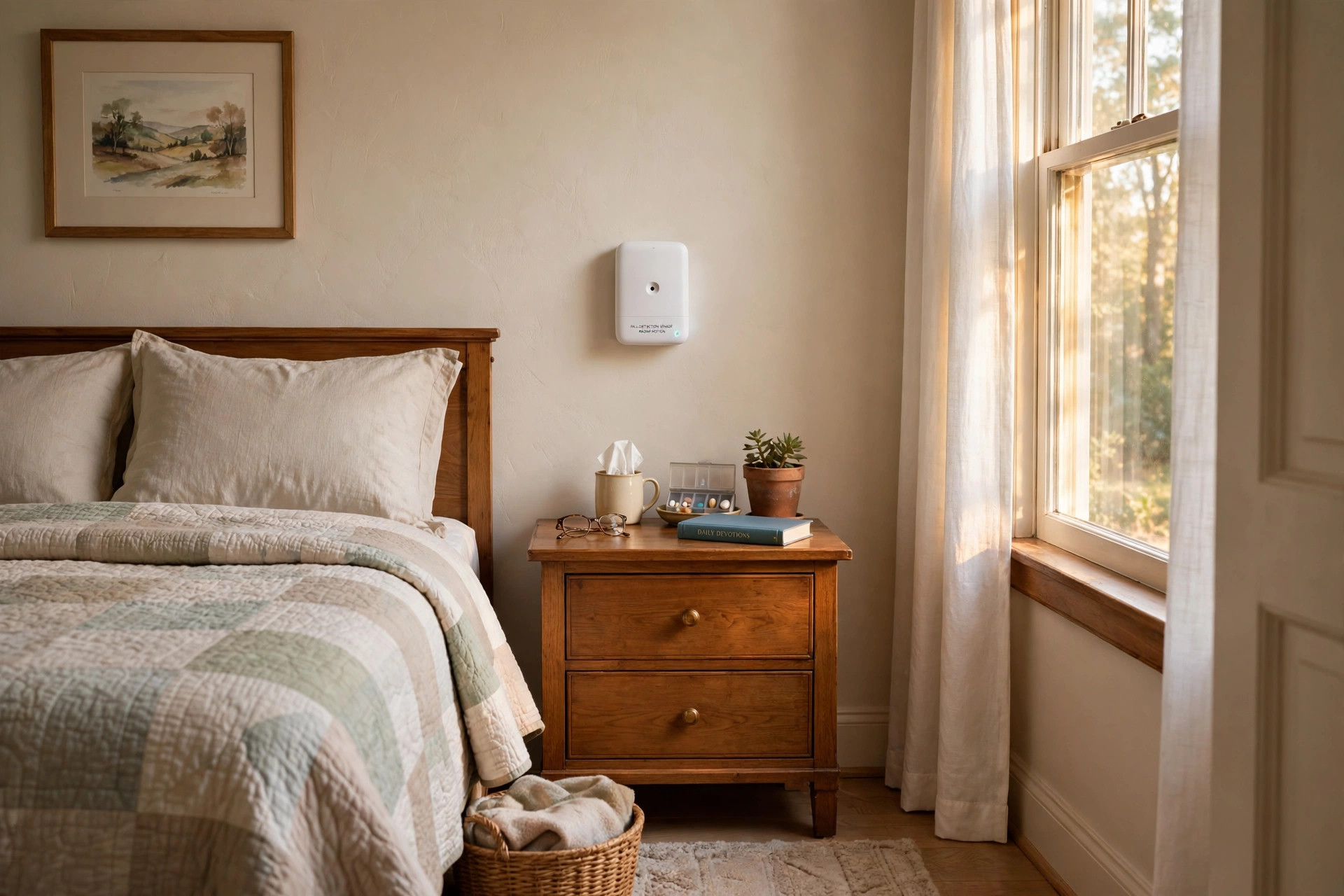
Two main designs exist. Wearable sensors live in a pendant, wristband, or clip. They measure motion at the body. Wall-mounted sensors sit on a wall or shelf and watch the whole room with radar. Many families prefer the wall-mounted kind because the senior does not have to remember to wear anything. Fall detection that only works when worn is no help in the shower or at night. A room sensor covers those gaps.
For more on whole-home monitoring, our guide to cellular security cameras that work without wifi covers devices that keep watch when the internet goes down.
What to Look for When You Shop
Detection accuracy
False alarms are the biggest complaint. A sensor that mistakes a dropped pillow for a fall will wear out its welcome. Look for products that publish their accuracy or that reviewers test for false positives. Independent reviews from Consumer Reports often test smart home safety devices and report on real performance.
Coverage area
A single room sensor usually covers one room up to a set range, often 20 to 30 feet. Think about where falls are most likely: the bedroom, the bathroom, and the living room. Larger homes may need more than one unit. Measure the rooms before you buy.
Alert path
Ask a simple question: when a fall happens, who gets the call? Options include a paid 24/7 monitoring center, direct calls and texts to family, or an alarm on the senior’s own phone. Each has tradeoffs. A monitoring center answers fast but costs monthly. Family alerts cost less but depend on someone picking up the phone.
Power and backup
Many sensors plug into a wall outlet. A power cut during a storm could leave the home unprotected at the worst moment. Look for battery backup. Some units run on a rechargeable battery for several hours when the power fails. Compare home security systems with battery backup to see how long protection lasts without mains power.
Privacy
Radar-based room sensors do not take pictures or video. That is a major plus for seniors who refuse cameras in their home. Read the product’s privacy policy before you buy.
Ease of setup
The best device is the one that is actually installed. Simple setup matters. Look for units that need only an outlet and a phone app to configure. Google’s store page for smart home devices shows how simple modern home sensors have become.
Two-way voice
A speaker and microphone in the device let the senior talk to the monitoring center or a family member after a fall. This is useful when the person is hurt but conscious. It also lets the center cancel a false alarm before calling an ambulance.
Types and Options on the Market
Radar and millimeter-wave room sensors
These are the newest option. A small box mounts on the wall and sends out low-power radio waves. It tracks where the person is and how they move. When it sees a fall pattern, it alerts. No wearable is needed. Brands like Ring have explored smart home safety devices, and dedicated fall detection makers now sell radar units for the home.
Wearable fall detectors
Pendants and wristbands use accelerometers and gyroscopes. They are cheaper and easy to move from room to room. The weakness is human: the senior must wear the device all the time, including the night. Studies show many seniors take wearables off at bedtime, exactly when falls are common.
Camera-based systems
Some systems use cameras with software that watches for falls. They can be accurate, but most seniors and families reject cameras in the bedroom and bathroom. Privacy concerns limit their use.
Phone-based apps
A few apps use the phone’s own motion sensors to guess at falls. They are cheap but unreliable. The phone must be on the person at all times, which is not realistic for most seniors at home.
Medical alert systems with fall detection
Traditional medical alert companies now add automatic fall detection to their pendants and consoles. ADT and similar services bundle fall detection with 24/7 professional monitoring.
For a full look at one popular provider, see our guide on cellular security cameras that need no wifi.
Cost and Price in the USA
Up-front hardware cost
Wall-mounted radar sensors usually cost between 150 and 400 dollars per unit in the USA. Wearable pendants from medical alert companies often cost less up front, sometimes under 100 dollars, but they are tied to a service plan.
Monthly monitoring fees
Professional monitoring runs about 25 to 60 dollars per month for most services. Family-alert-only products charge little or nothing after the purchase. Some charge a small app fee. Add up the yearly cost before you decide. A 40-dollar monthly plan costs 480 dollars a year, more than the hardware itself.
Insurance and discounts
Standard health insurance rarely pays for fall detection. Some Medicare Advantage plans offer allowances for home safety devices. A few homeowner insurance policies give small discounts for monitored safety systems. Ask your plan directly.
Total cost of ownership
Look at two years of cost: hardware plus monthly fees. A 200-dollar sensor with no monthly fee costs 200 dollars over two years. A 50-dollar pendant with a 35-dollar monthly plan costs 890 dollars over two years. The cheaper start is often the dearer finish.
Care and Upkeep
Placement
Mount the sensor on a wall with a clear view of the room. Keep it away from curtains, plants, and furniture that block the signal. The maker will state the best height, often 4 to 6 feet. Do not place it behind a television or inside a cabinet.
Cleaning
Dust the face of the sensor every few months with a dry cloth. Do not use water or cleaners. A dusty lens can weaken radar or motion signals.
Software updates
Many modern sensors connect to wifi and receive updates from the maker. Updates fix bugs and improve detection. Keep the device online when you can. Check the app once a month for pending updates.
Monthly tests
Test the system the way you would test a smoke alarm. Many makers let you trigger a test fall, often by pressing a test button or dropping a cushion from low height in the covered room. Confirm that the alert reaches the right person. Write down the test date.
Battery checks
If the unit has battery backup, check the battery level in the app each month. Replace or recharge as the maker directs. A dead backup battery leaves the home unprotected during a power cut.
When to replace
Most home sensors last five to ten years. Replace the unit if it stops holding a charge, misses tests, or the maker ends software support. Old devices can lose accuracy over time.
Related maintenance reading: our article on the best temperature sensor for freezer reviews in the USA covers the same battery and upkeep habits for another kind of home sensor.
Safety Tips for the Home
Lower the fall risk itself
No sensor prevents falls. It only calls for help after one. Reduce the risk at the source. Remove loose rugs or fix them with tape. Add grab bars in the shower and near the toilet. Improve lighting on stairs and in hallways. These cheap fixes prevent more injuries than any device.
Follow federal safety guidance
The U.S. Consumer Product Safety Commission publishes guidance on home hazards for older adults. Their checklists cover stairs, bathrooms, kitchens, and lighting. Work through one before you install a sensor.
Tell the senior how it works
Some seniors fear that a sensor will call the police over nothing. Explain the steps: it waits, it asks if they are okay, and only then does it call. Show them a test so they see how calm the process is. A senior who trusts the device will leave it plugged in.
Keep emergency numbers current
If the system alerts family members, keep those phone numbers up to date in the app. If one child changes a number, update the list the same day. A missed call helps no one.
Do not rely on one device
A fall sensor is one layer. Smoke alarms, carbon monoxide detectors, and a charged phone within reach all matter. Solar gear around the house needs care too; our piece on solar panel cleaning service costs near you notes how often outdoor equipment should be checked.
Frequently Asked Questions
Do fall detection sensors work without wifi?
Some do and some do not. Many room sensors need wifi to send alerts to an app or monitoring center. Cellular models send alerts over the mobile network and work when the internet is down. Check the product page before you buy. If the home has spotty internet, choose a cellular model.
Will a sensor call 911 on its own?
Most monitored systems contact their own monitoring center first. A trained agent tries to reach the senior, then calls local emergency services if needed. Some family-alert systems only text family members and never call 911. Know which model you have before an emergency.
Can these sensors tell a fall from sitting down fast?
Good ones can, most of the time. Radar systems track the full movement pattern, not just a sudden jolt. That makes them better at telling a real fall from dropping into a chair. No system is perfect. False alarms still happen, and missed falls still happen. Read professional reviews on CNET and PCMag to see how tested models score.
Are fall detection sensors covered by Medicare?
Original Medicare does not pay for them. Some Medicare Advantage plans include a home safety allowance that can be used for devices like these. Call your plan and ask about the “over the counter” or “home safety” benefit.
Is radar safe for a senior to have in the room?
Yes. Home fall sensors use very low-power radio signals, far below the levels of a mobile phone. They are approved for home use in the USA. The Verge has covered how this radar technology moved from cars into the home.
How many sensors does one home need?
It depends on the layout. Start with the bedroom and the bathroom, where most falls happen. Add the living room or kitchen if budget allows. One sensor covers one room, so a small apartment may need two and a larger house may need three or four.
A Final Word
Choosing the best fall detection sensor for seniors usa is not about buying the fanciest gadget. It is about matching the device to the person. A senior who refuses wearables needs a room sensor. A senior with weak wifi needs a cellular model. A family on a tight budget needs a device with no monthly fee.
Start with the risk. Walk the home and look for it with fresh eyes. Fix the loose rug and the dark stairway first. Then choose a sensor with honest reviews, a clear alert path, and battery backup. Install it where falls are most likely. Test it every month. And talk with the senior about how it works, so the device is a comfort rather than a worry.
Independence at home is worth protecting. The right sensor protects it with quiet watchfulness, day and night.
References
ADT. (n.d.). Home security and automation. https://www.adt.com CNET. (n.d.). Technology news and reviews. https://www.cnet.com Consumer Reports. (n.d.). Product reviews and ratings. https://www.consumerreports.org Google Store. (n.d.). Smart home devices. https://store.google.com PCMag. (n.d.). Technology product reviews. https://www.pcmag.com Ring. (n.d.). Smart home security devices. https://www.ring.com SimpliSafe. (n.d.). Home security systems. https://www.simplisafe.com The Verge. (n.d.). Technology news and reviews. https://www.theverge.com U.S. Consumer Product Safety Commission. (n.d.). Product safety information. https://www.cpsc.gov
Was this guide helpful?

About Robert Taylor
The My Garden US editorial team writes practical, in-depth home and garden guides for American homeowners — tested advice, no fluff.
You May Also Like
Best Home Safe for Documents Reviews USA
February 5, 2026 0 views
Best Fake Security Camera Reviews 2026 USA: A Plain Guide
July 23, 2026 0 views
Best Robot Mop Combo Reviews 2026 USA: A Plain Guide for Hard Floors
June 30, 2026 0 views