
The best home office setup for software developers is not a luxury. It is a work tool. A developer sits at the desk for six, eight, sometimes ten hours a day. The screen, the chair, the desk, and the light all shape how much gets done and how the body feels at night. This guide walks through each part of a good setup in plain terms. It covers what matters most, what to look for, common options, typical costs, daily care, and safety. The goal is a workspace that supports deep focus and protects your health, year after year.
Why the Right Setup Matters for Developers
Programming is long, quiet work. A developer reads code, writes code, tests code, and repeats. This rhythm breaks the moment the back aches or the screen glare hurts the eyes. Poor posture at a kitchen table seems fine for a week. After months, it leads to neck strain, wrist pain, and lost work hours. Research on ergonomics has shown for decades that small pains grow into big ones when the workstation stays wrong.
The mental side matters too. A cluttered desk invites distraction. A slow laptop with one small screen forces endless window switching. Each switch costs attention. Many developers keep code on one screen and test output on another for this reason. The best home office setup for software developers removes these small frictions. It makes the right action easy: sit tall, reach everything, see clearly, hear nothing but your own thoughts.
There is also a money argument. Good equipment lasts years. A cheap chair that falls apart in twelve months costs more in the end than a solid chair that lasts eight. The same is true of a desk that wobbles and a monitor that flickers. Buy once, buy well, and keep it maintained. That is the theme of this guide.
What to Look For When You Choose Your Gear: Best Home Office Setup for Software Developers
The Desk
Start with the surface. The desk must hold two monitors, a keyboard, a mouse, and a dock or tower with room to spare. A depth of at least 30 inches helps. Shallow desks push the monitor too close and leave no room for the keyboard. Width matters as well: 55 to 60 inches gives space for two full-size screens side by side.
Stability is the key test. Press the desk top and push it gently. If it shakes, look elsewhere. A wobbling desk makes the mouse unsteady and the monitors dance. Height-adjustable desks have become common, and many developers like them for switching between sitting and standing during long builds and compile waits. Fixed desks cost less and are perfectly fine if the chair is set right. Review sites such as PCMag publish side-by-side comparisons of popular models each year, which can help narrow the field.
The Chair
The chair is the most personal choice in the room. Look for lumbar support that meets the lower back, armrests that adjust in height and width, and a seat depth that leaves two fingers of space behind the knees. Mesh backs breathe in summer. Padded seats can feel warmer in winter. There is no single best answer; bodies differ.
Sit in the chair before you buy it if you can. Office furniture makers like Herman Miller and Steelcase run showrooms and detailed sizing guides for this reason. A chair that feels right for five minutes in a store must still feel right after a six-hour coding session. Check the warranty as well. A chair with a twelve-year warranty tells you what the maker thinks of it.
Monitors and the Dock
Two monitors are the standard in the trade. Code goes left, running program or browser goes right. Some developers prefer one large widescreen with split windows. Either way, screen size between 24 and 32 inches at 1440p or higher keeps text sharp without squinting. Match the height of both screens if you use two. Your eyes should meet the top third of the display when you sit straight.
A docking station ties the laptop to the desk with one cable. It carries video to both screens, power, and the wired network in a single plug. For an affordable dual monitor setup for remote workers, the dock is often the smartest first purchase because it ends the daily cable mess. Guides on The Spruce walk through dock placement and cable routing for clean desks.
Keyboard and Mouse
Hands are the developer’s livelihood. A full-size keyboard with good key travel reduces errors and strain. Mechanical keyboards last longer and feel better for most typists. An ergonomic mouse that fits your hand, or a trackball for wrist relief, is worth the extra money. Keep both at elbow height with the wrists straight. A keyboard tray under the desk can help short desks reach the right height.
Light and Sound
Light should come from the side, not from behind or in front of the screen. A good desk lamp with adjustable brightness and warm color keeps the eyes relaxed in the evening. Overhead room light alone leaves the desk in shadow. Product reviewers at Wirecutter test lamps for flicker and glare, two small faults that tire the eyes over hours.
Sound shapes focus. A quiet room beats any gadget. If the house is noisy, a noise cancelling headset for home office meetings is close to essential for calls and for deep work. Soft foam earplugs cost little and help in a pinch. Keep speakers for music and the headset for meetings.
Common Setup Options
There are several ways to build the best home office setup for software developers, and each fits a different room and budget.
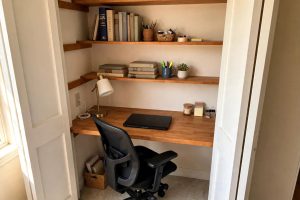
The starter corner. One room corner, a simple fixed desk, a task chair with lumbar support, one 27-inch monitor, a lamp, and a laptop dock. This fits apartments and spare bedrooms. It covers the basics and can be upgraded piece by piece. Budget furniture catalogs like IKEA and Wayfair offer plenty of small desks and chairs that fit tight corners.
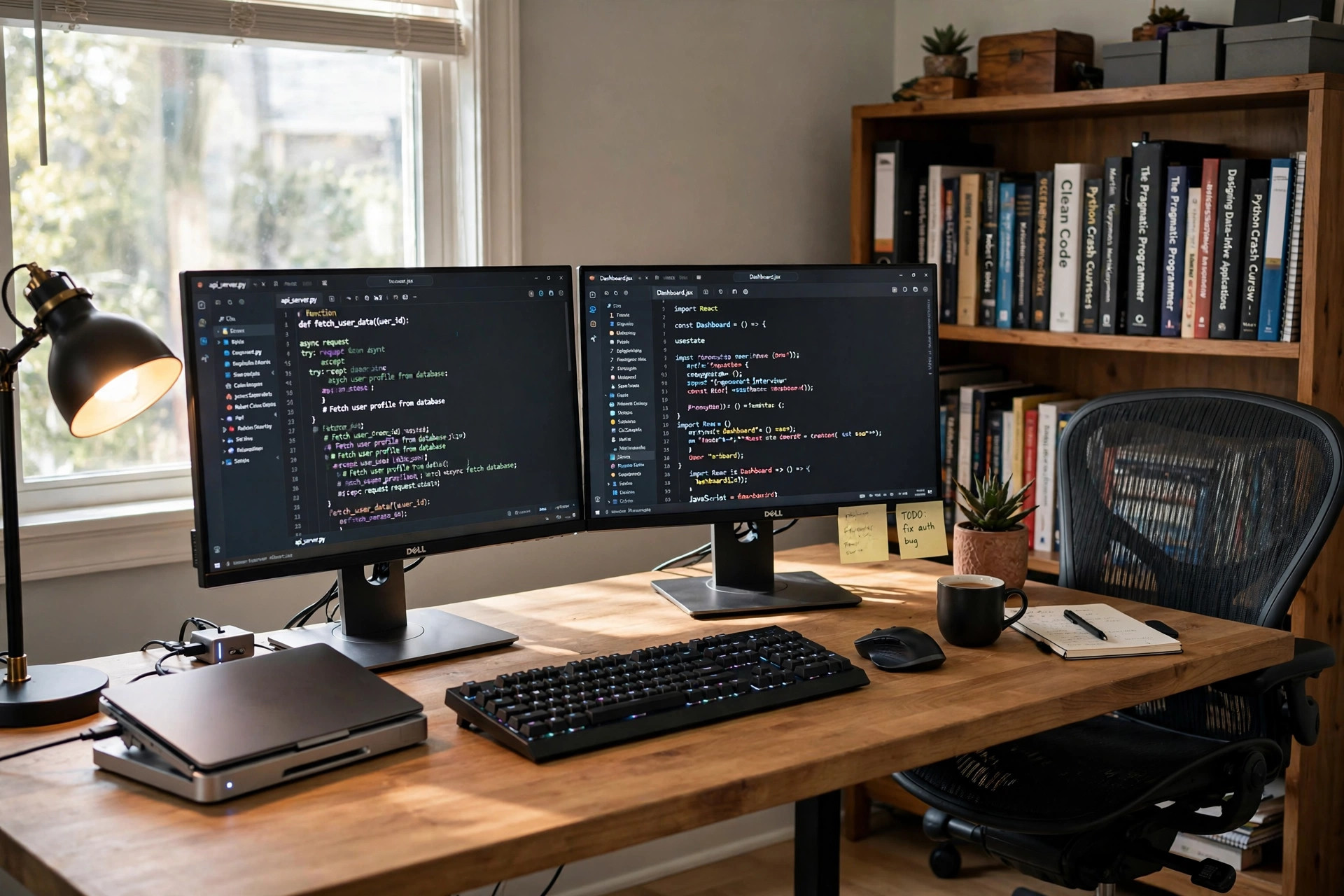
The dual-screen workstation. This is the most common choice. A wide desk, two matching monitors on adjustable arms, a proper office chair, a dock, a mechanical keyboard, and a task lamp. Monitor arms free the desk surface and let you set exact heights. This is the setup most remote developers use for daily work.
The standing desk setup. An ergonomic standing desk for a small home office lets you alternate sitting and standing through the day. Many developers stand for morning email and sit for afternoon deep work. Anti-fatigue mats soften the floor for standing sessions. Specialists such as UPLIFT Desk focus entirely on height-adjustable frames, legs, and tops in many sizes.
The dedicated coding room. A full room with the desk, a bookshelf, a whiteboard for system design, and sound panels to tame echo. This suits developers who lead teams or stream their work. Keep the room for work only. A door that closes is worth more than any gadget.
Each option scales. Start with the starter corner, add the second monitor next, upgrade the chair after. There is no rule that says everything must arrive in one order.
Cost and Price: What You Can Expect to Pay
Prices vary widely across the United States, but rough ranges help planning. A basic fixed desk runs 100 to 300 dollars. A height-adjustable desk frame with a top runs 400 to 900 dollars. A good office chair runs 200 to 800 dollars, with top models above 1,000. Monitors run 150 to 400 dollars each for good 27-inch models. A dock costs 150 to 300. A mechanical keyboard runs 80 to 150, and a quality mouse 50 to 120. A desk lamp runs 30 to 100. A headset with noise cancellation runs 100 to 350.
A complete starter corner lands near 800 to 1,200 dollars. A comfortable dual-screen workstation lands near 1,500 to 2,500. A full standing desk setup with premium chair lands near 2,500 to 4,000. Watch for sales around Labor Day and Black Friday, when office furniture discounts are deepest. Refurbished chairs from office liquidators can cut the chair bill in half with no loss of quality.
Care and Upkeep of Your Equipment
Good equipment lasts when it gets small, regular care. Wipe the desk weekly. Dust the monitors with a dry microfiber cloth, never paper towels, which scratch coatings. Blow dust from the keyboard monthly with a small brush or compressed air. Update the dock firmware twice a year from the maker site.
Chairs need attention too. Tighten bolts every six months. Clean mesh with a damp cloth and mild soap. Oil squeaky tilt mechanisms with a drop of household oil. Keep drinks off the desk in lidded cups; one spill can kill a keyboard or a dock.
Cables deserve a plan. Bundle them with velcro straps and a tray under the desk. Label each cable at both ends. When something fails at 9 p.m. before a release, labels save the night. Replace frayed cables at once. A damaged power cable is not a repair job; it is a trash job.
Backups belong on the upkeep list. An external drive or a cloud service should copy your code every day. The desk can be perfect and still lose a week of work to a dead drive. Test the restore once a quarter so you know it works.
Safety in the Home Office
A home office has real safety questions. Start with electricity. Plug the setup into one surge protector, not a chain of power strips. Check that the circuit is not overloaded with space heaters or printers. Keep cords off walkways and out from under chair wheels. A cord under a rolling wheel frays fast.
Posture is safety too. The screen top should sit at or just below eye level. Elbows should rest near ninety degrees. Feet should sit flat on the floor or on a footrest. Stand, stretch, and look away from the screen for twenty seconds every twenty minutes. This old rule still works.
Fire safety counts. Keep paper stacks away from power supplies. Do not block the vents on the computer or the dock. A room that doubles as storage needs a clear path to the door. If you use a space heater in winter, keep it three feet from everything and never leave it running unattended.
Children and pets add another layer. Lock the desk drawers that hold small parts. Keep cables out of chewing reach. A floor cord cover costs little and stops trips for everyone in the house.
Frequently Asked Questions
Is one large monitor or two smaller monitors better for coding? Two monitors suit most developers. Code stays open on one screen while the program, logs, or browser stay open on the other. One large widescreen works too if you like snapping windows into zones. The real rule is total sharp screen area, not the number of panels.
What chair height is correct for a developer? Sit with feet flat on the floor and knees near ninety degrees. The desk or keyboard tray should bring the keyboard to elbow height. If the chair cannot go low enough, your feet hang; add a footrest. If it cannot go high enough, the desk is too tall and a tray helps.
Do I really need a standing desk? No. A standing desk is a comfort choice, not a need. A good chair and good posture matter far more. Standing desks help people who feel stiff after long sits. If you buy one, plan to stand for short blocks, not all day.
How do I reduce echo on video calls? Add soft surfaces: a rug, curtains, and bookshelves break up sound reflections. A headset with a noise-cancelling microphone helps more than any room change. Close the door during calls. Foam wall panels are a last step, not a first one.
What is the first upgrade I should buy? The chair. Nothing else touches your body all day. After the chair, add the second monitor. After that, fix the lighting. These three moves change daily comfort more than anything else.
Can a laptop alone be a proper developer setup? For short sessions, yes. For full days, no. A laptop screen sits too low and the keyboard too close. Pair the laptop with a dock, an external monitor at eye level, and a real keyboard and mouse. Then the laptop becomes the brain of a proper desk.
A Final Word
The best home office setup for software developers is built one good choice at a time. Desk first, then chair, then screens, then light and sound. Spend where your body feels it. Keep the cables tidy and the code backed up. A calm, comfortable room lets the mind do its best work, and the best work is what a developer is paid for.
References
Herman Miller. (n.d.). Office furniture and ergonomic seating. https://www.hermanmiller.com IKEA. (n.d.). Home furnishings. https://www.ikea.com PCMag. (n.d.). Technology product reviews. https://www.pcmag.com Steelcase. (n.d.). Office furniture and workplace research. https://www.steelcase.com The Spruce. (n.d.). Home and garden advice. https://www.thespruce.com UPLIFT Desk. (n.d.). Standing desks and ergonomic office furniture. https://www.uplift-desk.com Wayfair. (n.d.). Furniture and home goods. https://www.wayfair.com Wirecutter. (n.d.). Product reviews from The New York Times. https://www.nytimes.com/wirecutter
Was this guide helpful?

About Robert Taylor
The My Garden US editorial team writes practical, in-depth home and garden guides for American homeowners — tested advice, no fluff.
You May Also Like
An Affordable Dual Monitor Setup for Remote Workers USA Can Count On
January 15, 2026 0 views
A Small Corner Desk with Drawers for Apartment Office Work
January 4, 2026 0 views
Ergonomic Neck Pillow for Office Chair Headrest: A Plain Guide for Desk Workers
May 8, 2026 0 views