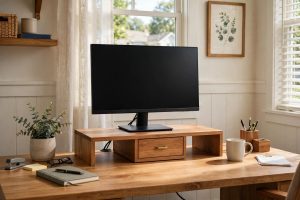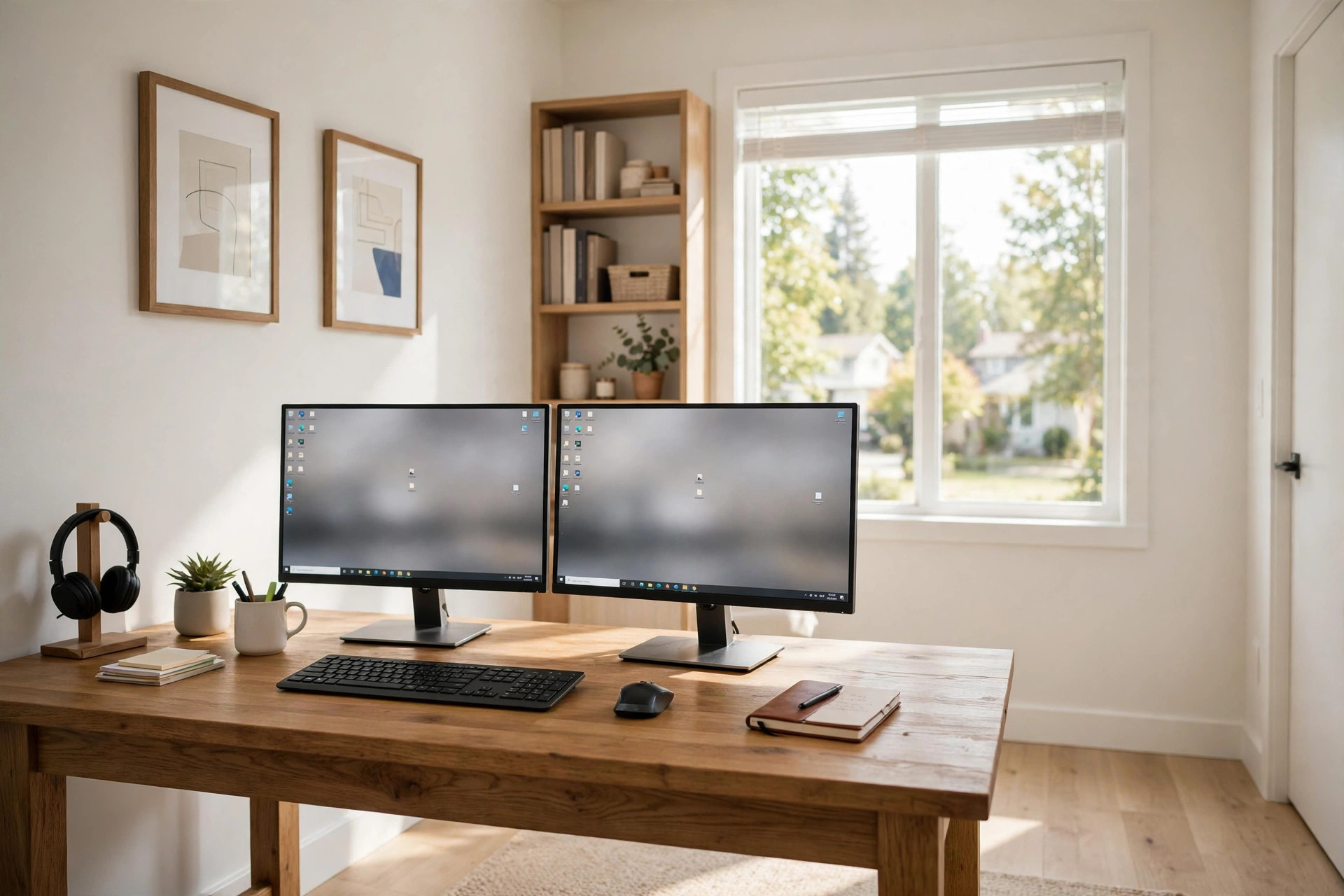

Two screens can change the way a home office works. One screen can hold your main work. The other can hold email, notes, or a reference document. But two monitors only help when the desk under them is right. A desk that is too small or too weak turns a good idea into a daily annoyance. This guide will help you pick the best home office desk for two monitors, in plain words, with no jargon.
A desk for two monitors must do three jobs. It must hold the weight of both screens. It must give them enough depth so they sit at a safe distance from your eyes. And it must leave room for your keyboard, mouse, and a few papers. A small writing desk made for a laptop will rarely meet all three tests.
Why the Right Desk Matters for Two Screens
Two monitors are heavier and wider than one. A pair of 24-inch screens, with their stands, can weigh 15 to 25 pounds together. Larger 27-inch or 32-inch screens weigh more. A thin desk that wobbles under that weight will make the screens shake every time you type. That shaking tires the eyes and the neck.
Depth matters just as much as width. Screens should sit about an arm’s length from your eyes. If the desk is shallow, the screens land too close. Your eyes must work harder to focus. Headaches and tired eyes follow. A desk with 28 to 30 inches of depth gives the screens room to breathe and keeps your eyes comfortable.
There is also the question of clutter. Two monitors eat surface space. Without enough room, your keyboard gets pushed to the edge. Your mouse ends up on a stack of paper. A proper dual monitor desk for home office use keeps the work surface clear. Clear space means clear thinking.
What to Look for Before You Buy: Best Home Office Desk for Two Monitors
Width: How Wide Is Wide Enough?
Measure before you shop. Two 24-inch monitors side by side need about 44 to 48 inches of desk width. Two 27-inch monitors need about 50 to 54 inches. A desk of 55 to 63 inches is a safe choice for most two-screen setups. If you plan to use a monitor arm that holds both screens, you can get by with a little less width, but do not go under 48 inches.
A tape measure is your best tool here. Tape the outline of the desk on your floor. Stand behind it and pretend to work. This simple test has saved many buyers from a desk that looked fine in a photo but was wrong for the room.
Depth: The Forgotten Dimension
Shoppers look at width and forget depth. Do not make that mistake. A depth of 24 inches is the bare minimum for two monitors. Thirty inches is much better. At 30 inches, the screens can sit near the back of the desk while the keyboard sits near the front. That distance protects your eyes.
Deeper desks also make cable control easier. Power cords and display cables can lie flat behind the screens instead of hanging in the air. A tidy back edge keeps the setup looking clean.
Strength and Stability
Check the weight rating of the desk. It should carry at least 100 pounds of load. Two monitors, a keyboard, a docking station, and a lamp add up fast. The legs matter too. Four solid legs beat a flimsy pedestal. Cross braces between the legs stop side-to-side wobble.
Test for wobble if you can. In a store, press down on the front edge and watch the surface. A good desk stays still. Online shoppers can read reviews and look for words like “solid,” “sturdy,” and “no wobble.” A desk that sways is never the best home office desk for two monitors, no matter how nice it looks.
Cable Management
Two monitors mean two power cords and two video cables, plus cords for a dock, a lamp, and a phone charger. A desk with a cable tray, a wire channel, or holes for cords keeps all of that out of sight. Good cable management is not about looks alone. Loose cords snag on feet and pull on ports.
Some desks come with a modesty panel at the back. That panel hides cords and gives the desk a finished look from behind. It is a small detail that makes a big difference in a home office that guests may see.
Height and Ergonomics
The standard desk height is 28 to 30 inches. That suits most adults when paired with a good chair. But people vary. A desk with adjustable height lets you set the exact level where your arms rest at a right angle while you type. A sit-stand desk goes further. It lets you raise the whole work surface and work on your feet for part of the day.
If you want to learn more about height options, read our guide to the ergonomic standing desk for small home office setups. Height is the heart of comfort, and it deserves care.
Surface Material
Wood, laminate, and metal are the common choices. Solid wood and thick laminate tops resist scratches and carry heavy loads well. Thin particleboard with a weak frame will sag over time under two monitors. Press on the sample in the store if you can. A thick, heavy top tells you more than any label.
Main Types of Desks for Two Monitors
Straight Rectangular Desks
The classic shape. A wide rectangle, 55 to 63 inches across and 28 to 30 inches deep, is the most popular choice. It is simple, strong, and easy to place against a wall. Every major maker sells this shape, so prices are competitive.
L-Shaped Corner Desks
An L-shape uses a corner of the room and gives extra surface for a printer, papers, or a second device. One arm of the L holds the monitors. The other arm holds the rest. This shape suits larger rooms. In a small room, it can feel like it swallows the space, so measure the corner before you order.
Sit-Stand Desks
These desks move up and down at the push of a button. The frame has electric motors. A sit-stand frame built for two monitors must be strong enough to lift the screens without strain. Look for a dual-motor frame and a stated lift capacity above 200 pounds. Sit-stand desks cost more, but many home workers find them worth the price.
Desks with Built-In Monitor Shelves
Some desks add a raised shelf at the back. The monitors sit on the shelf, which lifts them to eye level. This design saves depth on the main surface. It can work well, but the shelf must be deep and strong enough for your screens. A shallow shelf forces the monitors too close to your eyes.
What a Good Desk Costs
Prices for a desk that fits two monitors fall into three bands. In the low band, from 100 to 250 dollars, you find simple laminate desks with steel legs. Many are fine for a pair of 24-inch screens. Check the weight rating and the depth before you buy.
In the middle band, from 250 to 500 dollars, you find thicker tops, better cable trays, and stronger frames. This is where most buyers find the best value. A mid-range desk will serve for many years.
In the high band, from 500 dollars up, you find sit-stand desks and solid wood tops. If you plan to keep the desk for a decade, the high band can be a wise buy. For a full look at building the whole setup on a budget, see our guide to an affordable dual monitor setup for remote workers usa readers have found useful.
Retailers such as IKEA and Wayfair carry desks across all three bands. Review sites like The Spruce and Wirecutter test popular models and publish plain-language results. Tech press such as PCMag covers monitor hardware and desk setups in depth.
Setting Up Your Two Monitors on the Desk
A great desk still needs a good layout. Place both screens at the same height, with the tops of the screens at or just below eye level. The gap between the two screens should be small, about one inch. Angle the screens slightly toward you, like an open book.
The primary screen should sit straight ahead of your chair. The second screen goes to the side. If you use both screens equally, center your chair between them. This small step spares your neck many hours of strain.
A monitor arm can improve any desk. An arm clamps to the back edge and lifts both screens off the surface. That frees the desk for a keyboard tray, a notebook, and a coffee mug. Our page on the adjustable monitor arm for dual screen setup explains how arms work and what to check before you buy one.
Keep the keyboard and mouse close. Your elbows should rest near your sides with your forearms level. A wrist rest can help, but the height of the desk matters more. Sit up straight, with your feet flat on the floor. Good posture turns a long workday into a comfortable one.
Care and Upkeep
A desk for two monitors needs little care, but a few habits will keep it strong for years. Tighten the bolts on the legs every six months. Desks loosen with daily use. A quick check with a hex key stops wobble before it starts.
Wipe the surface with a damp cloth once a week. Dust builds up around monitor stands and cable trays. Keep liquids away from the back edge where the power cords run. A spill near a power strip can end a workday in the worst way.
If your desk has motors for height adjustment, listen for new sounds. A grinding noise or a tilt to one side means a motor needs service. Most makers sell parts and answer questions by phone. Guides from Steelcase and Herman Miller include care sheets for their work surfaces.
Check cables once a month. Look for frayed insulation or loose plugs. Replace a damaged cord at once. A tidy cable tray makes this check easy. Lift the tray cover and look. It takes one minute.
Safety Around a Two-Monitor Desk
Two monitors add weight high up on a desk. Make sure the desk stands on a flat, level floor. If it rocks, adjust the feet or add felt pads. A rocking desk can creep across a hard floor over time.
Anchor tall setups in homes with small children or pets. A curious child can pull on a cord and bring a screen down. Cord covers and cable clips keep cords out of reach. Keep the heaviest items near the back edge, over the legs, where the desk is strongest.
Height-adjustable desks need a clear path. Before you raise or lower the desk, check that nothing sits under it. A wastebasket or a bag can jam the frame. Most modern frames have anti-collision sensors, but a quick look costs nothing.
Electrical safety matters too. Do not overload one outlet with monitors, a dock, a heater, and a lamp. Use a surge protector with a high joule rating. Unplug the setup during a bad storm if you can.
Frequently Asked Questions
How big should a desk be for two monitors?
For two 24-inch monitors, a desk of at least 48 inches wide and 24 inches deep will work. For two 27-inch monitors, aim for 55 inches wide and 28 to 30 inches deep. When in doubt, choose the larger desk. Extra surface is never wasted.
Can a regular desk hold two monitors?
Yes, if it is strong enough. A regular desk with a thick top, solid legs, and a weight rating above 100 pounds can hold two monitors. Thin folding tables and light writing desks are not safe choices. Check the rating and test for wobble.
Should I use monitor stands or a monitor arm?
Both work. The stands that come with monitors are free and simple. A monitor arm frees desk space and makes it easy to set the perfect height and angle. Arms cost extra but pay for themselves in comfort. Makers such as UPLIFT Desk sell arms built for two screens.
What is the best desk depth for two screens?
Thirty inches is the best target. At that depth, the screens sit far enough back for comfortable viewing while the keyboard stays within easy reach. Twenty-four inches is the minimum. Less than that pushes the screens too close to your eyes.
Is a sit-stand desk worth it for a two-monitor setup?
For many people, yes. Standing for part of the day eases back strain and keeps energy up. A sit-stand desk must have a strong dual-motor frame to lift two monitors smoothly. Test the lift capacity before you buy. Mid-range sit-stand desks now cost less than they did five years ago.
A Final Word
The best home office desk for two monitors is not the most expensive one. It is the one that fits your screens, fits your room, and stays rock solid day after day. Measure your space. Check the depth. Test for wobble. Plan your cables. Do these four things and your two-screen setup will serve you well for years.
Take your time with the choice. A desk is the foundation of your whole workday. When the foundation is right, everything on top of it works better.
References
Herman Miller. (n.d.). Office furniture and ergonomic seating. https://www.hermanmiller.com IKEA. (n.d.). Home furnishings. https://www.ikea.com PCMag. (n.d.). Technology product reviews. https://www.pcmag.com Steelcase. (n.d.). Office furniture and workplace research. https://www.steelcase.com The Spruce. (n.d.). Home and garden advice. https://www.thespruce.com UPLIFT Desk. (n.d.). Standing desks and ergonomic office furniture. https://www.uplift-desk.com Wayfair. (n.d.). Furniture and home goods. https://www.wayfair.com Wirecutter. (n.d.). Product reviews from The New York Times. https://www.nytimes.com/wirecutter
Was this guide helpful?

About Robert Taylor
The My Garden US editorial team writes practical, in-depth home and garden guides for American homeowners — tested advice, no fluff.
You May Also Like

Home Office Bulletin Board Fabric Covered Large: A Complete Buying and Care Guide
February 20, 2026 0 views
Ergonomic Zero Gravity Office Chair Recliner: A Complete Buyer Guide
June 4, 2026 0 views
Ergonomic Laptop Riser for Standing Desk Height: What to Know Before You Buy
July 23, 2026 0 views