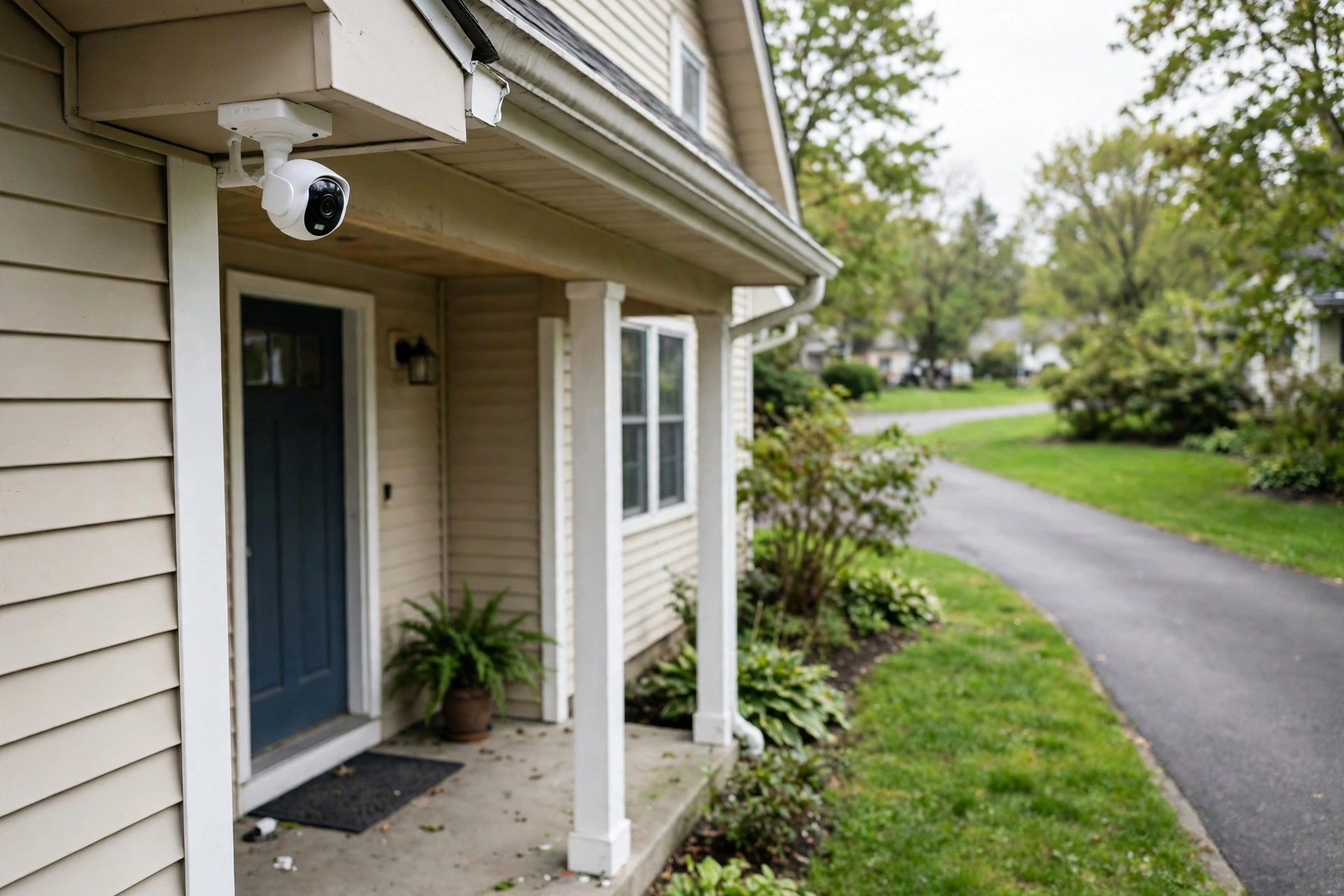

Many buyers read security camera with local storage reviews USA before they spend their money. They want cameras that record to a card or a drive in their own home. They do not want a monthly fee. They do not want their video sent to a server far away. This guide explains the main types, what to look for, what reviews say, and what upkeep the cameras need. It uses plain language so you can decide with care.
Why Local Storage Matters for Home Cameras
A camera with local storage saves video inside your own home. It may use a small memory card. It may use a hard drive in a recorder box. Some models use a home hub or base station with built-in memory. The video stays with you.
Reviews in the United States often praise one fact first. There is no monthly fee. Many cloud cameras cost five to fifteen dollars per month per camera. Over three years, that adds up to hundreds of dollars. A local storage camera costs more up front in some cases, but then the recording costs nothing more. For a buyer who wants a best outdoor security camera without subscription, that point matters most.
Privacy is the second reason. Your video never leaves the house unless you choose to share it. Some buyers feel better about that. They do not trust outside servers. They do not want a stranger to see their porch or their yard.
A third reason is control. You can pull the memory card and watch the video on a computer. You can copy clips to a drive. You own the files. Tech reviewers at PCMag often note that this control is a strong draw for hands-on buyers.
How to Choose the Right Model: Security Camera with Local Storage Reviews Usa
Reviews point to the same checklist again and again. Work through it before you buy.
Storage type. Know where the video goes. A microSD card sits inside the camera. A network video recorder, called an NVR, sits in your house and holds a hard drive. A home base or hub stores video for two or more cameras at once. Each type has trade-offs. Cards are cheap and simple. Hard drives hold weeks of video.
Video quality. Most models record at 1080p. That is enough to see faces and car plates at short range. Some record at 2K or 4K. Sharper video needs more storage. A 4K camera can fill a card two or three times faster than a 1080p camera. Reviews at CNET advise buyers to match quality to the real need. A porch camera does fine at 1080p. A long driveway may need 4K.
Night vision. Check how the camera sees in the dark. Infrared gives a black and white picture. Color night vision uses a small spotlight. Read reviews for real night shots, not just the box claims.
Field of view. A wide lens covers more ground. One camera may watch a whole porch. A narrow lens reaches farther down a driveway. Most home cameras cover 110 to 140 degrees.
Power. Battery cameras are easy to place. You charge or swap the battery every few months. Wired cameras need an outlet or a cable run. Solar panels can top up some battery models. Reviewers at The Verge often test real battery life, since box claims run high.
Weather rating. Outdoor cameras should carry an IP65 or IP67 rating. That means dust and rain will not hurt them. Indoor-only cameras will fail outside within a season.
The app. You will use the app every day. It should show live video fast. It should let you find old clips by time or by motion event. Read app store reviews too, not just camera reviews.
Main Types of Local Storage Cameras
Battery Cameras With Memory Cards
These are the simplest. You mount the camera, slip in a microSD card, and it records on its own. Many write over the oldest video when the card fills up. That is called loop recording. A 128GB card often holds five to ten days of motion clips at 1080p. Continuous recording fills it faster.
Buyers like the low price. Many models cost under one hundred dollars. The brand eufy built its name on this style, with hubs that add more local storage for several cameras. Arlo also sells models that accept local storage add-ons. Reviews warn about one weak point. A thief can take the camera and the card with it. Your footage goes with them.
Wired PoE Cameras With an NVR
PoE means power over Ethernet. One cable carries power and video to each camera. The cables plug into an NVR box in your house. The box holds a hard drive, often one to four terabytes. That can store two to four weeks of video from four to eight cameras.
This is the system serious buyers choose. Video quality runs high. The cameras never need charging. The recorder sits hidden in a closet, so a thief at the door cannot grab it. The cost runs higher. A four-camera kit often costs three hundred to six hundred dollars. Installation takes more work. You must run cables through walls or along trim.
Reviews for systems like this focus on the recorder software. Good software finds motion events fast. Bad software makes you scroll for hours. Retail listings at Best Buy carry many user reviews that describe the setup step by step.
Wi-Fi Cameras With a Home Hub
This type sits between the other two. Two or more cameras connect by Wi-Fi to a hub plugged in inside your house. The hub holds the storage. You get the easy mounting of battery cameras with the safer indoor storage of an NVR. Some hubs also work when your internet goes down, since the cameras talk to the hub on your home network.
Reviewers at Consumer Reports often test how these systems handle a dead internet connection. Some keep recording. Some stop until the internet returns. Read that part of the review with care if outages are common where you live.
What Reviews Tell You to Check
Across hundreds of user reviews in the USA, the same complaints and praise show up.
Motion detection tops the list. Cheap cameras cry wolf. They send alerts for trees, cars, and rain. Good cameras let you draw zones. They alert only when a person crosses your porch. Buyers who skip this check turn off alerts within a week. Then the camera helps no one.
Playback speed comes next. Some apps load a clip in two seconds. Some take twenty. When you need to find a package thief, slow playback feels awful. User reviews at Google Store for Nest cameras often praise fast scrubbing through the day.
Storage life matters too. Memory cards wear out. A card written over every day may fail after one to two years. Buy high-endurance cards made for cameras and dash cams. They cost a little more and last much longer.
Check the real field of view. Box numbers can mislead. A 140-degree claim may measure the diagonal, not the width. Look for review photos that show what the camera actually sees.
Sound is often weak. Most cameras record thin, tinny audio. A few record clear two-way talk. If you plan to speak through the camera to a visitor, read the audio comments in reviews.
Cost and Price
Local storage cameras span a wide price range.
A single battery camera with a card slot costs fifty to one hundred fifty dollars. A two-camera hub kit costs one hundred fifty to three hundred dollars. A four-camera PoE system with an NVR costs three hundred to eight hundred dollars, based on quality and hard drive size.
Add the extras. High-endurance microSD cards cost fifteen to forty dollars based on size. A two-terabyte hard drive for an NVR costs about sixty to eighty dollars. Mounting gear and long Ethernet cables add twenty to fifty dollars.
Now compare with cloud plans. A cloud camera may cost less up front, but the plan adds up. Two cameras at ten dollars per month each cost two hundred forty dollars per year. Over three years, that is seven hundred twenty dollars. A local storage kit that costs four hundred dollars once starts to look like a bargain by year two. This math is why so many buyers search for a floodlight camera reviews without subscription usa before they buy.
Watch for hidden fees. Some brands sell local storage but charge for smart alerts or person detection. Read the fine print. The camera should do its basic job with no fee at all.
Care and Upkeep
Local storage cameras need some care. It is not hard, but it matters.
Check playback once a month. Open the app. Play a clip from last week. Make sure the camera still records. Cards can fail without warning. A monthly check takes two minutes and saves heartache.
Format the card every few months. Many apps have a format button. Formatting clears small errors and keeps the card healthy. Copy any clips you want to keep first.
Replace cards on schedule. Even good cards wear out. Plan to replace them every one to two years if the camera records daily. Mark the install date on a small sticker.
Keep firmware current. Makers fix bugs and close security holes with updates. Let the app update the camera when it asks. Outdated firmware is one way hackers reach home cameras.
Mind the weather. Wipe the lens twice a year. Spider webs and dust blur night vision fast. After a hard storm, check that mounts still hold tight. Water in a mount can rot wood trim over time.
Protect the recorder. An NVR holds all your video. Plug it into a surge protector. Better still, use a small battery backup. A short power cut should not stop recording or corrupt the hard drive.
Back up key clips. If something important happens, copy the clip off the card or the NVR right away. Loop recording will erase it in days. Keep copies on your computer or an outside drive.
Safety
Mounting cameras means ladders and tools. Take care.
Use a steady ladder on flat ground. Have someone hold it if the mount sits high. Do not lean past the rails. Falls from eight feet can break bones.
For wired cameras, turn off the breaker before you touch any house wiring. PoE kits use low-voltage cable, which is safer to run, but keep cable away from sharp edges and hot pipes.
Secure the hub and the NVR. Bolt them inside a closet or a locked cabinet if you can. A recorder that a thief can grab in ten seconds protects nothing. Some buyers hide the NVR and run a decoy cable to fool a quick break-in.
Think about privacy law. In most states, you may film your own porch and yard. Audio recording faces stricter rules in some states. Do not point cameras into a neighbor window or a shared hallway without thought. The U.S. Consumer Product Safety Commission also reminds buyers to mount devices so cords and parts stay out of reach of small children.
Check fire safety too. Use the right charger for each camera. Cheap knock-off chargers can overheat. Buy batteries and power bricks from the maker or a trusted seller.
Frequently Asked Questions
Do local storage cameras need Wi-Fi?
Most need Wi-Fi for setup and for the phone app. The recording itself stays local on many models. Some keep recording during an internet outage. Some do not. Read the review section on offline behavior before you buy, since this varies by brand.
How long does a 128GB card last?
It depends on settings. At 1080p with motion-only recording, a 128GB card often holds one to three weeks of clips. With 24-hour continuous recording at 4K, the same card may fill in two to four days. Lower the resolution or use motion mode to stretch storage.
Can a thief steal the footage with the camera?
With a card-slot camera, yes. The card sits inside the camera. That is why hub and NVR systems cost more. They keep the storage inside your house. If theft of footage worries you, choose a hub or NVR model and hide the box well.
Are local storage cameras cheaper over time than cloud plans?
In most cases, yes. You pay once for the camera and storage. Cloud plans charge every month. A buyer with three cameras can save five hundred to one thousand dollars over three years by going local. The trade-off is that you manage the storage yourself.
Can the police use my local footage if a crime happens?
Yes. You can hand over a copy of the clip. Many buyers of best indoor security camera with privacy shutter models ask about this too. Export the clip to a USB drive or your phone, and give it to the officer. Keep your own copy. Do not edit the original file.
Which brands do review sites mention most?
Reviewers at Ring, SimpliSafe, and ADT cover full security systems, while camera-focused tests often name brands with strong local storage options. Read several sources. One review is never enough.
A Short Final Word
A security camera with local storage gives you video with no monthly bill. Pick the type that fits your home. A single porch needs only a card-slot camera. A full house does better with a hub or an NVR. Read reviews for motion alerts, playback speed, and offline recording. Keep the storage healthy with monthly checks and fresh cards. Do that, and your camera will stand watch for years at a fair cost.
References
ADT. (n.d.). Home security and automation. https://www.adt.com Arlo. (n.d.). Smart home security cameras. https://www.arlo.com Best Buy. (n.d.). Consumer electronics retailer. https://www.bestbuy.com CNET. (n.d.). Technology news and reviews. https://www.cnet.com Consumer Reports. (n.d.). Product reviews and ratings. https://www.consumerreports.org eufy. (n.d.). Smart home security products. https://www.eufy.com Google Store. (n.d.). Smart home devices. https://store.google.com PCMag. (n.d.). Technology product reviews. https://www.pcmag.com Ring. (n.d.). Smart home security devices. https://www.ring.com SimpliSafe. (n.d.). Home security systems. https://www.simplisafe.com The Verge. (n.d.). Technology news and reviews. https://www.theverge.com U.S. Consumer Product Safety Commission. (n.d.). Product safety information. https://www.cpsc.gov
Was this guide helpful?

About Michael Thompson
The My Garden US editorial team writes practical, in-depth home and garden guides for American homeowners — tested advice, no fluff.
You May Also Like

Echo Show vs Nest Hub Comparison 2026: Which Smart Display Fits Your Home?
March 4, 2026 0 views
Smart CO Detector with App Alerts USA: A Guide for Every Home
April 22, 2026 0 views
Interconnected Smoke Alarms Code Requirements USA
March 10, 2026 0 views