
The search for the best outdoor security camera without wifi subscription starts with a simple wish. You buy the camera once. You pay nothing every month. The camera still records, still sends alerts, and still keeps your home safe. In recent years, monthly fees have become the norm for many camera brands. Cloud video storage, smart alerts, and long video history often sit behind a paywall. But a growing number of outdoor cameras now work with no monthly plan at all. This guide explains how they work, what to look for, and how to pick the right one for your home.
Why No-Subscription Cameras Matter
A subscription-free camera can save you a real amount of money over time. A plan that costs eight dollars a month comes to nearly one hundred dollars a year. Over five years, that is close to five hundred dollars for one camera. Many homes need two or three cameras. The fees add up fast.
There is also the matter of privacy. Cameras that record to a card in your own home keep your video close. Nothing goes to a distant server unless you choose to send it there. Many owners prefer that.
Reliability is a third reason. Some cameras can record even when the internet goes down. A camera with local storage keeps writing video to its memory card while the network is dead. When the network returns, you can watch what you missed. That is hard to beat.
How Cameras Work Without a Subscription: Best Outdoor Security Camera Without Wifi Subscription
No-subscription cameras store video in one of three main ways.
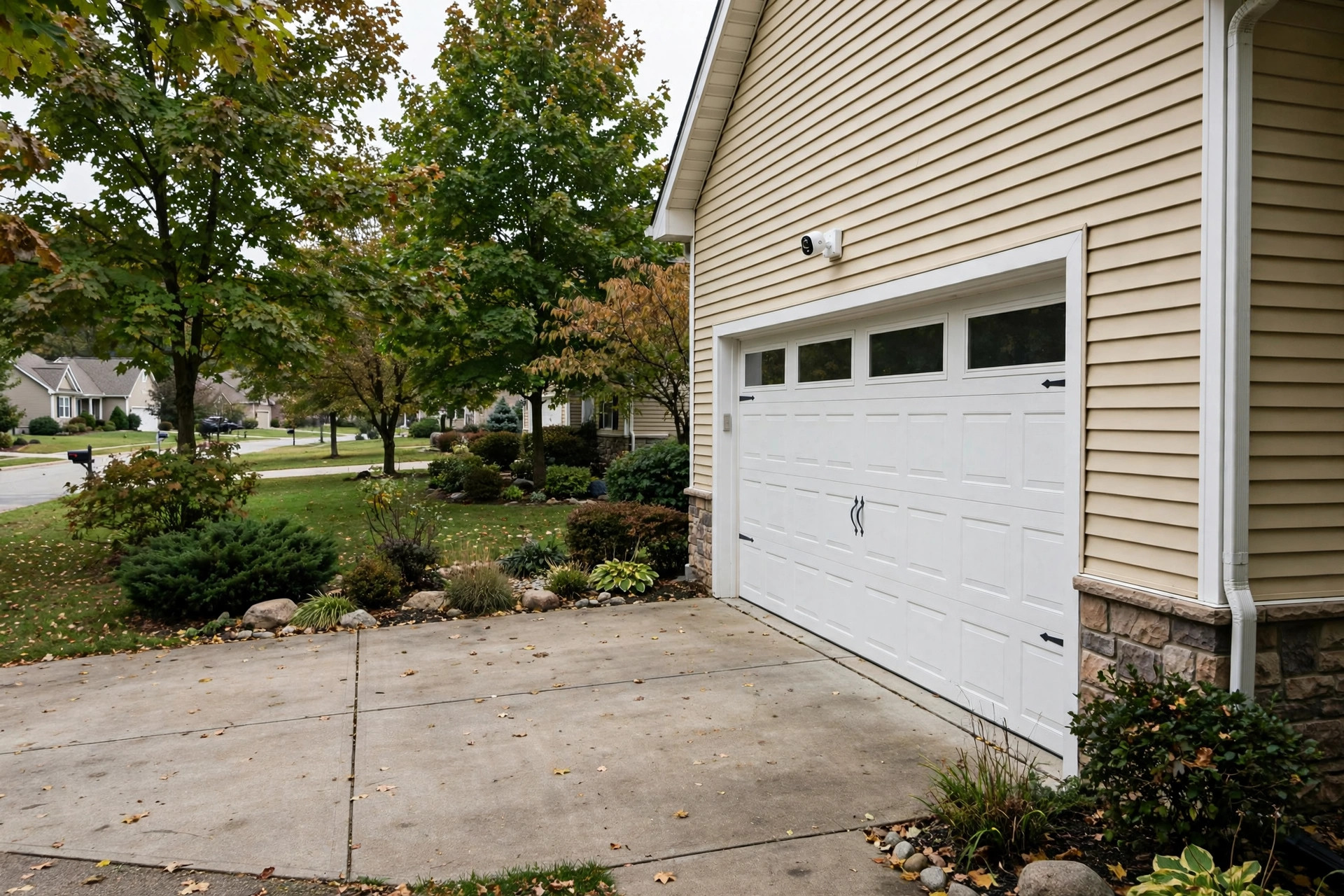
First, many cameras take a small memory card. The camera records in a loop. When the card fills up, the oldest video is erased and the new video takes its place. A 128 GB card can hold many days of motion clips. This is the most common setup.
Second, some systems come with a base station or a small recorder box. The cameras send video to this box by radio or wire. The box has a large hard drive inside. This setup suits homes with four or more cameras. It keeps everything in one place.
Third, a few cameras let you save video to your own network storage drive. This takes more setup work. It suits owners who like to manage their own data.
Most of these cameras still use your home WiFi to send alerts to your phone. The word “subscription” in the plan does not change that. The phone app is free. Live viewing is free. Motion alerts are free. What you do not get for free is long cloud storage and some advanced alert types. Local storage fills that gap.
What to Look for When You Choose
Picking the best outdoor security camera without wifi subscription means checking a few clear points.
Video Quality
Look for at least 2K or 1080p video. Faces and license plates need detail. A wide lens, around 130 degrees, covers a porch or a driveway well. Night vision matters too. Most good cameras now see in color at night using a small built-in light.
Power Options
Battery cameras are the easiest to place. You charge them every few months. Solar panels can extend that to years. Wired cameras draw power from an outlet or a doorbell transformer. They never need charging. Wired models record all the time, while battery models often record only when motion wakes them.
Weather Rating
Outdoor cameras should carry an IP65 or IP66 rating. That mark means the camera can stand rain, dust, and snow. Check the working temperature range if your winters run cold.
Storage Without Fees
Check how much free local storage the camera allows. Some take memory cards up to 256 GB. Some base stations hold a 1 TB drive. Also check whether you can watch stored video from the free phone app. A few brands make this awkward to push you toward a paid plan. Read user reviews on this point before you buy. You can read independent test results at Consumer Reports and PCMag, which both review cameras for storage policies.
Two-Way Audio
A speaker and a microphone let you talk to a visitor or warn off a stranger. This feature is free on nearly all models now.
Smart Alerts
Some cameras tell the difference between a person, a pet, and a car. On many brands this sorting needs a paid plan. A few brands include basic person detection for free. Decide how much this matters to you.
Types of No-Subscription Outdoor Cameras
Battery Cameras With Memory Cards
These are the most popular choice. You mount them anywhere. They record motion clips to a card inside the camera. Brands in this group offer free live viewing and free motion alerts. Installation takes about fifteen minutes. You can compare options at CNET and The Verge, which track new models each year.
Wired Floodlight Cameras
A floodlight camera replaces an outdoor light fixture. It wires into the same power line. It records all the time and lights up the yard at night. If you want a model with no monthly plan, look for one that records to local storage. Our related guide to floodlight camera reviews without subscription usa covers this type in more depth.
Wired PoE Systems
Power over Ethernet systems run one cable to each camera for both power and video. A recorder box with a hard drive sits inside the house. These systems almost never ask for a subscription. They suit owners who want four to eight cameras and steady 24-hour recording.
Cellular Cameras
Cellular cameras need no WiFi at all. They use the mobile network like a phone. They still need a data plan for the mobile link, but they do not need a camera brand subscription. They work well at barns, gates, and cabins far from a router.
Doorbell Cameras
A video doorbell watches the front door. Some models record to local storage with no monthly fee. See our guide to the best video doorbell without subscription usa if the front door is your main concern.
Cost and Price
No-subscription cameras cost more up front than their cloud-based rivals. That is the trade. Expect these rough ranges in the United States.
– Single battery camera with card slot: 60 to 150 dollars. – Two-camera kit with base station: 200 to 400 dollars. – Floodlight camera with local storage: 150 to 300 dollars. – Four-camera PoE system with recorder: 300 to 700 dollars.
Add the cost of memory cards. A good 128 GB card costs about 15 to 20 dollars. Buy cards rated for constant video writing. Cheap cards fail early.
There is no monthly bill. That is the point. Over three years, a no-subscription camera is almost always cheaper than a cloud camera with a plan. Ring and Google both sell cameras with optional plans, and you can see how their pricing works on Ring and the Google Store before you decide.
Installation Costs
Most battery cameras need no professional help. You screw in a mount, snap the camera on, and set it up in the app. Total cost is zero beyond the camera itself. Wired floodlight cameras take more work. If you already have an outdoor light box, the swap is simple and takes under an hour. If new wiring is needed, an electrician may charge 100 to 200 dollars per fixture. PoE systems take the most labor. Running network cable through walls is a full afternoon of work, and many owners hire a low-voltage installer for 75 to 150 dollars per camera. These are one-time costs. Once the cameras are up, there is nothing more to pay.
Care and Upkeep
A little care keeps an outdoor camera working for years.
Clean the lens twice a year with a soft cloth. Dust and spider webs blur the picture. Check the mount screws once a year. Wind loosens them over time.
For battery models, watch the charge level in the app. Cold weather drains batteries faster. A small solar panel keeps the charge topped up in most climates.
For memory cards, let the camera format the card when you first install it. Replace the card every two to three years. Cards wear out with constant writing. If clips start to skip or vanish, the card is often the cause.
Keep the camera software updated. Makers send updates that fix bugs and close security holes. Most cameras update on their own overnight.
If your camera runs on a home network, use a strong WiFi password. Put smart home gear on a separate guest network if your router allows it. The federal Consumer Product Safety Commission also publishes general product safety guidance worth a look.
Safety
Mount the camera high enough that a stranger cannot reach it easily. Nine to ten feet works well for most homes. Point it at doors, driveways, and dark corners. Do not point it into a neighbor’s windows. Many states have laws about recording where people expect privacy.
Use the mounting screws that come in the box. For brick or concrete, use masonry anchors. A falling camera is a waste of money and a hazard.
If the camera has a siren, test it once during the day so you know how loud it is. Tell your household how the alerts work. Everyone should know what the phone alert means and what to do when it sounds.
Check local rules before you record audio. A few states limit audio recording more strictly than video. Video of your own yard is widely allowed. Audio of private talks is not. When in doubt, turn the microphone off and record video only.
Frequently Asked Questions
Do I need WiFi for a no-subscription camera?
Most still need WiFi to send alerts to your phone and to show live video. The “no subscription” part means no monthly fee, not no internet. If you have no WiFi at all, look at cellular models instead.
Can I watch old video without paying?
Yes. Video saved to a memory card or a base station can be watched in the free app. You scroll a timeline or a list of clips. Cloud history is what costs money.
How long does local storage last?
A 128 GB card usually holds one to two weeks of motion clips, depending on how busy the scene is. A 1 TB recorder drive can hold a month or more of round-the-clock recording from several cameras. Quiet scenes store longer.
Will I lose features without a plan?
You lose cloud storage and sometimes advanced alert sorting. Live viewing, motion alerts, two-way talk, and local recording stay free on most models. Check the maker’s free-versus-paid chart before you buy.
Are no-subscription cameras secure?
They can be. Local storage keeps video in your home. Still, use a strong account password and turn on two-step sign-in if the app offers it. Update the software when asked.
What is the best setup for a whole house?
For most homes, two to four battery cameras with memory cards cover the doors and the driveway. Larger homes do better with a PoE system and a recorder box. Compare wireless outdoor security camera reviews 2026 for single-camera picks and storage-focused models.
A Short Final Word
The best outdoor security camera without wifi subscription is the one that fits your home and asks for no monthly fee. Battery models with memory cards suit most owners. Wired systems suit larger homes. Floodlight models suit dark yards. Pick a camera with strong night vision, a fair weather rating, and free local storage. Read independent reviews at Consumer Reports and PCMag. Compare professional monitoring options at SimpliSafe and ADT only if you want a monitored plan as well. Buy the camera once, keep your video at home, and pay nothing every month. That is the whole idea, and it works.
References
ADT. (n.d.). Home security and automation. https://www.adt.com CNET. (n.d.). Technology news and reviews. https://www.cnet.com Consumer Reports. (n.d.). Product reviews and ratings. https://www.consumerreports.org Google Store. (n.d.). Smart home devices. https://store.google.com PCMag. (n.d.). Technology product reviews. https://www.pcmag.com Ring. (n.d.). Smart home security devices. https://www.ring.com SimpliSafe. (n.d.). Home security systems. https://www.simplisafe.com The Verge. (n.d.). Technology news and reviews. https://www.theverge.com U.S. Consumer Product Safety Commission. (n.d.). Product safety information. https://www.cpsc.gov
Was this guide helpful?

About Lisa Anderson
The My Garden US editorial team writes practical, in-depth home and garden guides for American homeowners — tested advice, no fluff.
You May Also Like
Best Wall Safe for Home Installation USA: A Plain and Simple Guide
August 16, 2026 0 views
Smart Doorbell Installation Cost Near Me: What You Will Pay in 2026
January 21, 2026 0 views
Best Smart Dimmer Switch Reviews 2026 USA
September 30, 2026 0 views