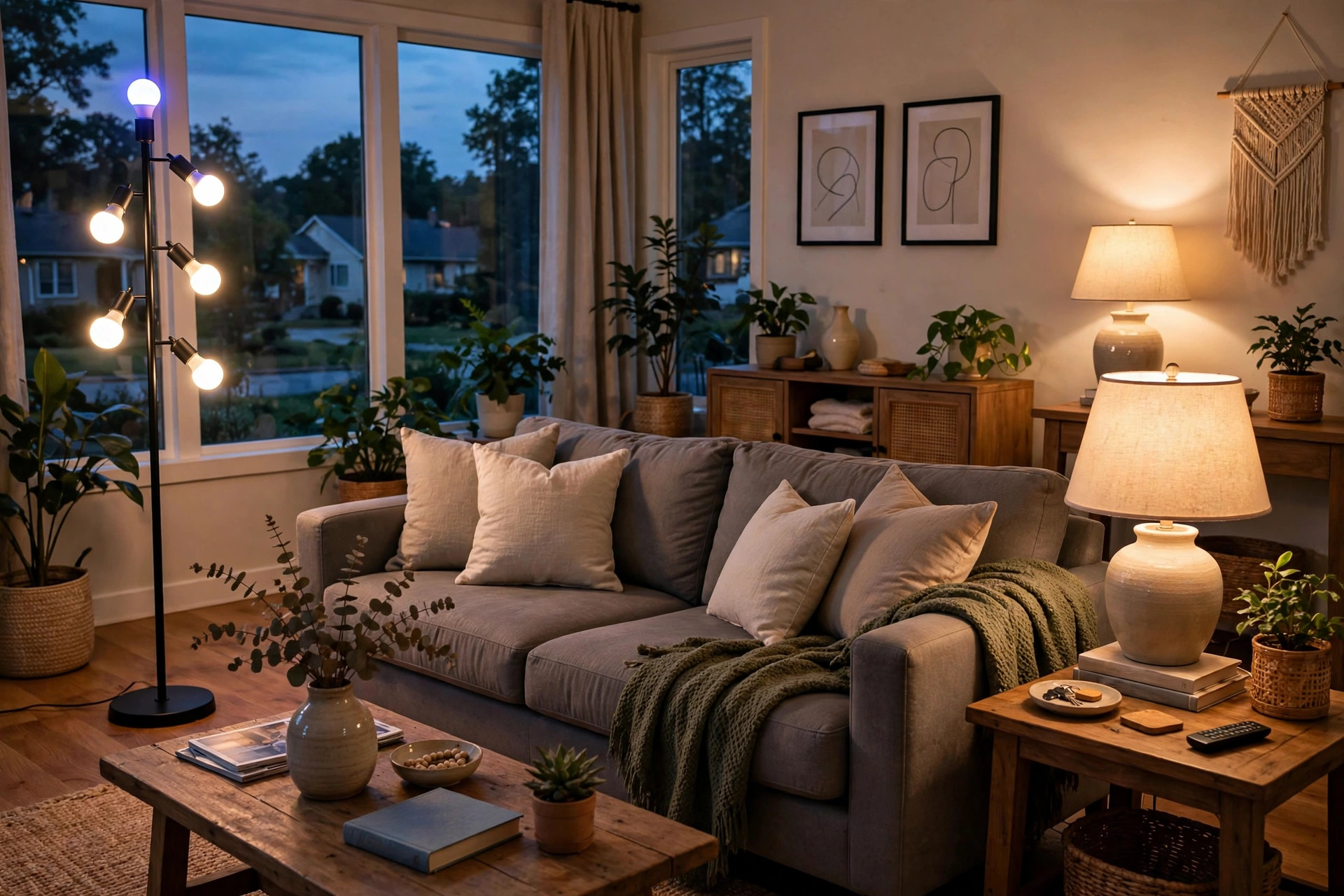

This WiFi smart bulbs American homes guide is for any homeowner who wants better control of light. Smart bulbs screw into normal sockets. They connect to a home WiFi network. They let a person turn lights on and off with a phone or voice. Many models also change color and brightness. This guide explains what these bulbs are, how they work, what to buy, what they cost, and how to use them safely.
Why WiFi Smart Bulbs Matter for American Homes
American homes are changing. Light is no longer just a switch on the wall. A smart bulb gives the homeowner control from anywhere in the house. It also works when the homeowner is away.
The main benefit is ease. A person can dim the bedroom light from bed. A person can turn on the porch light from the car. A person can set lights to turn on at sunset each day. This is useful for families, older adults, and people who work late.
Another benefit is energy use. Smart bulbs use LED technology. LEDs use far less power than old bulbs. A smart bulb can also turn itself off when no one needs it. This cuts the electric bill over time.
Security is a third benefit. A home with lights that turn on at night looks lived in. Timers and random schedules make a burglar think twice. For this reason, smart bulbs are common in homes that sit empty during the day. They also work well with outdoor lighting plans such as motion flood lights.
How WiFi Smart Bulbs Work
A smart bulb has a small chip inside. The chip connects to the home WiFi router. A phone app sends commands to the bulb through the router. The app is free and comes with the bulb brand.
Most bulbs need no extra hub. Some older systems need a hub that plugs into the router. Newer models skip the hub and connect straight to WiFi. This makes setup simple for the average homeowner.
Voice control is also common. Many bulbs work with major voice assistants. The homeowner speaks a command, and the assistant passes it to the bulb. Names for bulbs can be set in the app, such as “kitchen light” or “front porch.”
What to Look for When Choosing Smart Bulbs: Wifi Smart Bulbs American Homes Guide
Not all smart bulbs are the same. A buyer should check a few key points before spending money.
Socket Type and Fit
American homes use the E26 medium screw base in most lamps. This is the standard size. Outdoor fixtures may use other sizes. The buyer should check the old bulb before buying. The new bulb must match the socket.
The bulb shape matters too. A19 is the common rounded shape. BR30 is the wider flood shape for recessed cans. The fixture size should match the bulb shape.
Brightness and Color
Brightness is measured in lumens. A standard 60-watt replacement gives about 800 lumens. A 100-watt replacement gives about 1600 lumens. The buyer should pick lumens that fit the room. A bedroom needs less light than a kitchen.
Color choice is a big draw. White-only bulbs are cheaper. Full-color bulbs can show millions of shades. Tunable white bulbs shift from warm to cool white. Warm white suits living rooms. Cool white suits work areas.
App Quality and Compatibility
The app is the daily tool. A good app is easy to use and stable. Reviews from other buyers can show if an app is poor. The buyer should check that the bulb works with their phone system, whether iPhone or Android.
Voice assistant support matters for many homes. The buyer should confirm the bulb works with their chosen assistant. Not every brand works with every system.
WiFi Band
Many smart bulbs only connect to the 2.4 GHz WiFi band. This is normal. Most routers offer both 2.4 and 5 GHz. The buyer must join the bulb to the 2.4 GHz network during setup. After setup, the phone can use either band. This point confuses many first-time buyers. It is worth a few minutes of care at the start.
Types of WiFi Smart Bulbs
Several types are on the market. Each fits a different need.
Standard White Smart Bulbs
These bulbs make white light only. The owner can dim them and set schedules. They are the cheapest option. They suit hallways, closets, and rooms where color is not needed.
Tunable White Smart Bulbs
These shift from warm yellow-white to cool blue-white. Warm light relaxes the eye at night. Cool light helps focus during the day. Many offices and home studies use this type. The change follows a schedule if the owner sets one.
Full-Color Smart Bulbs
These bulbs show any color. They can set a mood for a party. They can glow soft blue in a nursery. They cost more than white bulbs. They are popular in living rooms and bedrooms where style matters. For decorative fixtures in dining areas, buyers often pair them with statement pieces like kitchen island pendants.
Smart Flood and Spot Bulbs
These fit recessed ceiling cans and track heads. They give focused light. They suit kitchens, hallways, and bathrooms. Some models work outdoors in covered fixtures.
Smart Outdoor Bulbs
Outdoor models handle rain and heat. They suit porches, patios, and garages. They must be rated for outdoor use. A bulb made for indoor use can fail outside. Outdoor smart bulbs pair well with patio string lights for a full yard lighting plan.
Cost and Price
Prices vary by brand and type. White-only smart bulbs often cost between five and fifteen dollars each. Tunable white models run from ten to twenty-five dollars. Full-color bulbs cost from fifteen to fifty dollars or more. Pack deals lower the price per bulb. A four-pack often beats buying singles.
The LED inside lasts long. Most makers rate their bulbs at 15,000 to 25,000 hours. That can mean ten years of normal use. The buyer should weigh the high upfront cost against the long life.
Energy cost is low. A smart LED bulb draws about nine to twelve watts. An old 60-watt bulb drew sixty watts. The savings add up across a whole house. The U.S. Department of Energy publishes guidance on home lighting efficiency that buyers can read before they shop. Retailers such as large home improvement stores carry wide selections and let buyers compare models side by side.
Where to Buy
Smart bulbs are sold in home improvement stores, electronics stores, and online. Big retailers often have display models. Seeing the bulb glow in the store helps the buyer judge color quality. Online buyers should read reviews from verified owners. Store staff can answer basic questions about fit and setup.
The buyer should keep the receipt. A bulb that fails early can be returned under warranty. Most brands offer at least a two-year warranty.
Setup Steps for a First-Time Buyer
Setup takes about ten minutes per bulb. The steps are simple.
First, screw the bulb into the socket. Turn the power on. The bulb will pulse or blink. This means it is ready to pair.
Second, open the brand app on the phone. Create an account if needed. Follow the prompts to add a new bulb. Join the 2.4 GHz home network when asked.
Third, name the bulb. Pick a clear name like “living room lamp.” This helps with voice commands.
Fourth, group bulbs by room if the app allows it. One command can then control a whole room.
Fifth, set schedules and timers. Many owners set porch lights to turn on at dusk. Bedroom lights can fade off at bedtime. These routines run on their own after setup.
Common Setup Problems
The most common problem is the wrong WiFi band. If the bulb will not connect, check that the phone is on the 2.4 GHz network during setup. Some routers merge the two bands under one name. The router manual shows how to split them.
Another problem is distance. A bulb far from the router may drop out. A WiFi extender can fix this. The bulb should also be away from thick walls and metal fixtures when possible.
If the app cannot find the bulb, turn the bulb off and on three to five times. This resets most brands. Then start the pairing steps again.
Care and Upkeep
Smart bulbs need little care. The LED does not burn out like old filaments. The main care is software. The brand app sends updates from time to time. The owner should install them. Updates fix bugs and close security gaps.
Dust the bulbs once in a while. Dust on the surface dims the light. A dry cloth is enough. Never use water on a powered bulb.
Outdoor bulbs need more checks. Look for cracked seals after storms. Replace a bulb whose casing is damaged. Water inside a bulb is a hazard.
If a bulb stops responding, remove it from the app and add it again. This fixes most glitches. A bulb that stays dark after a reset may be dead. Use the warranty if it is still valid.
Safety Notes
Smart bulbs are safe when used as directed. A few rules apply.
Do not use an indoor-rated bulb outdoors. Moisture can cause a short. Check the box for an outdoor rating.
Do not place a smart bulb in an enclosed fixture unless the box allows it. Heat builds up in closed glass. Too much heat shortens the life of the electronics.
Do not exceed the fixture wattage rating. A smart bulb draws little power, so this is rarely an issue. Still, the rule stands.
Turn off power at the switch before changing a bulb. This is basic but important.
Data and Privacy
Smart bulbs connect to the internet. The app collects some data. The owner should read the privacy policy of the brand. A strong WiFi password protects the home network. The owner should also keep the router firmware current. The federal ENERGY STAR program offers tips on efficient and safe home lighting choices.
Frequently Asked Questions
Do smart bulbs work without WiFi?
The bulb still lights up when switched on. It will act like a normal bulb. The smart features need WiFi. Without it, the phone app and voice control will not work. Schedules stored on the bulb may still run on some models.
Do smart bulbs use power when off?
They use a tiny amount. The chip stays awake to hear commands. This standby draw is about one watt or less. It is a small cost for the ease it gives.
Can I mix brands in one home?
Yes, but it adds work. Each brand needs its own app. Voice assistants can group bulbs from different brands. Still, one brand keeps things simple. A buyer starting out should pick one brand for the whole home.
Will smart bulbs work in a three-way lamp?
Most smart bulbs work in standard sockets. A three-way lamp switch may confuse the bulb. It is best to leave the lamp switch on high and control the bulb with the app. Some brands sell bulbs made for three-way sockets.
Are smart bulbs worth the cost?
For many homes, yes. The ease, the energy savings, and the long life pay back the price. A buyer who wants only basic light may stay with plain LEDs. A buyer who wants control and color will find the value clear.
Do smart bulbs need a hub?
Most WiFi smart bulbs need no hub. They talk straight to the router. A few systems still use a hub for range or speed. The product box states what is needed. The buyer should read it before purchase.
Final Word
WiFi smart bulbs bring real ease to the American home. They save energy. They add security. They let light fit the moment. The buyer should start small, with one or two bulbs, and learn the app. Then the rest of the house can follow. With the tips in this guide, any homeowner can make a smart choice.
For more background, see Lowe’s, Lamps Plus, and The Spruce. Buying guides are also published by Philips and The Home Depot.
References
ENERGY STAR. (n.d.). Energy efficient products. https://www.energystar.gov Lamps Plus. (n.d.). Lighting and home decor. https://www.lampsplus.com Lowe’s. (n.d.). Home improvement products. https://www.lowes.com Lumens. (n.d.). Lighting and ceiling fans. https://www.lumens.com Philips. (n.d.). Lighting products. https://www.philips.com The Home Depot. (n.d.). Home improvement products. https://www.homedepot.com The Spruce. (n.d.). Home and garden advice. https://www.thespruce.com U.S. Department of Energy. (n.d.). Energy efficiency and renewable energy. https://www.energy.gov
Was this guide helpful?

About Emily Rodriguez
The My Garden US editorial team writes practical, in-depth home and garden guides for American homeowners — tested advice, no fluff.
You May Also Like

Kitchen Island Pendants for Florida Homes: A Plain Buyer’s Guide
July 3, 2026 0 views
Motion Flood Lights for Sale USA: How to Choose the Right One
July 31, 2026 0 views
Solar Path Lights Reviews Buying Guide USA
March 10, 2026 0 views