---
Table of Contents
Table of Contents
- Childproof Smart Outlets: Why Smart Outlets Need Extra Attention
- Start With the Outlets: Covers That Actually Work
- The old plug-in caps
- Sliding outlet covers
- Tamper-resistant receptacles
- Childproofing Smart Plugs Specifically
- Childproofing Smart Switches and Dimmers
- Cords: The Hidden Danger Behind Smart Gear
- Smart Home Settings That Add a Layer of Safety
- Room-by-Room Checklist
- When to Call a Professional
- A Note on Smart Locks and Kids
- The Bottom Line
- References
A toddler can find an outlet faster than you can pour a cup of coffee. Now add smart plugs, smart switches, and voice-controlled dimmers to the mix. The old rules of childproofing still apply, but smart gear brings a few new twists. This guide walks through how to childproof smart outlets and switches in plain steps that work in any American home. This guide shows how to childproof smart outlets in plain steps.
Childproof Smart Outlets: Why Smart Outlets Need Extra Attention
When it comes to childproof smart outlets, getting the details right makes all the difference.
Many homeowners find that childproof smart outlets is easier than they expected once they know the basics.
A standard outlet is simple. It sits in the wall and waits for a plug. A smart outlet or smart plug does more. It has buttons on the side, small lights that glow, and a shape that invites little hands to pull and twist. Some smart plugs stick out from the wall, which gives a toddler a perfect handle to yank.
Smart switches bring their own risks. A smart dimmer or smart light switch sits at a child's eye level in many hallways. Kids love the glow. They love the click. And if the switch controls a lamp, a curious child can turn lights on and off until the bulb overheats or the wiring gets loose.
The good news is that the fixes are cheap and fast. Most of them cost a few dollars and take minutes to install. The U.S. Consumer Product Safety Commission urges parents to cover outlets and secure cords, and it recommends tamper-resistant receptacles when replacing old ones (CPSC childproofing guide).
Start With the Outlets: Covers That Actually Work
Many homeowners find that childproof smart outlets is easier than they expected once they know the basics.
The key to childproof smart outlets is choosing the right approach for your space and budget.
The old plug-in caps
Everyone knows the little plastic caps that push into outlet slots. They are cheap and they are everywhere. But they have real limits. Many toddlers learn to pry them out. A removed cap can also be a choking hazard, which is the opposite of what you want. Parenting and safety writers point out that sliding covers or tamper-resistant receptacles are often more practical, since caregivers actually keep them in place (outlet cover and cord safety guide).
Still, plug-in caps beat nothing. Use them on outlets you rarely touch, like the one behind the guest bed or in the hallway. Just check them often.
Sliding outlet covers
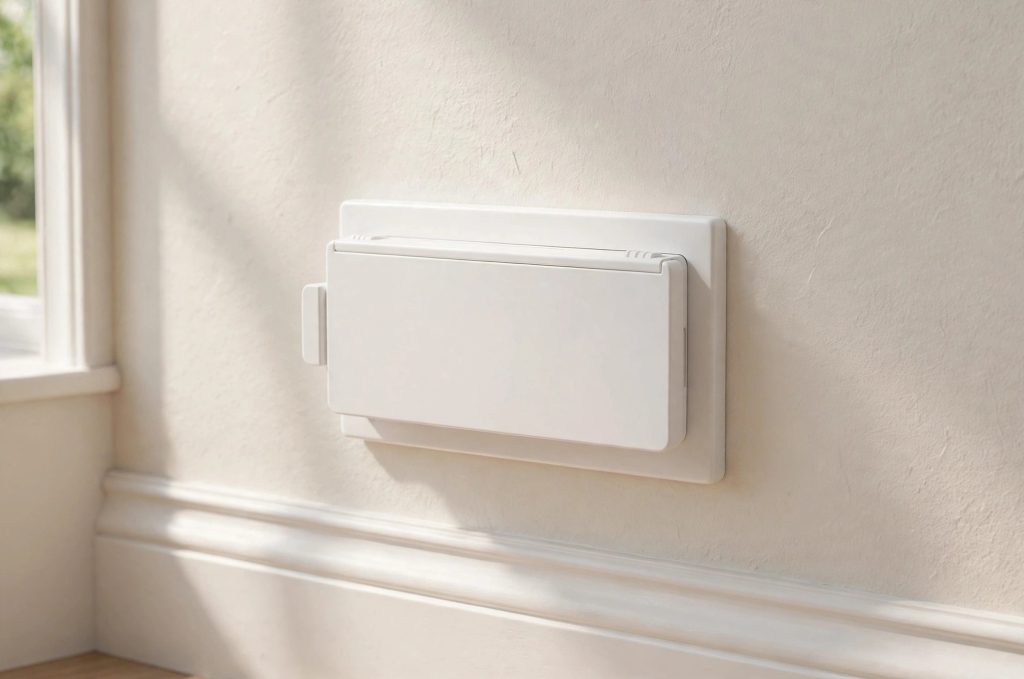
A sliding cover replaces the whole outlet face plate. The face swivels or slides shut when nothing is plugged in. An adult slides it open with one hand to plug something in. A small child cannot do this easily, which is the whole point.
These covers work well with smart plugs that stay plugged in all the time. You slide the cover open once, plug in the smart plug, and the cover rests against the plug body. Many models are sold at hardware stores and big-box retailers for a few dollars each.
Tamper-resistant receptacles
The best long-term fix is a tamper-resistant (TR) receptacle. It looks like a normal outlet. Inside, spring-loaded shutters block both slots. The shutters only open when a plug pushes both prongs in at the same time. A child poking a key or a hairpin into one slot gets nowhere.
Most new homes already have them, since building codes have required TR receptacles in new construction for many years. If your home is older, swapping an outlet for a TR model is a simple job, but it involves working inside the electrical box. If you are not comfortable with wiring, call an electrician. An electrical safety checklist for families covers outlet and switch checks room by room (electrical safety childproofing checklist).
Childproofing Smart Plugs Specifically
The key to childproof smart outlets is choosing the right approach for your space and budget.
With a little planning, childproof smart outlets can fit even a busy schedule.
Smart plugs are the trickiest part of a smart home to childproof. They sit between the wall and your lamp or appliance. Here is how to handle them.
Push them flush. Choose compact smart plugs that sit tight against the wall. Bulky plugs with side buttons are harder to secure. A slim plug leaves nothing to grab.
Lock the outlet with a box cover. A box-style outlet cover fits over the whole outlet and the plugged-in device. It has a lid or a door that an adult can open but a child cannot. These are made for outdoor outlets, but the indoor versions work great for smart plugs behind furniture.
Use the app's child lock. Many smart plug apps let you disable the physical button on the plug. A child can press the button all day and nothing happens. The app and your voice assistant still control the plug. Check your plug's settings for "button lock" or "child lock."
Rename devices with care. This is a small thing that matters. If your toddler learns to shout "turn on the fan" at the speaker, they will do it at the worst times. Use names a small child is unlikely to say by accident, and teach older kids which commands are off-limits.
Keep schedules sensible. A smart plug on a schedule can turn a device on when you are not watching. Make sure scheduled devices are things a child cannot reach or misuse. A lamp on a schedule is fine. A space heater on a smart plug is not a good idea with toddlers in the house.
A starter collection of smart plugs and hubs can be found in roundups of affordable smart home gear (smart home starter kit guide).
Childproofing Smart Switches and Dimmers
With a little planning, childproof smart outlets can fit even a busy schedule.
Before you start, it helps to understand how childproof smart outlets works in real homes.
Smart switches live at kid height. The fixes are different from outlets, but just as simple.
Use switch guards. A clear plastic switch guard fits over a rocker or toggle switch. It keeps little fingers from flipping it, but an adult can still reach under or around it. Some guards lock with a small latch. They cost little and install with the existing switch screws.
Swap rockers for touch panels with locks. Many smart switches have a lockout mode in the app. When lockout is on, the physical paddle does nothing. The switch still works through the app and through schedules. This is perfect for a switch that controls something you do not want a child touching, like a garbage disposal circuit or a bathroom heat lamp.
Move the important switches up. In a nursery or playroom, consider moving key switches higher on the wall during a remodel. A switch at adult shoulder height is out of reach for years. This is a bigger job, but it is permanent.
Label the "do not touch" switches. For older toddlers and preschoolers, a simple picture label helps. A red dot sticker on the switches that are off-limits gives you something to point at when you say no. It will not stop a determined two-year-old, but it helps with three- and four-year-olds who are learning rules.
For switch types and what fits a childproof home, see reviews of motion-sensor and smart switch options (motion sensor light switch reviews).
Cords: The Hidden Danger Behind Smart Gear
Before you start, it helps to understand how childproof smart outlets works in real homes.
A good plan for childproof smart outlets saves time, money, and frustration.
Childproofing is not only about outlets. Cords are a shock risk and a strangulation risk. Smart homes add cords everywhere: charging cables, speaker cords, camera cables, and the cord from every smart plug to its device.
Shorten every cord. Use cord shorteners or wind excess cord into a cord winder box. A cord that dangles is a cord that gets pulled.
Run cords behind furniture. Push the couch or the bookshelf against the wall so cords run behind it. A child cannot chew what a child cannot reach.
Mount what you can. Wall-mount the smart speaker. Put the baby monitor on a high shelf with the cord run up the wall in a cord channel. Keep the router and its cables in a closed cabinet.
Check behind the crib. This one is easy to miss. Move the crib away from the wall and look. Many parents find a lamp cord or a monitor cable running right behind the crib slats. Keep all cords at least three feet from the crib, the changing table, and the play yard.
Insurance and family safety writers stress keeping cords out of reach and away from water, and they note that small children will probe outlets with hairpins and keys, which makes cord control part of the same job (childproofing home safety tips).
Smart Home Settings That Add a Layer of Safety
A good plan for childproof smart outlets saves time, money, and frustration.
For most people, childproof smart outlets comes down to a few smart choices.
Your smart home hub has settings that help with child safety. They take a few minutes to set up.
Set up a guest network for smart devices. Put smart plugs, bulbs, and switches on a separate guest Wi-Fi network. This keeps them apart from your main network where your computers and phones live. Security writers recommend exactly this kind of separation for connected gadgets (why IoT devices belong on a guest network). It also lets you change one password without reconnecting every device in the house. The Federal Trade Commission advises strong authentication and access limits on connected devices (FTC guidance on keeping connected devices secure).
Turn on parental controls on voice assistants. Both major voice assistants let you filter explicit content, block purchases, and limit who can use certain features. A child who orders toys with their voice is funny once. The second time, it is your credit card.
Review automations monthly. Automations pile up. A routine you set six months ago might now do something unsafe with a toddler around. Once a month, open your smart home app and read through the routines. Delete or pause anything that no longer fits your family.
Update firmware. Manufacturers push security fixes through firmware updates. An old smart plug with old software can be a weak point on your network. Turn on automatic updates where the app offers them.
The FCC's online safety guide covers the basics of securing a home network, which is the backbone of every smart device (FCC guide to protecting yourself online). For step-by-step help with the guest network itself, an ISP setup walkthrough covers the same screens you will see on most routers (how to set up a secure guest WiFi network).
Room-by-Room Checklist
For most people, childproof smart outlets comes down to a few smart choices.
If you are new to childproof smart outlets, start with the simplest option and build from there.
Walk through the house with this list. It takes about half an hour.
Nursery and bedrooms. Cover every outlet. Slide the crib away from cords. Lock smart plug buttons in the app. Put the monitor cord in a wall channel. Check that night-light plugs are the sealed, one-piece kind.
Living room. Box-cover the smart plugs behind the TV stand. Shorten the lamp cords. Guard the smart switches by the entry. Make sure the voice assistant cannot be used to unlock doors or open the garage.
Kitchen. This room has the most hazards. Keep small appliances unplugged and stored. Use GFCI outlets near the sink. Lock any smart switch that controls the disposal. Keep the phone and tablet chargers on a high counter, never on the floor.
Bathroom. Unplug everything after use. Hair dryers and electric toothbrush chargers live in a cabinet, not on the counter. GFCI protection on all outlets. No smart plug should control anything near water.
Garage and basement. These rooms get less attention, which makes them riskier. Cover the outlets. Lock the smart garage controller in the app so a child cannot open the door. Keep power tools unplugged. For more on keeping the garage entry secure, see keypad lock options (keypad lock for garage door reviews).
Hallways and stairs. Guard the switches at the top and bottom of the stairs. A child flipping lights off while someone carries them down the stairs is a fall waiting to happen. Motion-sensor switches are a great fix here, since no one needs to touch them at all.
When to Call a Professional
If you are new to childproof smart outlets, start with the simplest option and build from there.
When it comes to childproof smart outlets, getting the details right makes all the difference.
Some jobs are fine for a careful homeowner. Swapping a face plate, sticking on a switch guard, or shortening a cord needs no special skill. Other jobs call for an electrician.
Call a pro if you need to replace receptacles and you are not sure about the wiring, if any outlet feels warm or sparks, if a plug falls out of the outlet loosely, or if your home has old two-prong outlets with no ground. A loose outlet is not just annoying. It is a fire risk. Also call a pro for anything inside the breaker panel or for adding new circuits.
If you rent, check your lease before swapping receptacles or switches. Most landlords are fine with plug-in covers and guards, but hard-wired changes usually need written permission.
A Note on Smart Locks and Kids
When it comes to childproof smart outlets, getting the details right makes all the difference.
Many homeowners find that childproof smart outlets is easier than they expected once they know the basics.
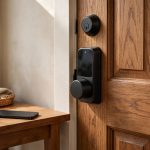
While you are childproofing outlets, think about doors too. Smart locks are convenient, but a toddler who learns the code or reaches the interior lever can walk out the front door. Use the interior child-safety features on your smart lock, or add a simple top-of-door latch that small children cannot reach. For front door options, see smart lock reviews (smart lock for front door reviews).
The Bottom Line
Many homeowners find that childproof smart outlets is easier than they expected once they know the basics.
The key to childproof smart outlets is choosing the right approach for your space and budget.
Childproofing smart outlets and switches is not one big project. It is a dozen small fixes. Cover the outlets with sliding covers or tamper-resistant receptacles. Box in the smart plugs. Guard or lock the switches. Shorten the cords. Set the app controls. Then walk the house once a month and check that everything is still in place, because toddlers are persistent and covers wander off.
Do it this weekend. It costs less than a pizza night, and it buys real peace of mind. With these steps, you can childproof smart outlets with confidence.
References
The key to childproof smart outlets is choosing the right approach for your space and budget.
Consumer Product Safety Commission. (n.d.). Childproofing your home: Several safety devices to help protect your children from home hazards. https://www.cpsc.gov/safety-education/safety-guides/kids-and-babies/Childproofing-Your-Home
People's Trust Insurance. (n.d.). Childproof home safety tips when you have babies and toddlers. https://peoplestrustinsurance.com/childproofing-home-safety-tips/
Mister Sparky. (n.d.). Electrical safety for kids: Full childproofing checklist. https://www.mistersparky.com/expert-tips/safety/electrical-safety-childproofing-checklist/
Mamapedia. (n.d.). Outlet covers and cord safety. https://mamaspedia.com/outlet-covers-and-cord-safety/?msp_download_pdf=1
Federal Trade Commission. (n.d.). Careful connections: Keeping the internet of things secure. https://www.ftc.gov/business-guidance/resources/careful-connections-keeping-internet-things-secure?ref=vpnrevie.ws
Federal Communications Commission. (n.d.). How to protect yourself online. https://www.fcc.gov/consumers/guides/how-protect-yourself-online
MacSolutions Plus. (n.d.). Home security: Why you should put IoT devices on a guest Wi-Fi network. https://www.macsolutionsplus.com/knowledge-base/home-security-why-you-should-put-iot-devices-on-a-guest-wi-fi-network/
Astound. (n.d.). How to set up a secure guest WiFi network. https://www.astound.com/learn/internet/how-to-set-up-guest-wifi-network/
With a little planning, childproof smart outlets can fit even a busy schedule.
Before you start, it helps to understand how childproof smart outlets works in real homes.
A good plan for childproof smart outlets saves time, money, and frustration.
Was this guide helpful?

About My Garden US
The My Garden US editorial team writes practical, in-depth home and garden guides for American homeowners — tested advice, no fluff.
You May Also Like
Best Perimeter Alarm for Yard Reviews USA
March 26, 2026 19 views
Smart Home Routines for Vacation Mode USA: A Complete Homeowner Guide
April 27, 2026 18 views
Smart Water Valve Shutoff Reviews 2026 USA: An Honest Guide
July 23, 2026 22 views