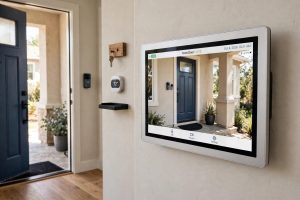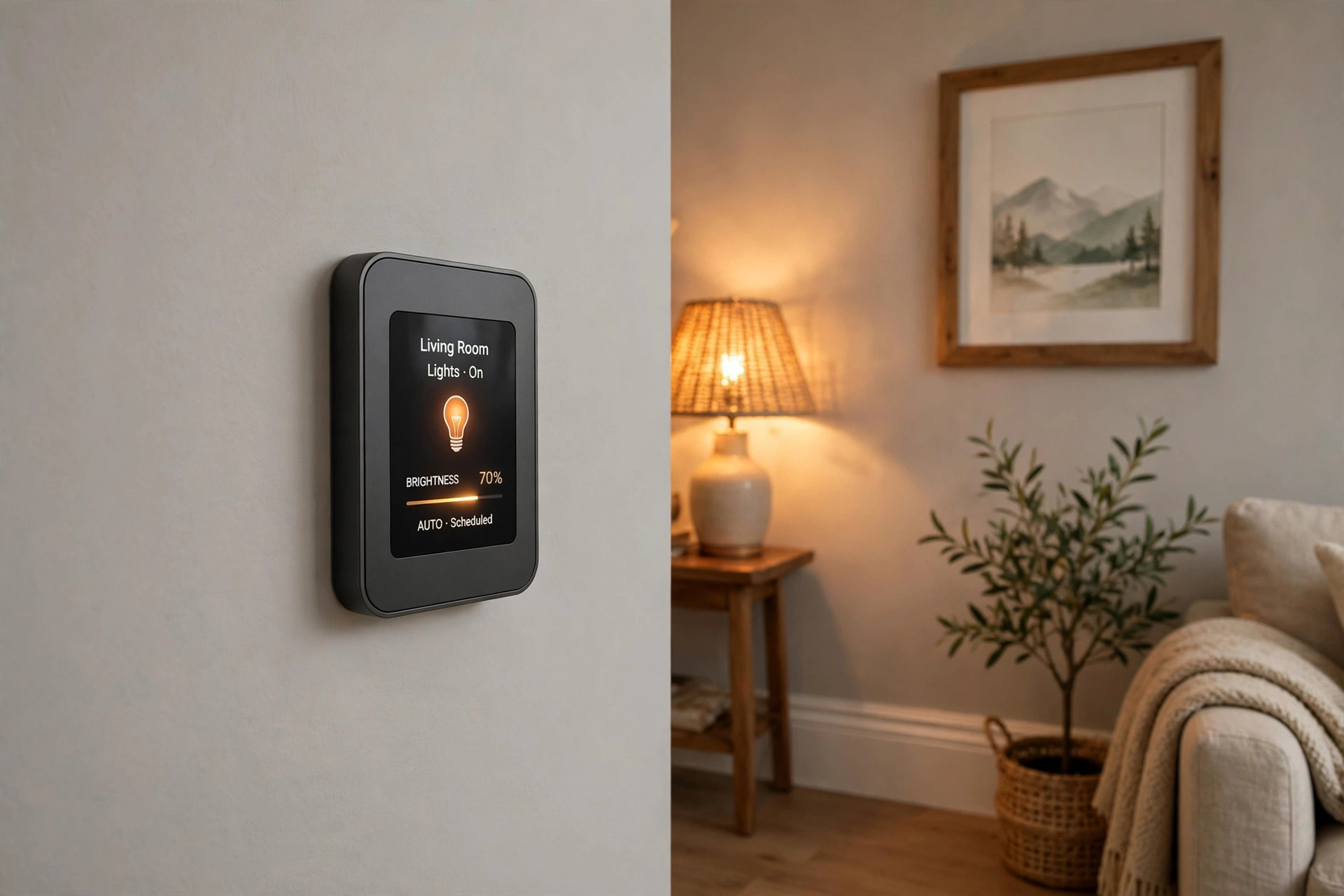

Most people who search for the best smart light switch no neutral usa live in an older house. The wiring in the switch box has only a line wire, a load wire, and a ground. There is no neutral wire. Many smart switches need a neutral wire to keep their own electronics powered. That leaves a large number of homeowners with one hard question: which smart switch will work in my box?
This guide answers that question in plain words. It explains why the neutral wire matters, what the choices are, how much they cost, and how to stay safe. It also names trusted brands and sites where you can read more.
Why the Neutral Wire Matters
A light switch sits in the path between the power source and the light. In older homes, the builder often ran only a switch loop: power comes down to the switch and back up to the light. No neutral rests in the box. That was fine for a plain mechanical switch, which needs no power of its own.
A smart switch is different. It has a radio, a small computer, and a display or a touch pad. These parts need a small flow of power at all times, even when the light is off. The neutral wire gives that steady path. Without it, the switch must draw power in some other way. Engineers solved this in two ways. Some switches trickle a tiny current through the bulb. Others use a battery or store power in a small part called a capacitor.
Not every solution fits every home. Old bulbs, low watt loads, and dimmers can cause flicker, hum, or a switch that drops off the Wi-Fi. That is why buyers should pick a switch made for no-neutral boxes rather than forcing a standard switch to fit.
What to Look for in a No-Neutral Smart Switch: Best Smart Light Switch No Neutral Usa
Bulb Type and Minimum Load
The trickle-current method works best with a certain load on the circuit. Many no-neutral switches ask for at least 25 watts on the circuit, or they need LED bulbs that are marked as dimmable. If the load is too low, the light may flicker when off or the switch may reboot. Check the minimum load in the manual before you buy. A switch that lets you add a small capacitor or a bypass part at the light fixture can fix low-load trouble.
Wireless Protocol
Smart switches speak to your phone and to voice helpers through Wi-Fi, Zigbee, or Z-Wave. Wi-Fi switches link straight to your router and need no hub. That keeps the price low and the setup simple. Zigbee and Z-Wave switches need a hub, such as the one from Google, but they often run faster and use less power. Pick the protocol that matches the gear you already own.
Single Pole or Three Way
A single-pole switch controls one light from one place. A three-way setup controls one light from two places, like the top and bottom of a stairway. No-neutral switches for three-way setups are harder to find and cost more. Make sure the box says it supports your wiring type.
App, Voice, and Automation
Most buyers want the switch to answer voice commands and to run on a schedule. Look at the app reviews before you buy. A cheap switch with a poor app will waste your time. Read buyer reviews at places like CNET and PCMag to learn how the app holds up over months of use.
Types and Options
No-Neutral Wi-Fi Switches
These are the most common choice. They join your home Wi-Fi and work with common voice helpers. Installation is close to a normal switch swap. They do best with modern LED bulbs. Brands that focus on smart lighting, reviewed by sites such as The Verge, often lead this group.
No-Neutral Dimmer Switches
A dimmer version lets you set the mood and save power. Dimming over a no-neutral circuit needs care. The bulb must be a dimmable LED, and the switch must list LED dimming as a feature. Some owners add a small load module at the ceiling box to stop flicker at low levels.
Smart Switches That Use a Hub
Hub-based switches use Zigbee or Z-Wave radios. The hub handles the network, so the switch can stay quick even with many devices. If your home already has a hub for a smart lock for your front door or a smart floodlight for the backyard, adding a hub-based switch keeps one system in charge.
Battery-Powered Smart Remotes
Some buyers skip the wire box entirely. A battery remote mounts on the wall and talks to a smart bulb or a small relay module. This avoids all wiring work. The price is low, but you must change batteries, and the light still needs power at the fixture.
Cost and Price
Prices for a no-neutral smart switch in the USA run from about 20 dollars to about 60 dollars per switch. Simple single-pole Wi-Fi models sit near the low end. Dimmers, three-way kits, and hub-based models sit near the high end.
Plan for extra costs. If you hire an electrician, labor often adds 100 to 200 dollars per visit, less per switch when several are done at once. A load module or bypass capacitor costs under 15 dollars. A hub, if you need one, costs 30 to 130 dollars. Check current prices at big retailers such as the site run by Consumer Reports for price tests, or at large home stores, before you set a budget.
Watch for hidden costs too. Some brands charge a monthly fee for advanced features or for video history. Light switches rarely need a plan, unlike cameras, but read the box. Independent reviews help you compare the true cost over a year of use.
Value matters more than the lowest price. A 25-dollar switch that drops off the network every week costs you more in time than a 45-dollar switch that runs for years. Look for a warranty of at least one year. Some makers give two. A longer warranty often signals a better-built product. Also check what the box holds. A good kit ships the switch, a wire nut set, a wall plate, and clear steps. A thin manual with no wire labels is a warning sign. Buy from a store with an easy return policy, so you can swap a model that does not fit your box.
Installation and Wiring Basics
Turn off the breaker before you touch a wire. Test the box with a non-contact tester. In a no-neutral box you will find a line wire, a load wire, and a ground wire. The switch maker labels each terminal. Take a photo of the old wiring before you remove anything.
Most no-neutral switches fit a standard box, but they run deeper than old switches. Crowded boxes can be hard to close. If the box is shallow or full, an electrician can swap it for a deeper box. That is a small job and worth the price.
Three-way boxes take more care. You must find the common wire on each switch and match it to the right terminal. A photo helps, but so does a roll of tape. Mark each wire with tape and a note as you pull it off the old switch. If two switches in one box share wires, work on one at a time and tape the rest aside. Do not mix up travelers with the common wire. When the new switch powers up and the light answers from both spots, you wired it right.
Some models ship with a small module that wires into the light fixture box. This module steadies the current and stops flicker. Do not skip it when the manual calls for it. If the wiring looks strange, or if you see cloth-covered wires, call a licensed electrician. Safety guidance from the CPSC warns against guessing with old wiring.
Care and Upkeep
A smart switch needs little care. Wipe the face with a dry cloth. Keep the firmware up to date through the app, since updates fix bugs and close security holes. If the switch drops off the network, check the router first. A weak Wi-Fi signal near the switch is the most common cause.
LED bulbs wear out too. When a bulb starts to flicker, replace it with the same brand and model if you can. Mixing bulb types on one dimmer often brings back the flicker you fixed. Keep a spare bulb on hand.
Pair new gear before you need it. If you add a smart floodlight for the backyard months later, add it to the same app or hub so schedules stay in one place. Write down which breaker feeds each switch. A small label inside the wall plate saves time the next time you open the box.
Safety
Electricity can kill. Work with the breaker off and the box tested dead. Use a switch that is UL listed for use in the USA. A listing mark means the product passed safety tests. Do not install a switch rated only for other countries, since voltage and box sizes differ.
No-neutral switches pass a small current through the bulb by design. That current is tiny and safe with a listed product. Never bridge wires with tape or bypass the safety parts to stop flicker. If the switch feels hot, turn off the breaker and call an electrician. The CPSC recalls page is worth a check before you buy a lesser-known brand.
Renters should ask the landlord before swapping a switch. Many leases bar electrical work. Battery remotes make a good renter-safe choice.
FAQ
Can I install a no-neutral smart switch myself?
Many owners do. If you can turn off a breaker, test for power, and match wire labels, the job takes about 20 minutes per switch. Call an electrician if the box holds extra wires you do not know, or if the panel is old.
Will a no-neutral switch work with any LED bulb?
No. Use dimmable LED bulbs, and check the switch maker’s tested bulb list when one exists. Low-watt bulbs may need a load module at the fixture. When in doubt, pick a bulb the maker names.
Do I need a hub?
Wi-Fi models need no hub. Zigbee and Z-Wave models need one. If you already run a hub for devices like a doorbell, check whether a doorbell transformer upgrade or a hub-based switch can share that system. One hub can run many devices.
Why does my light flicker when the switch is off?
The switch leaks a tiny current to power itself. With a very low load, that current can make the bulb glow or flicker. A load module at the fixture usually fixes it. Swapping to a higher-watt dimmable LED can help too.
Do no-neutral switches work with voice helpers?
Yes. Most list support for the big voice platforms. Link the switch in the maker’s app first, then link the app to your voice helper. Test the voice command once before you put the tools away.
Are no-neutral switches as fast as neutral-wire switches?
They are close. Wi-Fi models can lag a half second when the network is busy. Hub-based models often answer faster. For most homes, the speed feels the same.
A Short Final Word
The best smart light switch no neutral usa buyers can pick is the one that matches their wiring, their bulbs, and their home network. Check the minimum load, pick the right protocol, and buy a UL-listed model from a known brand. Compare reviews at CNET, PCMag, and Consumer Reports, and look at full smart home systems from Ring, SimpliSafe, and ADT if you plan to grow beyond lighting. With the right switch, an older home gets modern control without new wires.
References
ADT. (n.d.). Home security and automation. https://www.adt.com CNET. (n.d.). Technology news and reviews. https://www.cnet.com Consumer Reports. (n.d.). Product reviews and ratings. https://www.consumerreports.org Google Store. (n.d.). Smart home devices. https://store.google.com PCMag. (n.d.). Technology product reviews. https://www.pcmag.com Ring. (n.d.). Smart home security devices. https://www.ring.com SimpliSafe. (n.d.). Home security systems. https://www.simplisafe.com The Verge. (n.d.). Technology news and reviews. https://www.theverge.com U.S. Consumer Product Safety Commission. (n.d.). Product safety information. https://www.cpsc.gov
Was this guide helpful?

About Emily Rodriguez
The My Garden US editorial team writes practical, in-depth home and garden guides for American homeowners — tested advice, no fluff.
You May Also Like
Best Z-Wave Controller Reviews 2026 USA: Top Hubs Compared
June 25, 2026 0 views
Smart Landscape Lighting Kit Reviews USA: A Buyer’s Guide
January 21, 2026 0 views
Dual Fuel Generator Reviews for Home Use USA
March 4, 2026 0 views