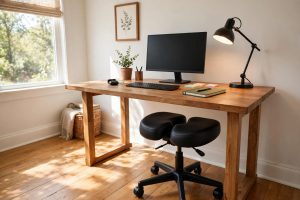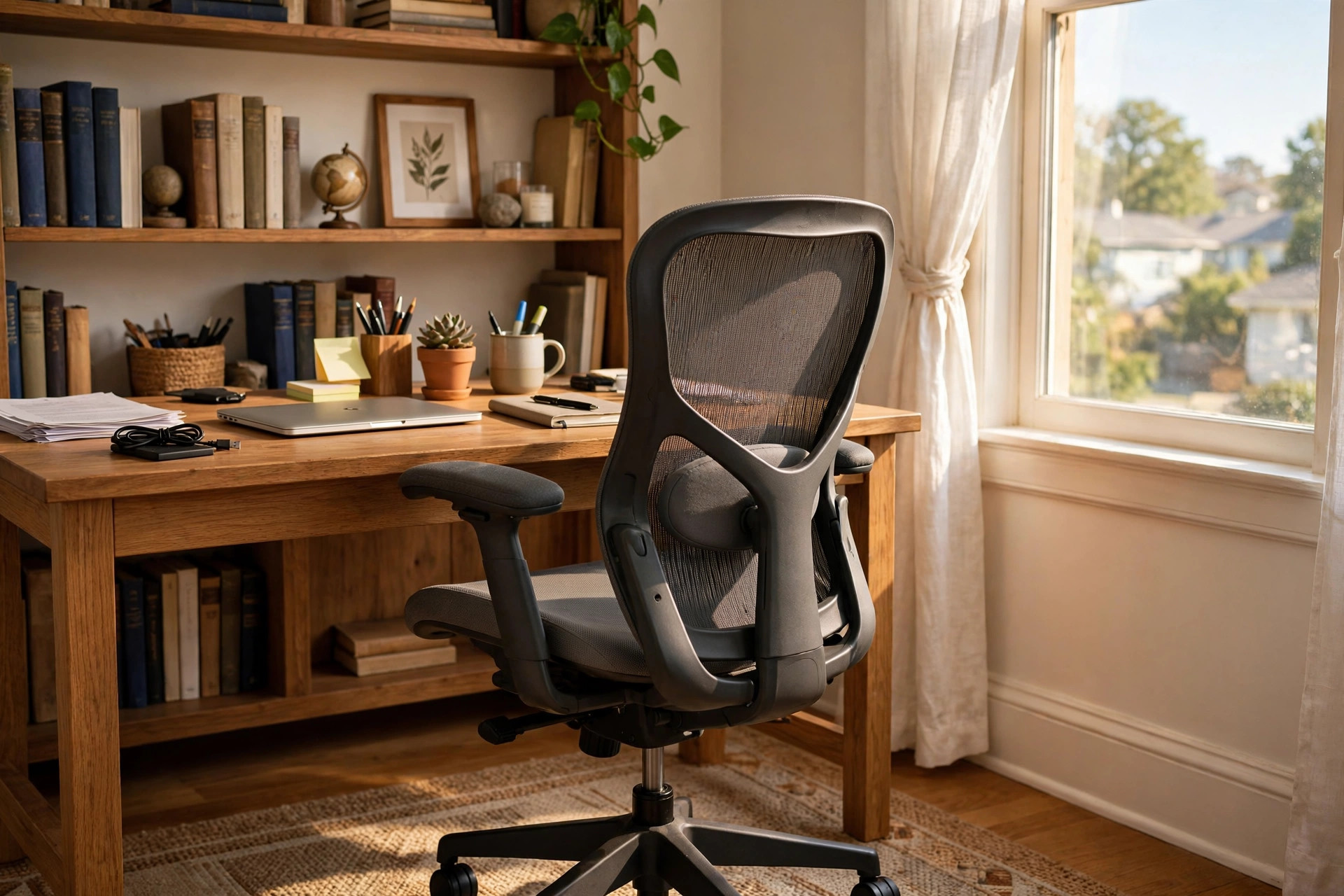

The best office chair for elderly home workers is not the softest chair or the cheapest chair. It is the chair that supports an aging back, keeps the blood moving, and lets a person stand up without a struggle. Millions of Americans over sixty now work from home, and many of them sit six, eight, or ten hours a day. A poor chair turns those hours into pain. A good chair turns them into comfort. This guide explains, in plain terms, what to look for, what to avoid, and what to expect to pay. It is written for older workers themselves and for the children and spouses who help them shop.
Why the Right Chair Matters After 60
The body changes with age. Spinal discs lose water and grow thinner. Joints stiffen. Muscles weaken. Circulation slows. A chair that a thirty-year-old barely notices can cause real harm to a sixty-five-year-old who sits in it all day. Studies of older adults show that long sitting is linked to back pain, stiff hips, poor blood flow in the legs, and a higher risk of falls when rising from a low seat. The Mayo Clinic has long warned that too much sitting raises the risk of heart disease, diabetes, and early death, and the risk grows with age.
A well-chosen chair fights these problems at the source. It holds the spine in its natural curve. It spreads weight across the thighs instead of pressing on one spot. It keeps the feet flat and the knees at a right angle. None of this sounds dramatic, but over a year of daily use the difference is large. Workers who switch from a hard kitchen chair to a true senior-friendly office chair often report less back ache within a week and steadier energy through the afternoon.
There is also a safety reason. Getting out of a deep, soft chair is hard for an older adult with weak knees. A chair with the right seat height and firm armrests turns standing into a simple push instead of a risky lunge. Falls are the leading cause of injury among older Americans, and the home office is no place for a tumble. The Consumer Product Safety Commission tracks furniture injuries each year, and tip-overs and falls from seating are a steady part of that record.
What to Look for in the Best Office Chair for Elderly Home Workers
Shopping for a chair can feel confusing. Ads use words like “ergonomic” and “orthopedic” freely, and prices range from forty dollars to more than a thousand. The points below cut through the noise. Each one matters more for an older body than for a younger one.
Firm Lower Back Support
The lower back, or lumbar area, curves gently inward. When a chair lets that curve collapse, the discs between the vertebrae take uneven pressure, and pain follows. Look for a chair with a built-in lumbar pad that presses lightly against the small of the back. It should feel like a firm hand, not a hard lump. Some chairs let you move the lumbar support up or down. That is a useful feature, because no two backs are alike. Reviewers at Wirecutter test lumbar support over weeks of real sitting, and their method is worth reading before you buy.
A Seat That Helps You Stand
Seat height is one of the most important features for older workers, and it is one of the most ignored. A seat that is too low forces the knees above the hips, which strains the joints and makes standing difficult. The best seat height for most older adults is between nineteen and twenty-two inches from the floor, with the feet flat and the knees near a right angle. A pneumatic lift lever should move the seat up and down with a light touch. Look for a chair rated for your weight, and choose a seat pan deep enough to support the thighs without pressing behind the knees.
Armrests You Can Lean On
Armrests are not decoration. For an older worker, they are handles for sitting down and standing up. The best armrests are wide, firm, and fixed at a height that bears weight without raising the shoulders. Padded armrests feel nicer under the elbows during long typing sessions. Avoid narrow, hard plastic armrests that flex or wobble. They give a false sense of support and can slip at the wrong moment.
A Stable Base and Simple Controls
A five-star base with casters rolls smoothly on hard floors and low carpet. Check that the casters lock or roll freely without sticking. The tilt control should have a clear tension knob and a lock, not a tangle of levers under the seat. Older hands with arthritis do better with large, easy-grip levers. Steelcase and Herman Miller both publish clear diagrams of their chair controls, which is a good sign. If a maker hides how the chair works, that is a warning.
Types of Chairs Worth a Look
Office chairs come in several broad types, and each suits a different need. A mid-back task chair is the common choice for a home office. It is light, it rolls, and it costs less than larger models. It suits workers who want simple comfort for email, calls, and paperwork.
A high-back executive chair adds a tall backrest and often a headrest. The extra height supports the neck and shoulders, which helps during long video meetings. These chairs are heavier and need more floor space, but many older workers prefer the feeling of being fully held.
A big-and-tall chair is built for larger bodies. It has a wider seat, stronger springs, and a higher weight rating, often three hundred fifty pounds or more. Anyone near the top of a standard chair’s weight range will sit more safely and more comfortably in a big-and-tall model.
A kneeling chair or a balance stool is a poor pick for most older workers. It demands strong knees and good balance, and it offers no back support. The same goes for a deep lounge chair used as a desk seat. It feels cozy for twenty minutes and punishing after two hours.
One more option deserves mention: the best office chair for long hours home office is not always the same as the best pick for a senior. Younger workers chase recline and style. Older workers should chase support, stability, and easy standing. If a chair looks like it belongs in a race car, keep looking.
What a Good Chair Costs
Price and quality are linked, but not in a straight line. A usable chair for an older worker starts near one hundred fifty dollars. At that price, you can find a mid-back chair with lumbar support, adjustable height, and firm armrests from a known brand. Expect thin padding and a shorter warranty.
The sweet spot for most buyers is two hundred fifty to five hundred dollars. Chairs in this range add better lumbar systems, smoother lift mechanisms, stronger bases, and warranties of five to ten years. Shoppers browsing Wayfair or IKEA will find many honest choices in this band, and independent testers at PCMag review office chairs in this price range each year.
Above five hundred dollars sit the premium brands. A Herman Miller Aeron or a Steelcase Leap can cost eight hundred to fourteen hundred dollars. They are built to be repaired, not replaced, and many carry twelve-year warranties. For a worker who will sit in the chair every day for a decade, the cost per year is reasonable. For light use, it is more chair than needed.
Watch out for chairs under eighty dollars that claim to be “ergonomic.” They are usually plain task chairs with a fancy label. A true comfortable desk chair for older adults needs real lumbar support and a stable base, and those parts cost money to build.
Care and Upkeep
A good chair lasts longer with small habits. Vacuum the seat and backrest once a month to pull dust from the fabric. Wipe leather or vinyl with a damp cloth and a mild soap, then dry it fully. Check the screws and bolts twice a year and tighten any that have worked loose. A drop of silicone lubricant on a squeaky caster or a stiff lift lever usually fixes the noise in minutes.
Keep the chair out of direct sun for long hours. Sun fades fabric and dries out leather. If the chair sits on carpet, a flat chair mat spreads the weight and lets the casters roll freely. Replace casters when they stop rolling smoothly. Worn casters scratch floors and make the chair harder to push back from the desk, which is a small fall risk.
Most makers offer replacement parts for arm pads, casters, and gas cylinders. UPLIFT Desk and other standing-desk makers sell parts openly, and the big chair brands do the same. A chair you can repair is a chair that can serve for ten years instead of three.
Safety First
Safety deserves its own section because an older worker faces risks a younger one does not. First, make sure the chair cannot tip. A five-star base is the standard, and the chair should feel planted when you lean back. Never use a chair with a broken or cracked base.
Second, set the seat height so the feet rest flat on the floor. Dangling feet cut off circulation and make standing unsteady. An ergonomic footrest for under desk at home can help shorter workers keep their feet flat while keeping the seat high enough for easy standing.
Third, use the armrests every time you sit and stand. Push down through both arms, lean slightly forward, and rise in one smooth motion. Do not grab the desk edge and haul yourself up. Desks tip, and monitors fall.
Fourth, take short breaks. Stand, walk, and stretch every thirty to forty-five minutes. The Mayo Clinic notes that even brief movement breaks lower blood sugar and improve circulation. A timer on the phone or computer makes the habit easy to keep.
Finally, pair the chair with a screen at the right height. A monitor that sits too low forces the neck forward all day. A best laptop stand for standing desk posture lifts a laptop screen to eye level, which keeps the neck straight and the shoulders relaxed.
Frequently Asked Questions
Is a mesh back or a padded back better for an older worker? Both can work well. Mesh backs breathe and keep the back cool, which matters in warm rooms. Padded backs feel warmer and often look more traditional. The choice matters less than the lumbar support. Test both if you can, and pick the one that holds your lower back firmly.
How high should the seat be? High enough that your feet rest flat on the floor and your knees form a right angle. For most older adults, that is nineteen to twenty-two inches from the floor. If your feet dangle, the seat is too high or you need a footrest. If your knees rise above your hips, the seat is too low.
Do I need a headrest? A headrest helps if you lean back during calls or reading. It supports the neck and reduces strain. If you sit upright and type most of the day, a headrest matters less. It adds cost and weight, so skip it if you will not use it.
Can an office chair help with back pain? A good chair can ease back pain caused by poor posture, but it cannot fix a medical condition. An office chair for seniors with back pain should hold the spine’s natural curve and spread weight evenly. If pain persists for weeks, see a doctor. A chair is furniture, not treatment.
How long should a quality office chair last? A mid-range chair should last five to eight years of daily use. Premium chairs often last ten to fifteen years and offer replaceable parts. Replace the chair when the seat sags, the lift slips, the armrests wobble, or the base shows cracks. A worn chair is both uncomfortable and unsafe.
Should I buy online or try the chair in a store? Trying first is better if a store is near you. Sit for at least ten minutes, adjust the height, and practice standing up. If you buy online, choose a seller with free returns and a trial period of at least thirty days. Read the return terms before you order.
A Final Word
The best office chair for elderly home workers is the one that fits the body, holds the back, and makes standing safe. It does not need to be the most expensive chair in the catalog. It needs the right height, firm armrests, real lumbar support, and a stable base. Buy those four things, keep the chair clean and tight, and it will pay you back in comfort every working day for years to come.
References
Consumer Reports. (n.d.). Product reviews and ratings. https://www.consumerreports.org Herman Miller. (n.d.). Office furniture and ergonomic seating. https://www.hermanmiller.com IKEA. (n.d.). Home furnishings. https://www.ikea.com Mayo Clinic. (n.d.). Diseases and conditions. https://www.mayoclinic.org PCMag. (n.d.). Technology product reviews. https://www.pcmag.com Steelcase. (n.d.). Office furniture and workplace research. https://www.steelcase.com The Spruce. (n.d.). Home and garden advice. https://www.thespruce.com U.S. Consumer Product Safety Commission. (n.d.). Product safety information. https://www.cpsc.gov UPLIFT Desk. (n.d.). Standing desks and ergonomic office furniture. https://www.uplift-desk.com Wayfair. (n.d.). Furniture and home goods. https://www.wayfair.com Wirecutter. (n.d.). Product reviews from The New York Times. https://www.nytimes.com/wirecutter
Was this guide helpful?

About Emily Rodriguez
The My Garden US editorial team writes practical, in-depth home and garden guides for American homeowners — tested advice, no fluff.
You May Also Like
Best Home Office Chair for Hip Pain: How to Choose Relief
April 13, 2026 0 views
Best Ring Light for Home Office Video Calls
September 4, 2026 0 views
Best Web Camera for Home Office Zoom Meetings: A Simple Buying Guide
April 10, 2026 0 views