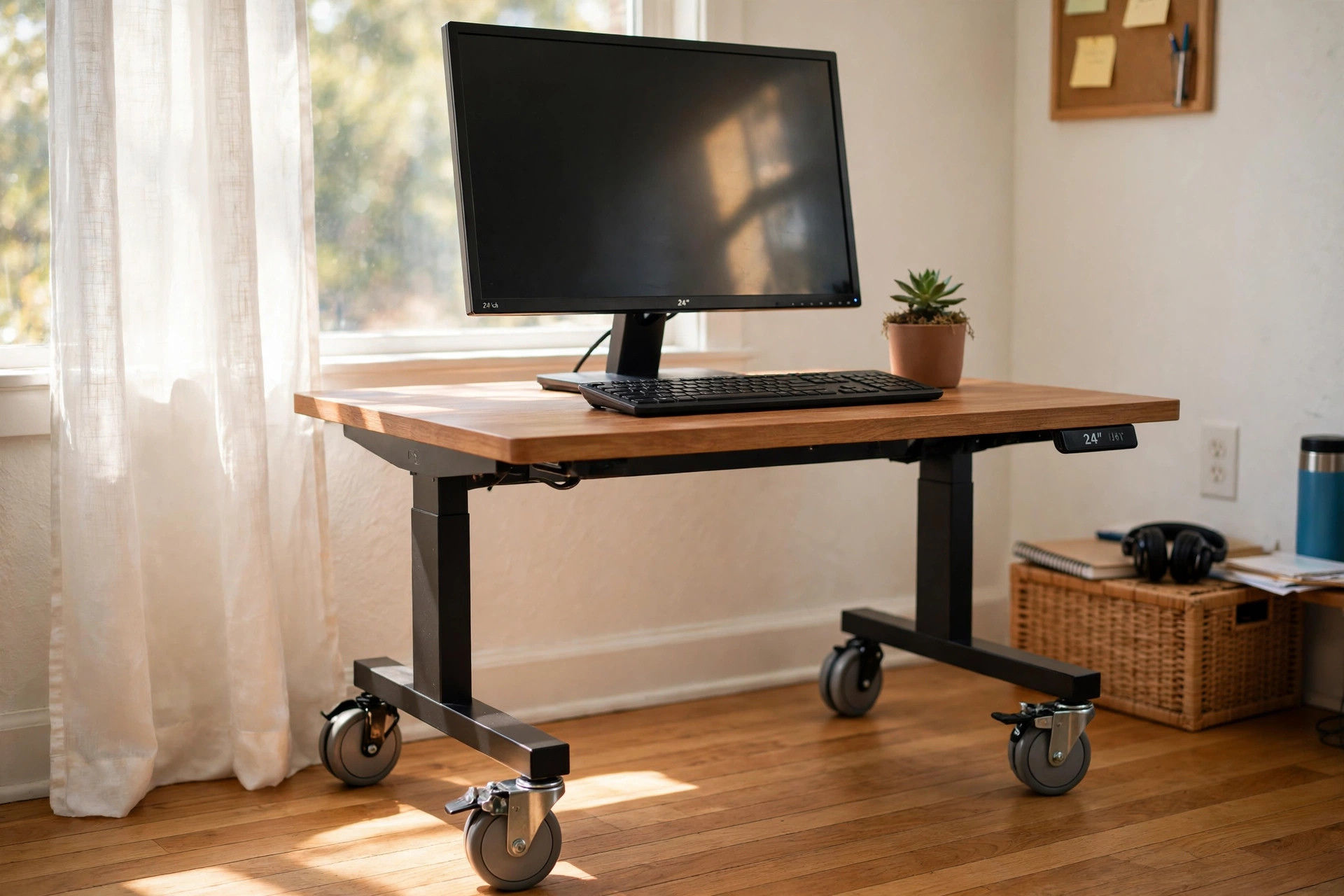

A rolling standing desk with locking wheels is a desk that rises to standing height and rides on caster wheels. The wheels lock. When they are locked, the desk stays firm. When they are open, the desk moves with a light push. This small change makes a big difference in a home office. You can roll the desk to a window for light in the morning. You can roll it to a corner for a video call. You can roll it out of the way when the work day ends.
More people now work from home. Rooms must serve two or three uses. A study may also be a guest room. A kitchen corner may also be an office. A fixed desk fights this. A rolling standing desk with locking wheels fits it. This guide explains why it matters, what to look for, the types you can buy, what it costs, and how to care for it.
Why a Rolling Standing Desk With Locking Wheels Matters
Sitting all day is hard on the body. Many workers now stand for part of the day. A standing desk lets them do this. A rolling standing desk adds a second gain. It lets the desk follow the day.
Light changes the mood of a room. In the morning the sun may fill the east window. By noon it may leave. With a rolling desk you can follow the light. Good light cuts eye strain. It lifts the mood. It also helps video calls look better.
Shared rooms need room to change. A family may use the same room for work, school, and rest. A desk on wheels can roll to the wall when dinner starts. It can roll back when work starts. You do not need to lift it or take it apart.
Cleaning is easier too. Dust builds behind a fixed desk. A rolling desk pulls out in seconds. You can sweep or vacuum behind it. Then you push it back. This keeps the room clean and cuts dust near your computer.
For small homes this desk is a strong answer. If you live in a one-bedroom apartment, every square foot counts. A desk that moves lets you claim space when you need it and give it back when you do not. For ideas on small rooms, see our guide to ergonomic standing desks for small home offices.
What to Look for When You Choose: Rolling Standing Desk with Locking Wheels
Many desks claim to roll. Not all of them roll well. Here is what to check before you buy.
Frame and Build
The frame carries the load. Steel frames last longer than thin plastic or soft wood frames. Look at the joints. They should feel solid. Shake the desk in the store or read reviews that speak of wobble. A good rolling standing desk with locking wheels should not sway when you type at full height.
Weight capacity matters. Add the weight of your monitors, your computer, your books, and your arms resting on the top. Most good desks hold 150 to 250 pounds. If you run two large monitors, choose a desk near the top of that range. Retailers like Staples and Office Depot list load ratings in the product facts.
Height Range
A standing desk must fit your body. The top should reach your elbows when you stand. For most adults that means a range from about 28 inches up to about 48 inches. Tall users need more. Short users need less.
Check the lowest point too. If you want to sit on a normal chair, the desk must drop to about 28 inches. If it only drops to 35 inches, you will need a tall stool. Manual desks use a hand crank or a gas spring. Electric desks use a small motor. Electric desks cost more but move with one touch. Manual desks cost less and need no power cord.
The Wheels
The wheels are the heart of this desk. They should be large enough to roll over carpet and small rugs. Two-inch wheels are the least you should take. Three-inch wheels roll better and feel more steady.
Each wheel should lock on its own. Some cheap desks lock only two wheels. A good desk locks all four. Look for a brake lever that clicks with your foot. Test it. A locked wheel should not slide on a hard floor when you push the desk with force.
Wheel material matters. Hard plastic wheels are loud on wood floors and can mark them. Soft rubber or polyurethane wheels are quiet and kind to floors. If you have wood or tile floors, choose soft wheels. If you roll only on carpet, hard wheels work fine.
Types and Options
Rolling standing desks come in several forms. Each suits a different room.
A single-column cart is the smallest form. It has one center post and a small top. It fits a laptop and a notepad. It is good for tight rooms and for use next to a bed or a couch.
A two-leg rolling desk is the most common form. It has two legs like a normal desk. The top is wide enough for a monitor and a keyboard. Many adjust with an electric motor. This form suits a daily work station.
A mobile work table is a larger form. It has a deep top for two monitors or for craft work. It often comes with a lower shelf. This form suits people who mix computer work with paper work or light craft work.
A sit-stand converter on a rolling base is another choice. The converter sits on a rolling cart or table. It raises your screen and keyboard while the base stays put. If you already own a rolling table, this can be a low-cost path. For more on this path, read our guide to adjustable height desk converters for existing tables.
Materials differ too. Wood tops look warm and feel solid. Laminate tops cost less and clean with ease. Metal tops are rare in homes but stand up to hard use. Choose a top you will be happy to look at for years.
Cost and Price
Prices range wide. A small manual rolling cart may cost 80 to 150 dollars. A mid-range two-leg desk with an electric motor may cost 250 to 500 dollars. A large premium desk with a strong frame, soft wheels, and a wood top may cost 600 to 1,000 dollars or more.
The motor is the main cost driver. Manual desks cost less. Electric desks cost more but save effort. A second driver is the top. Solid wood costs more than laminate. A third driver is the brand. Known ergonomic brands such as UPLIFT Desk, Herman Miller, and Steelcase charge more for tested frames and long warranties.
Watch for extra costs. A cable tray keeps cords from snagging when you roll the desk. A monitor arm lifts the screen and frees top space. These add-ons help but add cost. Start with the desk. Add extras after a week of real use. Review sites like Wirecutter and PCMag test desks and add-ons side by side, which helps you compare value.
Used desks are worth a look. Offices close and sell desks in good shape. Check the wheels first. Wheels wear out faster than frames. If the wheels still lock firm, a used desk can be a fine buy.
Care and Upkeep
A rolling standing desk needs little care, but a few habits keep it smooth for years.
Clean the wheels once a month. Hair and thread wrap around the axle. This makes the wheel drag. Flip the desk or tilt it and pull the strands free with your fingers or a small tool. Wipe the wheel with a damp cloth.
Check the brake levers. They take force every day. If a lever feels loose, tighten its screw. If a wheel no longer locks, replace the wheel. Most wheels bolt on with one stem or plate. Spare caster wheels are cheap at hardware stores and at Wayfair or IKEA.
Mind the cords. A rolling desk moves, but the power cord does not stretch. Leave slack in the cord. Use a cable tray or a cord clip under the top. When you roll the desk, watch the cord path. A snagged cord can pull a monitor off the desk.
Tighten the frame bolts twice a year. Use and motion loosen bolts over time. A quick turn with a wrench keeps the frame stiff. If your desk has a motor, listen for new sounds. A healthy motor hums low and even. A grinding sound means you should stop and check the maker guide.
Wipe the top with a soft cloth. Warm water and a drop of mild soap clean most tops. Keep harsh cleaners away from wood. Keep the top clear of heavy books for long spans. The motor and the gas spring last longer when the load stays within the rated range.
Safety
A desk on wheels can move when you do not want it to. Safety starts with the brakes. Lock all four wheels before you sit down to work. This is a habit, like a seat belt. Do it every time.
Place heavy items low. Put the computer tower or the printer on a lower shelf or on the floor. A top-heavy desk tips more easily. This is more true when the desk is at full height.
Keep cords off the floor path. A cord under a wheel can stop the desk short and tip items on the top. Route cords up and back. A wall outlet behind the desk is best.
Mind children and pets. A rolling desk is fun to push. Teach children not to ride it or push it. Lock the wheels when you leave the room. If the desk has an electric motor, keep the hand control out of reach of small children. The CPSC is a good source for home product safety facts.
Use the desk on level floors. A slope lets a rolling desk drift even with brakes on. If your floor slopes, place the desk across the slope, not along it. On a rug with thick pile, wheels sink. The desk may rock. A low rug or a hard floor works best.
Frequently Asked Questions
Will a rolling standing desk wobble when I type?
A well-built desk should not wobble much. Wobble comes from thin frames, loose bolts, or small cheap wheels. Choose a steel frame, a top at least one inch thick, and large locking wheels. Keep the load near the rated limit. If wobble starts over time, tighten all bolts first.
Can I use a rolling standing desk on carpet?
Yes, if the wheels are large enough. Three-inch wheels roll well on low carpet. Thick plush carpet is harder. The wheels sink and the desk drags. On thick carpet, a hard floor mat under the desk helps. The mat gives the wheels a firm path.
How much weight can a rolling standing desk hold?
Most hold 150 to 250 pounds. Check the maker rating. Count your monitors, your computer, and all items on the top. Stay under the rating. A heavy load also makes the desk harder to roll and harder to stop.
Do I need an electric motor or is a manual crank fine?
Both work. A manual crank costs less and needs no outlet. It takes about thirty turns to move from sit to stand. An electric motor moves with one button press. If you change height many times a day, electric is worth the cost. If you change once or twice, manual is fine.
What is the best top size for a home office?
A top 48 inches wide and 24 inches deep fits one monitor, a keyboard, and a few papers. Two monitors need 55 to 60 inches of width. Measure your room first. Leave room to roll the desk out from the wall.
Can I pair a laptop stand with my rolling desk?
Yes. A laptop stand for standing desk posture raises the screen to eye level. This cuts neck strain when you stand. Choose a stand that fits your desk top and holds your laptop weight.
A Final Word
A rolling standing desk with locking wheels is a simple idea that solves real home problems. It lets you stand when you want to stand. It lets the desk move when the room must change. And it locks firm when it is time to work. For more ways to shape a small work space, browse home office ideas at The Spruce.
Buy for your body first. Check the height range and the load rating. Buy for your floor next. Check the wheel size and the brakes. Then buy for your taste. The best desk is the one you will use each day, in good light, with a clear mind. A desk that rolls to where you need it is a desk that serves you well.
References
Herman Miller. (n.d.). Office furniture and ergonomic seating. https://www.hermanmiller.com IKEA. (n.d.). Home furnishings. https://www.ikea.com Office Depot. (n.d.). Office supplies and furniture. https://www.officedepot.com PCMag. (n.d.). Technology product reviews. https://www.pcmag.com Staples. (n.d.). Office supplies and furniture. https://www.staples.com Steelcase. (n.d.). Office furniture and workplace research. https://www.steelcase.com The Spruce. (n.d.). Home and garden advice. https://www.thespruce.com U.S. Consumer Product Safety Commission. (n.d.). Product safety information. https://www.cpsc.gov UPLIFT Desk. (n.d.). Standing desks and ergonomic office furniture. https://www.uplift-desk.com Wayfair. (n.d.). Furniture and home goods. https://www.wayfair.com Wirecutter. (n.d.). Product reviews from The New York Times. https://www.nytimes.com/wirecutter
Was this guide helpful?

About Lisa Anderson
The My Garden US editorial team writes practical, in-depth home and garden guides for American homeowners — tested advice, no fluff.
You May Also Like
Best Cable Management Box for Desk Wires: A Complete Guide
April 7, 2026 0 views
Best Home Office Chair for Bad Posture Correction
August 1, 2026 0 views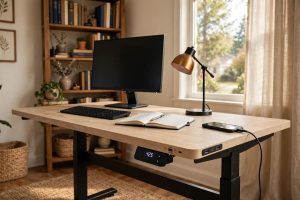
Adjustable Standing Desk with USB Charging Ports: A Practical Buyer Guide
March 22, 2026 0 views