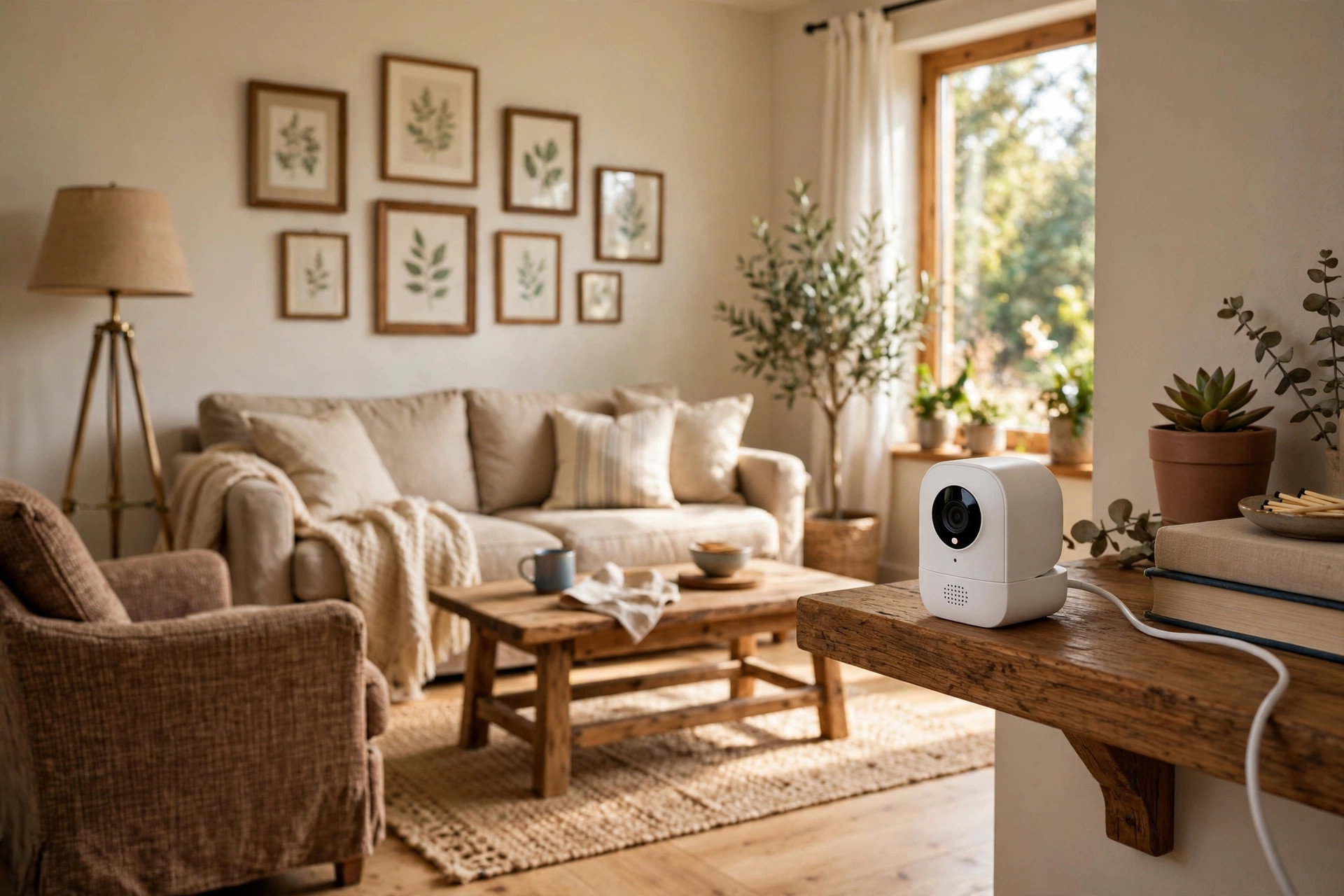

Many families in the United States now search for an elderly monitoring camera for home reviews USA before they buy. A parent or grandparent may live alone. Adult children may live far away. A small camera in the home can give peace of mind. This guide explains what these cameras do, what to look for, what they cost, and how to use them with care.
Why Families Choose a Monitoring Camera
A fall can happen at any hour. An older person may not reach the phone after a fall. A camera lets a family member check in during the day. It does not replace a visit or a call. It adds one more layer of safety.
Some families use a camera to watch for signs of trouble. A senior may miss a meal. She may leave the stove on. He may wander at night. A camera in the living room or kitchen can show these moments. The family can then act fast.
Others use a camera to support a home aide. The aide may come for a few hours each day. The family can see that the aide arrives on time. They can see that their loved one eats lunch. This is not about spying. It is about care. Still, everyone in the home should know the camera is there.
Reviews from American buyers often mention the same wish. They want a simple camera that works well. They want clear video day and night. They want alerts on their phone. They do not want a system that takes a technician to set up.
What to Look for When You Choose One: Elderly Monitoring Camera for Home Reviews Usa
Video Quality
Look for clear video in full daylight and in the dark. Night vision matters. Many falls happen at night or early in the morning. A camera with strong infrared night vision will show the room in black and white when the lights are off. Some newer models show color video at night with a small light. Read independent test results before you trust a brand’s claims.
Two-Way Audio
A good elderly home monitor should let you talk back. If you see your father on the floor, you can speak through the camera. You can tell him that help is on the way. Two-way audio turns a silent camera into a line of contact.
Motion and Sound Alerts
Alerts are the heart of a monitoring camera. The camera should send a notice to your phone when it sees movement. Some models send alerts for loud sounds too. You can set alert zones so the camera watches the hallway and not the pet’s corner. Readers of PCMag’s camera reviews often praise models that let you tune these alerts.
Ease of Setup
Many families buy the camera and set it up in one visit. Look for a model that connects to home Wi-Fi with a phone app. Plug it in. Open the app. Follow the steps. You should be done in under thirty minutes. A model like the indoor cameras from Ring shows how simple this can be. The Nest cameras at the Google Store follow the same idea.
Storage and Video History
Decide how long the camera should keep video. Many models save short clips in the cloud. Others write to a memory card inside the camera. Cloud storage is safer if the camera is stolen or broken. A memory card keeps your video inside the home, which some families prefer. Think about how often you will look back. Daily check-ins need little history. A dispute with an aide may need weeks of saved clips. Pick the plan that fits your real habits, not the biggest plan on the page.
Privacy Controls
Privacy matters most when the camera watches an older adult. A physical privacy shutter is a strong feature. With one flick, the lens is covered. Some buyers look at our guide to the best indoor security camera with privacy shutter for this reason. A camera that can be turned off on a schedule is also useful.
Types and Options
Indoor plug-in cameras. These are small cameras that sit on a shelf or mount on a wall. They need a power outlet and Wi-Fi. They are the most common choice for elderly monitoring. Most cost less than one hundred dollars.
Pan-and-tilt cameras. These cameras can turn to follow movement. One camera can cover a whole living room. They work well in large open rooms where an older person moves around.
Baby monitors with cameras. Some families use a baby monitor instead of a security camera. These units often come with a parent screen that needs no phone. This helps when the watcher is also older and dislikes apps. See our best baby monitor with camera reviews usa roundup for models with simple screens.
Pet-friendly indoor cameras. A camera that tells the difference between a person and a pet cuts down on false alerts. If the home has a cat or a dog, this feature matters. Our pet friendly indoor camera reviews 2026 usa guide covers several such models.
Professionally monitored systems. Some families want more than a camera. A company like SimpliSafe or ADT can watch the home around the clock. They can call for help if an alarm sounds. This costs more each month, but it removes the need for a family member to watch the feed.
News and review sites cover these categories in depth. CNET’s camera testing compares video quality across brands. The Verge’s smart home coverage follows new features as they arrive.
Cost and Price
An indoor camera for elderly care usually costs between twenty and one hundred fifty dollars. Most well-reviewed models sit between thirty and seventy dollars. A pan-and-tilt model may cost a little more.
Many cameras work free with no monthly plan. You get live video and basic alerts. The catch is storage. Without a plan, the camera may keep only a few hours of video, or none at all. With a plan, you can save clips for days or weeks. Plans often cost three to ten dollars per month per camera. Some plans cover many cameras for one flat price.
Think about what you need before you pay for storage. If a family member checks the live feed each day, a free plan may be enough. If you want to review a full week of activity, a paid plan makes sense. Add the monthly cost to the price of the camera. Compare the total over two years. The cheapest camera is not always the cheapest choice.
Care and Upkeep
A camera needs little care. Wipe the lens with a soft cloth every few weeks. Dust can blur the image. Check that the power cord stays plugged in. Cleaners or pets can knock a loose plug free.
Update the camera’s software when the app asks. Updates fix bugs and close security holes. This takes a few minutes. Do it right away rather than later.
Test the camera each month. Open the app and look at the live feed. Check the night vision after dark. Make sure the alerts still reach your phone. Walk through the room so the camera sees you and the alert arrives. A camera that stops working without notice is worse than no camera at all. It gives false peace.
If the camera uses a microSD card, replace the card every year or two. Cards wear out with constant recording. A worn card can lose video right when you need it.
Keep the app on your phone updated too. An old app may lose connection with a new camera update. Turn on automatic updates so you do not fall behind. Share access with one trusted sibling or relative as a backup. If you are on vacation, someone else can still check the feed.
Safety and Privacy
A camera in the home of an older adult raises real questions. Talk with your loved one before you install it. Explain what the camera sees and who can watch. Get their agreement in writing if you can. A camera forced on a senior can damage trust.
Place cameras in common rooms only. The living room, the kitchen, and the hallway are fair choices. Never place a camera in a bathroom or bedroom without a clear, agreed reason. Most states have laws about recording in private spaces. Check your state’s rules.
Tell home aides about the camera. In many states you must tell workers they are being recorded. Post a small sign near the front door. The sign protects you and keeps things honest.
Keep the cord out of reach. A dangling power cord is a trip risk for an older person. Run cords behind furniture. The Consumer Product Safety Commission offers general guidance on cord safety in the home.
Use a strong password on the camera account. Turn on two-step sign-in if the app offers it. A hacked camera can let strangers watch your loved one. This is one of the worst outcomes, and it is easy to prevent.
Frequently Asked Questions
Do I need Wi-Fi for an elderly monitoring camera? Most models need Wi-Fi. The camera sends video through your home internet. A few models work over cellular networks. These cost more and need a data plan. Baby monitors with a separate parent screen can work without Wi-Fi in the same house.
Can the camera call for help by itself? Most indoor cameras cannot call 911 on their own. They send an alert to your phone. You decide what to do. Some professionally monitored systems can call for help. Pairing a camera with a medical alert button is a common setup for seniors who live alone.
Will the camera work in the dark? Yes, if it has night vision. Almost all indoor cameras today include infrared night vision. Check reviews for night image quality. Some cameras show a clearer picture than others in low light.
How many cameras do I need? One is often enough to start. Place it where your loved one spends most of the day. Add a second camera near the front door or the bedroom hallway if you need more coverage. More cameras mean more alerts, so add them slowly.
Can I watch the camera from another state? Yes. As long as the camera has power and internet, you can watch from anywhere with your phone. Many adult children check in from across the country. The app is the same no matter where you are.
What if my parent does not want a camera? Respect their wishes first. Offer a trial in one common room. Show them the app and let them see what you see. Some seniors agree once they understand the camera watches the room, not them. Others never agree, and that choice stands.
A Final Word
The right elderly monitoring camera for home reviews USA shoppers pick is usually a simple one. Clear video. Strong night vision. Two-way talk. Phone alerts you can trust. Set it up in an afternoon. Tell everyone in the home it is there. Check it often. Used with honesty and care, a small camera can keep an older loved one safer and give the whole family a calmer mind.
References
ADT. (n.d.). Home security and automation. https://www.adt.com CNET. (n.d.). Technology news and reviews. https://www.cnet.com Consumer Reports. (n.d.). Product reviews and ratings. https://www.consumerreports.org Google Store. (n.d.). Smart home devices. https://store.google.com PCMag. (n.d.). Technology product reviews. https://www.pcmag.com Ring. (n.d.). Smart home security devices. https://www.ring.com SimpliSafe. (n.d.). Home security systems. https://www.simplisafe.com The Verge. (n.d.). Technology news and reviews. https://www.theverge.com U.S. Consumer Product Safety Commission. (n.d.). Product safety information. https://www.cpsc.gov
Was this guide helpful?

About David Wilson
The My Garden US editorial team writes practical, in-depth home and garden guides for American homeowners — tested advice, no fluff.
You May Also Like
Best Surge Protector for Home Theater USA
August 13, 2026 0 views
Best Mesh WiFi for Smart Home 2026 USA
July 24, 2026 0 views
Low Voltage Landscape Lighting Transformer Reviews: A Plain Guide to Choosing the Right Unit
July 17, 2026 0 views