
Many homeowners stand in their yard and wonder where to begin. The grass is patchy. The beds look bare. The shrubs crowd the windows. A plan on paper would help, but few people know how to draw one. This is where landscape design software for homeowners earns its keep. It lets you build your yard on a computer screen before you lift a shovel. You place trees, walkways, patios, and beds with a few clicks. You see the result from above or from the street. Then you change what you do not like, at no cost. This guide explains what such software does, how to choose it, what it costs, and how to use it well.
Why It Matters
A yard without a plan tends to grow in fits and starts. A bush goes in by the mailbox one spring. A bed gets added along the drive the next fall. Nothing quite fits together. Money slips away on plants that die in the wrong spot. landscape design software for homeowners changes this pattern. It gives you a bird’s-eye view of the whole lot. You can test ideas in minutes that would take months to try in real soil.
The savings are real. A tree planted too close to the house must be moved or cut down later. A patio sized wrong must be rebuilt. On a screen, these mistakes cost nothing. You drag the patio wider. You move the tree to the back corner. The program often shows how plants will look in five or ten years, so you can space them for their full size.
A plan also helps when you hire help. A landscape contractor reads a printed design faster than a hand-waved description. A nursery can quote from your plant list. If you apply for a permit for a deck or a fence, a drawing from your software may serve as the site sketch. In short, a little time at the keyboard saves real money and real weekends.
What to Look for When You Choose: Landscape Design Software for Homeowners
Not all programs are alike. Some are simple sketch tools. Others are full design studios with three-dimensional views. Look at these points before you pay.
Ease of use. The best program for a homeowner is one you can learn in an evening. Look for a clean menu, a clear help section, and short video lessons. If the trial version feels like work after an hour, try another.
Plant library. A good library holds thousands of plants with their hardiness zones, sun needs, and full-grown sizes. Check that it covers your region. A program built for the Northeast may be thin on plants for the Southwest.
Sun and shade tools. Some programs draw sun and shadow across your yard through the day. This is more than a trick. It shows which beds get morning sun and which sit in shade. That knowledge keeps plants alive.
Import options. The handiest programs let you import a photo of your house or your lot survey. You then draw the design over the real picture. This makes the result feel true to life.
Print and share. You will want to print the plan and the plant list. Some programs also export to common file types so a contractor can open your work.
Cost model. Some programs charge once. Others charge by the month or year. A one-time price suits a single project. A subscription may suit you if you plan to redo the yard over several years.
Support. Check for a help desk, user guides, and an active user forum. Homeowners ask the same questions again and again, and a good forum answers them.
Types of Landscape Design Software
The market breaks into a few broad types. Each suits a different need.
Simple drag-and-drop planners
These are the easiest to use. You pick a shape for a lawn, a bed, or a patio, and you drag it onto a grid. You then drop plant symbols into place. There is no third dimension and little fine detail. For a small yard or a first try at design, this is often enough. Prices run from free to a small one-time fee.
Three-dimensional home design programs
These programs show your yard in 3D. You can walk a camera view down the driveway and look at the house as a visitor would. They take more time to learn, but the views help you judge height and scale. Many let you design decks, fences, and patios as well as plantings. Expect to pay a mid-range one-time price.
Online and subscription tools
Web-based tools run in a browser. You pay by the month or the year, and your work saves online. The draw is ease of access and steady updates. The catch is that you stop using the tool the day you stop paying, and your plans may sit behind a login wall. If you choose one, check how you can download or print your work before the subscription ends.
Professional-grade programs
A few programs serve both homeowners and pros. They offer rich detail, strong plant data, and sharp printed plans. They also cost more and ask more of the user. A determined homeowner can learn them, but they are not the best first choice.
When you weigh the options, match the tool to the job. A simple planner serves a bed makeover. A 3D program suits a full yard redo with a new patio and fence. Many homeowners start simple and move up later, and that is a sensible path.
Cost and Price
Prices for landscape design software for homeowners spread wide. Free tools exist, often from lawn and garden brands or big retailers, and equipment makers sometimes offer them as well. They handle basic plans and are fine for a first sketch. Entry-level paid programs run about twenty to fifty dollars as a one-time purchase. Mid-range 3D programs run about fifty to one hundred fifty dollars. Professional-grade tools can run several hundred dollars, with yearly fees on top in some cases.
Subscriptions usually run five to twenty dollars a month. Do the math before you sign up. A one hundred dollar program you own is cheaper than a ten-dollar-a-month plan you keep for two years. On the other hand, a short subscription can be the cheap way to finish one project.
Watch for extra costs. Some programs sell plant packs, texture packs, or photo upgrades inside the program. Read the product page before you buy. A tool that looks cheap can grow costly if every useful feature is an add-on.
Free trials matter. Most serious programs offer a trial or a money-back window. Use it on your real yard, not the sample project. Draw your own lot. Add your own plants. If the program fits your way of thinking, buy it. If it fights you, let it go.
Putting the Software to Work
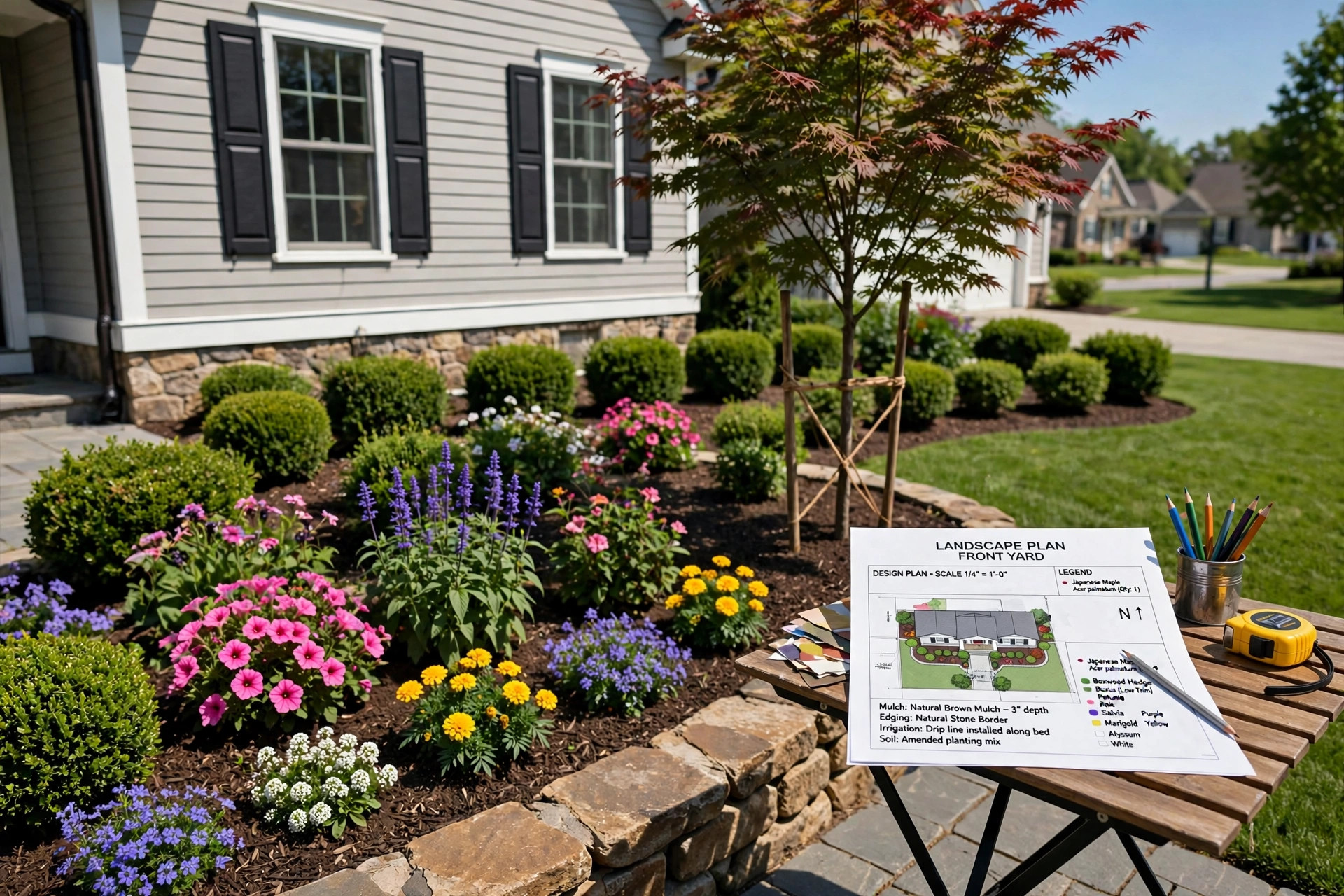
A program is only as good as the plan you feed it. Start with facts. Measure your lot. Note the house footprint, the driveway, and the walks. Mark north on your drawing. Then stand in the yard at different hours and note where the sun falls. Programs with sun and shade studies can check your notes, but your own eyes are the first tool.
Draw the hard things first. Patios, walks, fences, and walls are hard to move once built. Set them in the design and live with the on-screen result for a few days. Then add the plants. Work from large to small: shade trees first, then shrubs, then beds of perennials and annuals. Space each plant for its full size. The program should show mature sizes; trust them over the small pot you buy at the nursery.
Think about water. If you plan a sprinkler system, draw the head locations on the plan. This keeps beds and lawn zones apart and avoids watering the driveway. If you dream of a robot mower gliding over the lawn, keep the turf areas simple in shape. Tight corners and narrow strips are hard for machines and hard for people.
Save versions. Save the plan under a new name each time you make a big change. “Front yard plan March” and “Front yard plan April” let you compare ideas side by side. You will be glad you kept them.
Care and Upkeep of Your Design Files
Your design is worth keeping after the planting is done. Save the files in two places, such as your computer and an online drive. Print the final plan and the plant list, and keep the paper copy with your house papers. A printed plan helps the next owner of the home, and it helps you remember what you planted and where.
Revisit the plan each spring. Mark what lived and what did not. Note the shrubs that outgrew their space. Update the file so it stays true to the yard. When it is time to replace the riding mower or add a bed, the plan is ready to guide the next round of work. A design that lives on paper and on screen is a tool you will use for years.
Safety
Software safety is mostly about your wallet and your data. Buy from the maker or a known store. A cheap copy from a stranger may carry malware. Check the system needs before you buy so the program runs well on your computer. Keep your operating system current while you use design tools, since 3D views tax older machines.
Read the privacy terms of online tools. Some store your address and lot drawings on their servers. That is normal, but you should know how to delete your account and your files. Use a strong, unique password for any account that holds your home plans.
When the plan turns into real work, the usual yard safety rules apply. Call your local utility marking service before you dig for any bed, post, or pipe. Wear gloves and eye protection when you handle soil, mulch, and stone. If the design calls for gas or electric work for lighting, hire a licensed pro.
Frequently Asked Questions
Do I need any drawing skill to use landscape design software? No. These programs are built for people with no drawing background. You place ready-made shapes and plants with the mouse. The program handles the drawing. If you can use email and a web browser, you can learn the basics in a few evenings.
Can the software tell me which plants suit my area? A good program comes with a plant library that lists hardiness zones and sun needs for each plant. You can filter for your zone and your conditions. The library is a guide, not a guarantee. Check with a local nursery before you buy, since local soil and weather have the last word.
Will a printed plan help me get a permit? Often yes, for simple projects like fences and sheds. Many local offices accept a clear site drawing with dimensions. For decks, pools, and retaining walls, the office may want drawings from a licensed designer or engineer. Ask the permit office what it accepts before you file.
Can I use the software on a phone or tablet? Some online tools run on tablets, and a few have phone apps. Most full programs still work best on a desktop or laptop with a large screen. Designing a whole yard on a phone screen is slow. Use a computer for the main work and a phone for quick checks.
How long does a first design take? A simple front-bed plan can take an evening. A full lot with patios, beds, and a lawn may take several weekends of spare time. Take it in stages. Draw the bones of the plan first, then fill in the plants. Rushing the plan is the one mistake the software cannot fix for you.
Is free software good enough? For a small project, often yes. Free tools draw beds, lawns, and patios and print a simple plan. They tend to have smaller plant libraries and fewer 3D views. If your project is large or you want a polished presentation for a contractor, a paid program earns its price.
A Short Final Word
A yard rewards those who plan. landscape design software for homeowners puts a drafting table, a plant book, and a test garden inside your computer. Start with honest measurements. Draw the hard parts first. Space plants for their full size. Save your work. Then step outside and build it, one bed at a time. The screen work is quiet and cheap. The real work is the pleasure that follows.
References
Briggs & Stratton. (n.d.). Outdoor power equipment and engines. https://www.briggsandstratton.com Deere & Company. (n.d.). Lawn care and landscaping equipment. https://www.deere.com Toro. (n.d.). Lawn and landscape care products. https://www.toro.com
Was this guide helpful?

About Emily Rodriguez
The My Garden US editorial team writes practical, in-depth home and garden guides for American homeowners — tested advice, no fluff.
You May Also Like

How to Pick the Best Drought Tolerant Grass Seed California Lawns Need
September 13, 2026 0 views
Best Reel Mower for Small Lawns: A Plain Guide to Choosing and Using One
July 21, 2026 0 views
The Best Push Lawn Sweeper for Leaves: A Plain Guide
January 1, 2026 1 views