
A good camera watches the house when you cannot. It records the front steps, the garage, and the back yard while you sleep or while you are away at work. Today most people buy outdoor security cameras online in the USA instead of driving to a store. The web gives more choice and better prices. But the choice can confuse a new buyer. This guide explains the matter in plain words. It tells what matters, what to look for, what kinds exist, and what they cost. It also covers care, safety, and answers to common questions.
Why It Matters
A camera does not stop a crime by itself. But it changes the odds. Police reports show that homes with clear, working cameras are less likely to be picked by thieves. A camera gives a record. If a package goes missing from the porch, the video shows who took it. If a car backs into your fence at night, the video shows the car. That record helps with police and with insurance claims.
There is also the peace of mind. A camera with a phone app lets you check the front door from the office. You can see when the children come home from school. You can see when the repair man arrives. A doorbell camera lets you speak to a visitor without opening the door. For older people who live alone, this is a real help.
To buy outdoor security cameras online in the USA is now simple and safe, if you know what to check. Prices have fallen. Many fine cameras now cost less than one dinner out. The main risk is buying the wrong camera for your needs. This guide helps you avoid that mistake.
What to Look For When You Choose: Buy Outdoor Security Cameras Online in the Usa
Picture quality
Look for a camera with at least 1080p resolution. That is the common standard. It shows faces and car plates well in daylight. A 2K camera gives a sharper picture and is worth the extra cost for wide areas. A 4K camera is best of all, but it needs more storage and a strong Wi-Fi signal.
Night vision matters more than many people think. Most crimes near a home happen at night. Look for night vision that reaches at least 25 feet. Color night vision, where the picture stays in color in low light, is a strong plus.
Field of view and sound
A wide field of view lets one camera cover a whole yard. Look for 120 degrees or more. Two-way audio lets you hear and speak through the camera. This helps when you talk to a delivery driver through the app.
Power and connection
Wired cameras get power and signal through a cable. They are steady and never run out of power. But they need drilling and cable work. Battery cameras are easy to place. You charge them every few weeks or every few months. Solar panel add-ons can keep them charged all year.
Wi-Fi cameras are simple to set up. They need a strong router signal where they sit. Wired network cameras need a cable but give a steady link. Before you order, check the Wi-Fi strength at the spot where the camera will sit. A weak signal makes even a good camera useless.
Storage and monthly fees
Ask where the video goes. Some cameras save to a memory card in the camera. Some save to a hub in your home. Many save to the cloud and charge a monthly fee. Read the fine print. A camera that needs a fee to show recorded video can cost much more over two years than its price suggests. Many owners prefer a mix: free local storage plus optional cloud backup.
Weather rating
Outdoor cameras must stand rain, heat, snow, and wind. Look for an IP65 rating or better. That mark means the camera is sealed against dust and water. In cold states, check the low temperature limit. A camera rated to 20 degrees below zero will serve well in Minnesota. One rated only to 32 degrees may fail in winter.
For more buying help, read independent camera test results from Consumer Reports and reviews from CNET. Both test outdoor cameras in real conditions and explain the results in plain terms.
Types of Outdoor Security Cameras
Bullet cameras
Bullet cameras are the long tube shape you see on many homes. They mount on a wall and point one way. They are easy to aim. They stand out, which deters some thieves. Good bullet cameras cost from about 40 to 150 dollars.
Dome cameras
Dome cameras sit under a clear or tinted half-ball cover. It is hard to tell which way they point. That makes them good for porches and patios. They are less common on house walls because they are hard to adjust once mounted.
Doorbell cameras
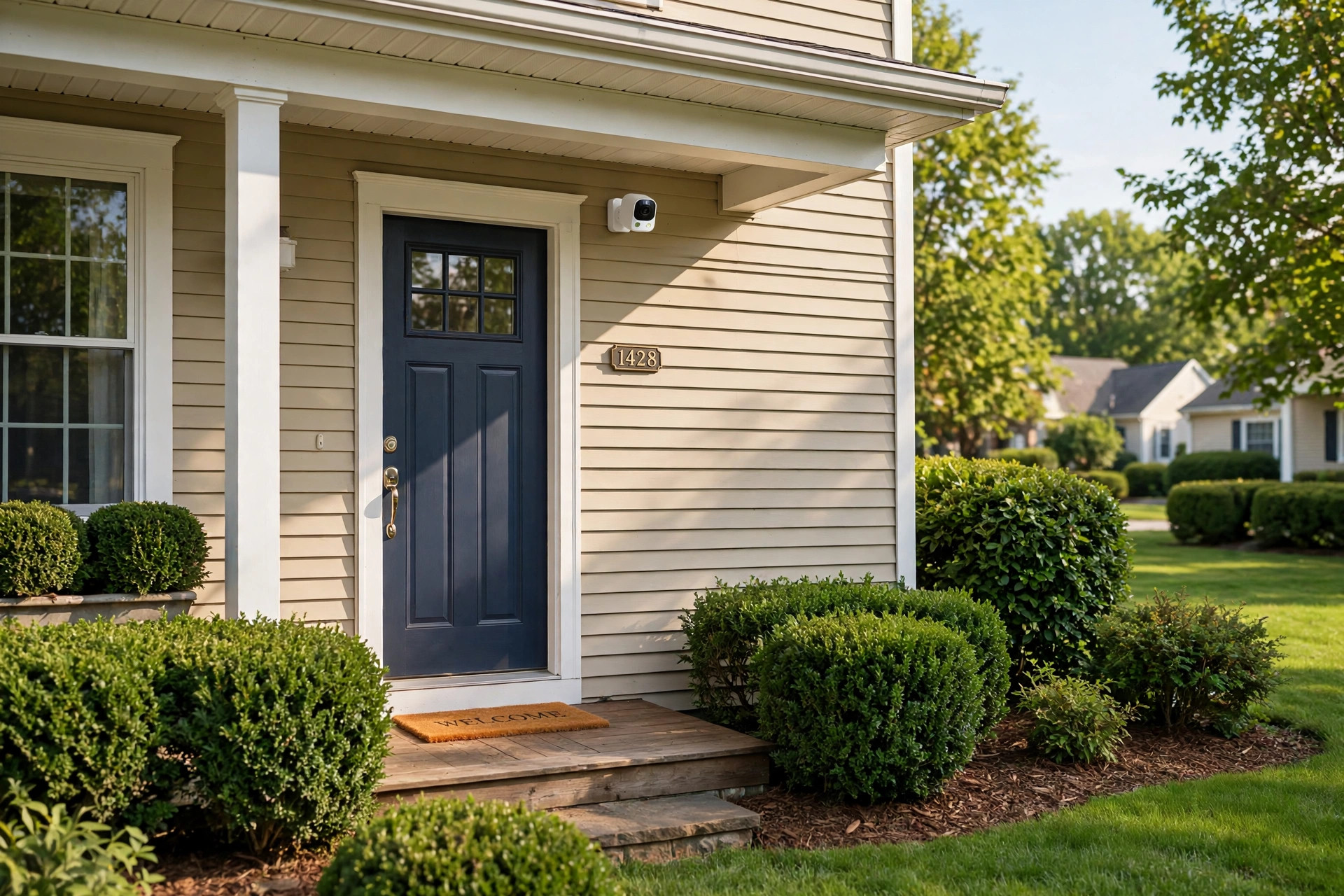
A doorbell camera replaces your doorbell. It watches the front steps and lets you talk to visitors. It is the most popular kind in the USA. Many brands sell them, and most setup guides from Ring explain doorbell placement in detail. They are easy to install. They cover only the front door, so most owners add one more camera for the back. If the entry itself is old or drafty, read our guide to professional grade exterior door replacement for homeowners before you mount the new doorbell unit.
Floodlight cameras
A floodlight camera joins a bright light with a camera. When motion is seen at night, the light turns on and the camera records in color. These are strong for driveways and dark back yards. They need house power, so they mount where a light box already sits. Good light helps any camera; our look at professional grade exterior lighting fixtures for california apartments covers the basics of outdoor light choice.
Pan and tilt cameras
These cameras turn left and right and tilt up and down by remote control. One camera can watch a whole side of a house. They cost more. They suit large lots and rural homes.
Wireless and smart-home cameras
Many new cameras link with home systems. They can turn on porch lights when they see motion. They can send alerts to a watch or phone. If you already use a smart speaker or hub, look for a camera that works with it. Independent lab-tested picks from PCMag often note which cameras work best with the big home systems.
Cost and Price
Prices vary widely. A single basic outdoor camera costs 30 to 60 dollars. A good mid-range camera costs 80 to 150 dollars. A high-end camera with 4K picture and floodlight costs 200 to 350 dollars. Doorbell cameras run 100 to 250 dollars.
Think in systems, not single units. Most homes need two to four cameras: front door, back door, garage or driveway, and maybe a side yard. A four-camera set from one brand often costs 300 to 600 dollars. Buying a matched set is usually cheaper than buying four single cameras, and the app controls them all together.
Add the extras. A memory card costs 10 to 25 dollars. A solar charger costs 30 to 50 dollars. A longer mount or junction box costs under 20 dollars. Cloud plans cost 3 to 15 dollars a month per camera, or 10 to 30 dollars a month for unlimited cameras. Over three years, a 5 dollar monthly plan adds 180 dollars. Do the math before you choose.
Online prices change often. Compare models at The Home Depot and shop prices at Lowe’s. Both sell the leading brands and often run sales on camera kits. Watch for holiday sales in November and spring sales in March, when prices drop by a fifth or more.
Care and Upkeep
A camera needs little care, but it needs some. Wipe the lens every two or three months with a soft cloth. Dust and spider webs blur the picture. Trim bushes and tree limbs that grow into the view. A branch waving in the wind will set off motion alerts all night.
Check the mounts once a year. Tighten any loose screws. Look for rust on cheap mounts and replace them early. For battery cameras, set a phone reminder to check the charge level each month. For wired cameras, check that cables are not chewed by squirrels or worn by sun.
Update the camera software. Makers send updates that fix bugs and close security holes. Most apps update on their own, but check now and then. Change the default password when you set up the camera. Use a strong, unique password. Turn on two-step sign-in if the app offers it. These small steps keep strangers out of your camera feed.
Good installation tips from Bob Vila and project guides from This Old House show how to mount cameras high and aim them down for the best view. A camera mounted 8 to 10 feet high sees faces well and stays out of easy reach.
Safety
Buy from known sellers. A camera from a strange seller may be a fake or a used unit with a hacked password. Stick to the maker, big retailers, or well-known online stores.
Check for recalls. The U.S. Consumer Product Safety Commission lists recalls of cameras and batteries that overheat or catch fire. A quick check before you order costs nothing and can save real trouble.
Place cameras with care for neighbors. Point them at your own yard and doors. A camera aimed into a neighbor’s window can break local laws in some states. Keep the view on your own land.
Secure your Wi-Fi. A camera is only as safe as the network it uses. Use a strong router password. Keep the camera on your home network, not on a public one. If your router offers a guest network, do not put the camera there. And keep the app signed out on phones you lend to others.
Frequently Asked Questions
How many cameras does a normal house need?
Two to four cover most homes. One at the front door, one at the back door, and one over the driveway or garage handle the common entry points. A fourth camera helps on a large lot or a corner house with a side gate. Start with two and add more after you see the blind spots.
Do I need a monthly plan?
Not always. Many cameras work with a memory card and no fee. You get live view and recorded clips saved in the camera. A cloud plan adds backup if the camera is stolen and longer clip history. Decide based on how much the recordings matter to you.
Can cameras work without Wi-Fi?
Yes. Wired network cameras use a cable for both power and signal. Some systems use a base station with its own wireless link, not your home Wi-Fi. These suit rural homes with weak internet. But remote phone viewing still needs some internet at the house.
What is the best height to mount a camera?
Eight to ten feet is the rule of thumb. That height is above easy reach but low enough to show faces. Mount under an eave when you can. The eave shields the camera from direct rain and sun, which extends its life. If your eaves are worn, our notes on weather resistant soffit and fascia repair for homeowners will help.
Will a camera work in very cold weather?
Most good cameras work down to 20 below zero Fahrenheit. Check the spec sheet before you buy. In deep cold, battery cameras drain faster. A wired camera or a solar charger solves the problem. Bring battery cameras inside to charge during the worst cold snaps.
Is it legal to record video of my yard?
In all states you may record video of your own property. Audio recording has stricter rules in some states. If your camera records sound, check your state law on audio recording. When in doubt, turn audio recording off or keep the camera view on your own land only.
A Final Word
To buy outdoor security cameras online in the USA is a smart move when you buy with care. Start with your needs: which doors, which yard, wired or battery, fee or no fee. Pick a known brand from a known seller. Mount the cameras high, aim them well, and keep the software fresh. Two or three good cameras, placed right, watch a home better than six cheap ones placed wrong. Take your time, read the specs, and choose once, choose well. For step-by-step help, the setup advice from The Spruce walks through the whole job from box to first video.
References
Bob Vila. (n.d.). Home improvement advice. https://www.bobvila.com CNET. (n.d.). Technology news and reviews. https://www.cnet.com Consumer Reports. (n.d.). Product reviews and ratings. https://www.consumerreports.org Lowe’s. (n.d.). Home improvement products. https://www.lowes.com PCMag. (n.d.). Technology product reviews. https://www.pcmag.com Ring. (n.d.). Smart home security devices. https://www.ring.com The Home Depot. (n.d.). Home improvement products. https://www.homedepot.com The Spruce. (n.d.). Home and garden advice. https://www.thespruce.com This Old House. (n.d.). Home renovation guidance. https://www.thisoldhouse.com U.S. Consumer Product Safety Commission. (n.d.). Product safety information. https://www.cpsc.gov
Was this guide helpful?

About Emily Rodriguez
The My Garden US editorial team writes practical, in-depth home and garden guides for American homeowners — tested advice, no fluff.
You May Also Like

Top Rated Retaining Wall Builders Reviews: A Homeowner Guide
March 6, 2026 0 views
Premium Wood Siding Replacement for Homeowners: Costs, Types, and Smart Choices
January 22, 2026 0 views
Top Rated Basement Waterproofing Services Reviews: How to Read Them and Choose with Care
August 19, 2026 0 views