A smart lock earns its keep when guests come over. Instead of hiding a spare key under the mat, you make a code, set it to expire, and delete it when the visit ends. Knowing how to change smart lock code for guests, and how to manage those codes well, is the difference between convenient and careless. If you are new to how to change smart lock code for guests, start with the basics below.
Table of Contents
Table of Contents
- How to Change Smart Lock Code for Guests: The Golden Rules of Guest Codes
- Yale: Temporary Codes in the Yale Access App
- Schlage: Adding Codes in the Schlage Home App
- Kwikset: User Codes in the Kwikset App
- August: Invites Instead of Keypad Codes
- What to Send the Guest
- Changing a Code Between Guests
- Codes for Regular Service People
- When a Guest Code Does Not Work
- Keep an Eye on the Activity Log
- References
The exact taps differ by brand, but the ideas are the same everywhere: give each guest their own code, set a time limit, and clean up afterward. Here is how to do it right.
How to Change Smart Lock Code for Guests: The Golden Rules of Guest Codes
When it comes to how to change smart lock code for guests, getting the details right makes all the difference.
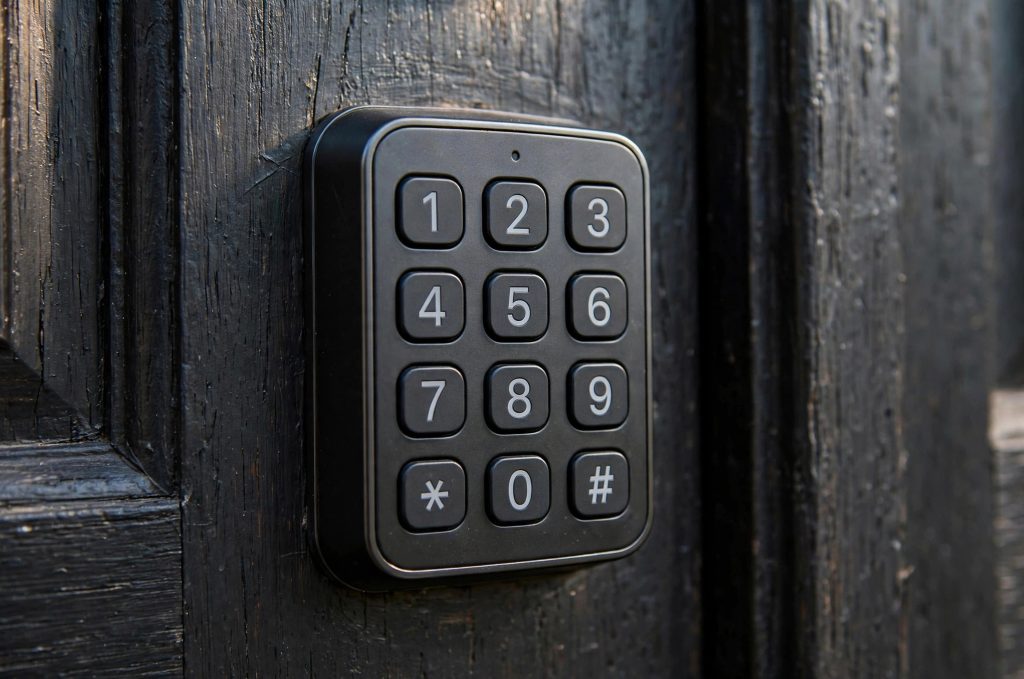
Many homeowners find that how to change smart lock code for guests is easier than they expected once they know the basics.
Before the steps, learn the habits that keep guest codes safe:
- One code per person. Never share a single guest code among several visitors. If something goes wrong, you want to know exactly whose code was used.
- Always set an end time. A code with no expiration is a permanent key you forgot about.
- Use random codes, not birthdays or your street number. Most apps can generate a code for you.
- Delete the code after the visit, even if it already expired. A clean list is easier to manage.
- Keep your own admin code separate and private. Guests never need it.
The smarthomemuse.com guide puts it well: time-limited codes are easier to manage than one permanent guest code you never change. The privacyneedle.com guide adds a five-minute audit anyone can do: delete unused codes, set expiry windows, and turn on access notifications.
Yale: Temporary Codes in the Yale Access App
Many homeowners find that how to change smart lock code for guests is easier than they expected once they know the basics.
The key to how to change smart lock code for guests is choosing the right approach for your space and budget.
Yale handles guests through the Guest List in the Yale Access app. Here is the standard flow:
1. Open the Yale Access app and select your lock. 2. Tap the Guest List icon at the bottom of the screen. 3. Tap Invite to add a new person. 4. Choose Entry Code Only if you just want a keypad code without app access. 5. Enter the guest's name so you can tell codes apart later. 6. Set the code type to Temporary, then pick the start and end date and time. 7. Save the code and text it to your guest.
The crucial step is changing the access type to Temporary. If you skip it, the code stays active until you delete it. The digitaltrends.com guide walks through this exact flow for the Yale Assure Lock 2, including where the PIN Access setting lives.
To change or delete a code later, open the Guest List, tap the person's name, and edit or remove the code. Yale also lets you set recurring schedules, which is perfect for a weekly cleaner. If you manage a rental, pair this with a smart deadbolt made for rental property so turnover between tenants stays simple.
Schlage: Adding Codes in the Schlage Home App
The key to how to change smart lock code for guests is choosing the right approach for your space and budget.
With a little planning, how to change smart lock code for guests can fit even a busy schedule.
Schlage Encode locks manage codes through the Schlage Home app:
1. Open the Schlage Home app and select your lock. 2. Go to Lock Settings, then Access Codes. 3. Tap Add Code and enter a code of four to eight digits. 4. Give it a name, like the guest's name or "Dog Walker." 5. Set a schedule or expiration date for the code. 6. Tap Save. The lock syncs the code over Wi-Fi.
You can also add a code right on the keypad if you know the six-digit programming code. Press the Schlage button, enter the programming code, press 1, enter the new code twice, and test it. The aeanet.org guide covers both the app method and the keypad method, including how to delete a code you no longer need.
One Schlage quirk worth knowing: codes sync over Wi-Fi, so if the lock is offline, your change may sit in the app until the lock reconnects. Check that the code works before the guest arrives. The safetyfic.com guide covers the settings area where access codes live, which helps if the app layout has changed since you last opened it.
Kwikset: User Codes in the Kwikset App
With a little planning, how to change smart lock code for guests can fit even a busy schedule.
Before you start, it helps to understand how how to change smart lock code for guests works in real homes.
Kwikset Halo locks are managed entirely through the Kwikset app:
1. Open the Kwikset app and select your lock. 2. Tap Users or Access Codes, then Add User. 3. Enter the person's name and choose or generate a code. 4. Set the access type: full-time, scheduled days and times, or a one-time code. 5. Tap Save. The code syncs to the lock.
The one-time code option is handy for a single delivery or a repair visit. It works once and then dies. The smarthomeperfected.com guide covers the Halo app flow plus the keypad programming method for older Kwikset models like the SmartCode series, where you press the Program button on the inside of the lock.
Kwikset also supports scheduled codes by day and time, which the biareview.com review describes in detail. If a code stops working, the troubleshootinglab.com guide suggests checking the app sync, the batteries, and whether the code was set up for the wrong schedule.
August: Invites Instead of Keypad Codes
Before you start, it helps to understand how how to change smart lock code for guests works in real homes.
A good plan for how to change smart lock code for guests saves time, money, and frustration.
August works a little differently. Instead of typing a code into the app for someone, you invite them as a guest in the August app. They install the app, accept the invite, and unlock with their phone. You can set their access as temporary, for example just for a weekend, or recurring, like every weekday afternoon for a dog walker.
If you have the August keypad accessory, you can also create entry codes for guests who do not want the app. Either way, the rule holds: name the guest, set the time window, and remove access when it ends. For households with older visitors who struggle with apps, a keypad code on any brand is kinder than an app invite. The smart home checklist for elderly parents has more on keeping access simple.
What to Send the Guest
A good plan for how to change smart lock code for guests saves time, money, and frustration.
For most people, how to change smart lock code for guests comes down to a few smart choices.
A code alone is not enough. Guests need to know the code, when it works, and what to do if the door does not open. A good message looks like this:
"Hi Maya, your door code is 4829. It works Tuesday from 8:30 in the morning to 12:30 in the afternoon. Please keep it to yourself. If the lock beeps or will not open, text me before trying again."
Keep it short. Do not send your address and the code in the same message if you can avoid it. The sociallifemagazine.com guide recommends exactly this format, plus a buffer of about twenty minutes before the planned arrival so an early guest is not stuck outside.
Tell guests two more things: to pull the door shut firmly so the deadbolt can extend, and to never share the code. If your lock has a door sensor, mention that the app tells you when the door is left ajar.
Changing a Code Between Guests
For most people, how to change smart lock code for guests comes down to a few smart choices.
If you are new to how to change smart lock code for guests, start with the simplest option and build from there.
For back-to-back guests, like rental turnovers, change the code between each stay. Do not reuse the last guest's code for the next one. The fastest routine:
1. Delete the old guest's code the morning they leave. 2. Create a fresh code with the new guest's name and dates. 3. Test the new code on the keypad. 4. Text it to the new guest with the arrival window.
This takes two minutes and it means no past guest can ever walk back in. The surelockkey.com guide frames this as managing an access event rather than just handing out a code, which is the right mindset. Each visit gets its own code, its own window, and its own cleanup.
If you run a vacation rental, also look at smart thermostats for vacation rentals, since guest turnover is the perfect time to reset the temperature too.
Codes for Regular Service People
If you are new to how to change smart lock code for guests, start with the simplest option and build from there.
Cleaners, dog walkers, and lawn crews need a different setup than overnight guests. Give each of them a recurring schedule instead of a string of one-time codes:
- Cleaner: Tuesdays, 9 in the morning to 1 in the afternoon.
- Dog walker: weekdays, noon to 2.
- Lawn crew: Saturdays, 8 in the morning to noon.
Tight windows matter. If the cleaner's window is four hours, do not set the code for the whole day. Every major lock app offers three permission types worth knowing: time-limited codes for one-time visits, recurring schedules for regular service people, and one-time codes that die after a single use.
Review these codes every few months. Service people change, and a code for a cleaner you stopped using last spring should not still work. The storables.com guest access guide suggests keeping a simple list of who has what, which makes these reviews painless.
When a Guest Code Does Not Work
When it comes to how to change smart lock code for guests, getting the details right makes all the difference.
Troubleshoot in this order:
- Check the schedule. The most common failure is a code used outside its time window.
- Check the batteries. A lock with low batteries may not accept keypad input reliably.
- Confirm the code synced. If the lock was offline when you made the code, it may not have received it.
- Re-enter carefully. Keypads misread fast or light presses.
- Delete and remake the code. A fresh code fixes most mystery failures.
If a guest is locked out and you have remote access, you can unlock the door from the app while you sort out the code. That is also a good reason to keep the lock's Wi-Fi connection healthy, with help from smart home Wi-Fi network setup.
Keep an Eye on the Activity Log
Many homeowners find that how to change smart lock code for guests is easier than they expected once they know the basics.
Every major lock app keeps a log of who unlocked the door and when. Glance at it after a guest visit. You should see the guest's code used during the expected window and nothing else. If you see entries at odd hours, change the code immediately.
Turn on push notifications for lock events if your app offers them. A buzz when the cleaner's code is used is reassuring, and a buzz at 3 in the morning is worth waking up for. The smartlocksreviewed.com guide recommends the log review as part of every checkout routine.
For the front door overall, compare options in best smart locks for front doors, and lock down the rest of your setup with how to secure smart home devices. Before a trip, the home security checklist for vacation reminds you to rotate guest codes as part of your going-away routine. A little care goes a long way with how to change smart lock code for guests.
References
The key to how to change smart lock code for guests is choosing the right approach for your space and budget.
- Digital Trends. (n.d.). How to set a temporary password on the Yale Assure Lock 2. https://www.digitaltrends.com/home/how-to-create-temporary-codes-yale-assure-lock-2/
- SafetyFic. (n.d.). How to reset Schlage Encode smart Wi-Fi deadbolt. https://safetyfic.com/how-to-reset-schlage-encode-smart-wi-fi-deadbolt/
- AEANET. (n.d.). How do I program a Schlage Encode? https://www.aeanet.org/how-do-i-program-a-schlage-encode/
- Smart Home Perfected. (n.d.). Kwikset smart lock: Program or reset the code. https://www.smarthomeperfected.com/how-to-program-change-reset-the-code-of-a-kwikset-smart-lock/
- BiaReview. (n.d.). Kwikset Halo Wi-Fi smart lock. https://biareview.com/kwikset-halo-wi-fi-smart-lock/
- Troubleshooting Lab. (n.d.). Kwikset Halo troubleshooting: Quick fixes for common issues. https://troubleshootinglab.com/kwikset-halo-troubleshooting/
- Social Life Magazine. (n.d.). How to use smart lock guest codes for cleaners, sitters, and short stays. https://sociallifemagazine.com/the-archive/how-to-use-smart-lock-guest-codes-for-cleaners-sitters-and-short-stays/
- Privacy Needle. (n.d.). How to secure smart lock guest codes: A 5-minute guide. https://privacyneedle.com/data-protection/best-practices/how-to-secure-smart-lock-guest-codes-2/
- SmartHomeMuse. (n.d.). How to safely share smart lock access with guests, cleaners, and Airbnb renters. https://smarthomemuse.com/how-to-share-smart-lock-access-safely/
- SureLockKey. (n.d.). Your ultimate guide to smart lock guest codes. https://surelockkey.com/blog/temporary-access-codes/
- Storables. (n.d.). Smart lock guest access management: Temporary entry codes. https://storables.com/ideas-and-tips/smart-lock-guest-access-management-temporary-entry-codes/
- Smart Locks Reviewed. (n.d.). Guide to sharing smart lock access with guests. https://smartlocksreviewed.com/smart-lock-guest-access-guide/
With a little planning, how to change smart lock code for guests can fit even a busy schedule.
Was this guide helpful?

About My Garden US
The My Garden US editorial team writes practical, in-depth home and garden guides for American homeowners — tested advice, no fluff.
You May Also Like
Smart Mailbox Sensor Reviews 2026 USA: Best Picks for Every Home
May 21, 2026 19 views
The Best Quiet Garage Door Opener Reviews: A Guide for American Homes
July 31, 2026 19 views
Smart Home for Elderly Parents Checklist USA: A Room-by-Room Guide for Families
May 27, 2026 19 views