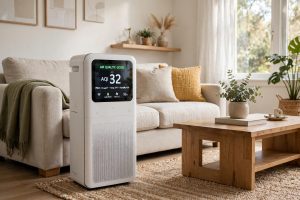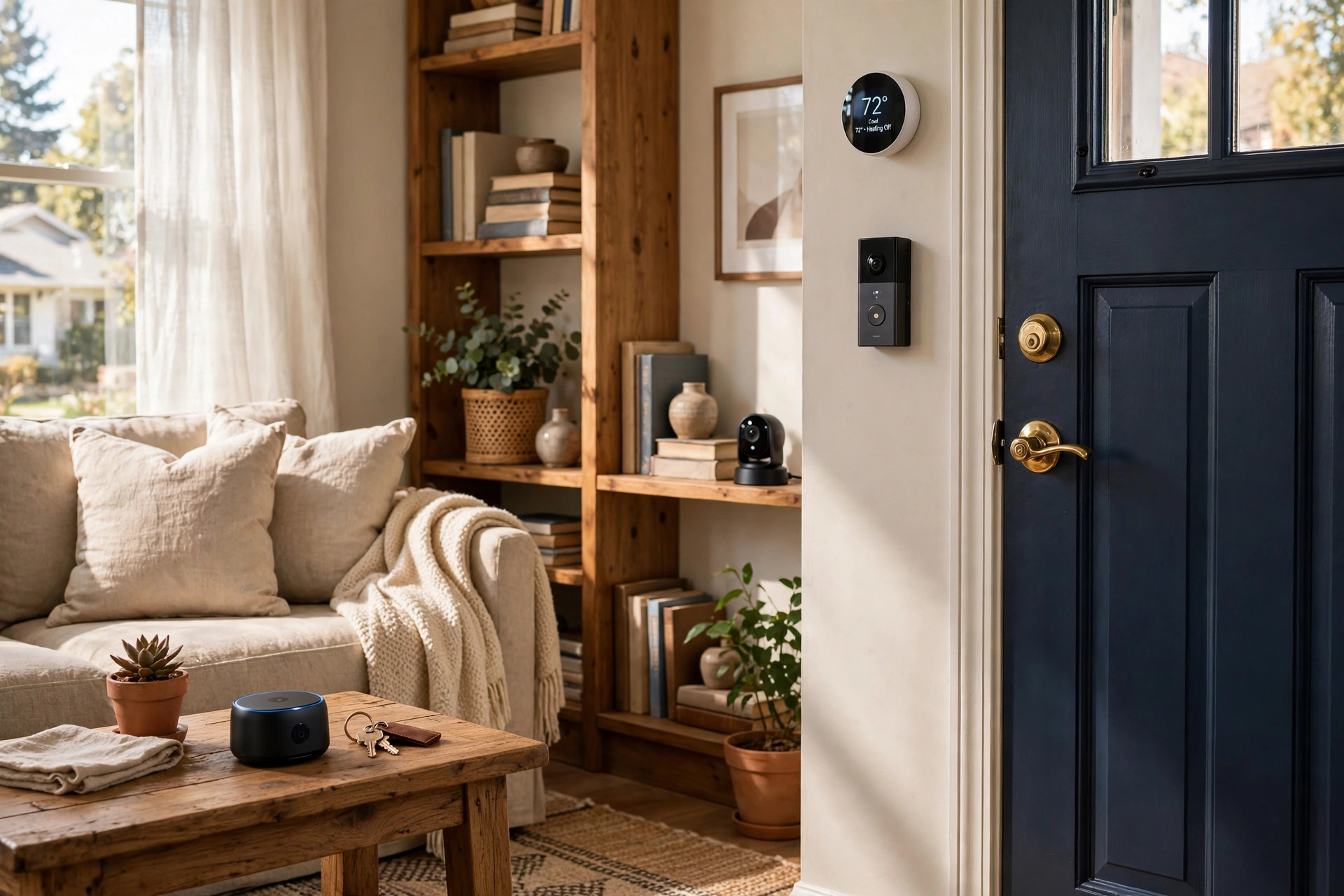

A smart home should make life easier. Door locks, cameras, lights, and thermostats now answer to a phone. That ease brings risk. Each device that joins a home network opens a door. If the door has a weak lock, a stranger may walk in. This guide on how to secure smart home devices explains each step in plain words. It was written for homes in the United States, but the ideas work in any country.
A person does not need to be an engineer. The main rules are few. Change the factory passwords. Keep software current. Build a strong home network. Set privacy limits. Learn what the device collects. The rest of this article walks through each rule with care.
Why Securing Smart Home Devices Matters
Smart devices hold a great deal of personal detail. A video doorbell sees who comes to the door. A voice speaker hears what is said near it. A smart thermostat knows when a family is away. A door lock controls who enters the house. If a thief or hacker reaches these devices, the damage goes past a stolen password. It can mean break-ins, spying, or fraud.
Reports of hacked cameras appear in the news each year. In most cases the cause was simple. The owner kept the factory password. The device software was old. The home Wi-Fi used weak protection. The fix would have taken ten minutes. A Ring doorbell or any other camera with a strong password and current software is a far harder target than one left at factory settings.
Security also protects the whole network. A hacked light bulb may seem harmless. Yet it can become a base from which a hacker reaches a home computer or bank login. Experts call this a foothold. The Verge has reported on such chains of attack, where one weak device puts a full home at risk.
American homes also face legal questions. Some states limit where cameras may point. Audio recording rules vary by state. A camera that records a neighbor’s yard or a passerby’s voice may break state law. Readers should check local rules before they place outdoor cameras.
What to Look For When Buying Smart Devices: How to Secure Smart Home Devices Usa Guide
Security starts at the store. A cheap device with no updates may be a false bargain. Look for these marks of a safer product.
First, check for automatic updates. A brand that pushes security fixes without user action is best. Big brands such as Google Home and others issue fixes often. Small no-name brands may never fix a known flaw.
Second, look for two-step sign-in. This is also called two-factor authentication. Even if a thief learns the password, the account stays closed without the second code.
Third, read the privacy policy. It should say what data the device collects and how long the company keeps it. A short, clear policy is a good sign. A vague one is not.
Fourth, check for local control. Some hubs work even when the internet is down. A best smart home hub for beginners can often run lights and locks inside the home without sending every command to a far server. Fewer servers mean fewer points of attack.
Fifth, buy from makers with a record. Consumer Reports tests smart devices for basic digital safety. Its ratings help buyers compare brands before they spend.
Types of Smart Home Devices and Their Risks
Each kind of device has its own weak points. The table of common devices below shows where to focus.
Cameras and Video Doorbells
These are the most sensitive devices in the home. They record faces, voices, and daily habits. A leaked camera feed is a deep loss of privacy. Turn off features that are not needed, such as motion zones that watch the street. Set the camera to record only the owner’s property. SimpliSafe and other alarm brands offer cameras with privacy shutters that cover the lens at the press of a button.
Smart Locks
A smart lock holds the key to the house. Choose one with strong encryption. Check the keypad for signs of wear that could reveal the code. Change access codes when a guest leaves or a tenant moves out. Do not share one code with everyone.
Voice Speakers and Displays
Speakers listen for a wake word, then send the request to a server. Turn off the microphone when long talks take place nearby. Review voice recordings in the account settings and delete them on a regular basis.
Thermostats and Sensors
These devices know when the home is empty. That data is gold for a burglar. Set the account to private. Do not share thermostat access on social media posts about vacations.
Smart Switches and Plugs
Switches and plugs are simple, but they join the same network as everything else. A 3 way smart switch installation guide from the maker will show the right setup steps. Follow them exactly, and give each switch a strong device password.
Robot Vacuums and Appliances
A robot vacuum for hardwood floors maps the home as it cleans. Some models send the map to the maker. Check the app settings and turn off map sharing when it is not needed.
How to Secure Smart Home Devices Step by Step
The steps below form the heart of this guide. Do them in order. They take about one hour for a whole home.
Step 1: Change Every Factory Password
New devices often ship with the same password on every unit, such as “admin” or “1234.” Hackers know these by heart. Open the device app and set a long, unique password for each device. A password manager helps keep track of them all.
Step 2: Turn On Two-Factor Authentication
Go into the account settings for the hub, camera, and voice service. Turn on two-factor sign-in. Use an authenticator app when possible. Text message codes are better than nothing but weaker than app codes.
Step 3: Update the Software
Check each device for a firmware update. Then turn on automatic updates where the option exists. PCMag reviews often note which brands update devices well and which lag behind. Make updates a monthly habit for anything that cannot update itself.
Step 4: Build a Guest Network
Most home routers can run two Wi-Fi networks. Put phones and computers on the main network. Put smart bulbs, cameras, and plugs on a separate guest or smart-home network. If one bulb gets hacked, the main computers stay apart from it. This single step stops many common attacks.
Step 5: Secure the Router
The router is the front gate. Change its admin password from the factory default. Turn on WPA3 encryption, or WPA2 if WPA3 is not offered. Turn off remote management unless it is truly needed. Restart the router after changes so they take hold.
Step 6: Limit Data Sharing
Open the privacy settings of each app. Turn off ad sharing and third-party data sales where the law allows. The FTC advises consumers to use these opt-out tools, since data brokers buy smart home data from many sources.
Step 7: Set Strong Camera Rules
Decide which rooms may have cameras and which may not. Keep cameras out of bedrooms and bathrooms. Point outdoor cameras at the owner’s own land. Store video on a local hub when possible instead of a cloud server.
Step 8: Review Connected Accounts
Once each season, open the smart home app and list every connected device. Remove old phones, sold devices, and apps no longer in use. A forgotten old phone with account access is an open back door.
Cost and Price of Smart Home Security
Good security need not cost much. Most of the steps above are free. A password manager costs a few dollars a month. A router that supports guest networks may cost between sixty and two hundred dollars. Cameras with local storage cost more up front than cloud-only models but save monthly fees.
Professional monitoring is the main paid option. ADT offers monitored alarm service with monthly fees, and a monitored system calls for help when an alarm sounds and no one is home. For many families the mix of self-monitored devices plus strong passwords is enough. The right choice depends on the value of the property and the family’s comfort with technology.
Care and Upkeep
Security is not a one-time task. Devices age, and new flaws appear. A simple yearly routine keeps the home safe.
– Check for firmware updates each month, or confirm that automatic updates are working. – Change Wi-Fi passwords once a year, or sooner if a guest network password has been shared widely. – Replace batteries in locks and sensors on schedule so devices do not fail open. – Revisit privacy settings after each app update, since updates can reset permissions. – Check product recall lists at the CPSC to learn whether any device has been recalled for safety or security flaws.
CNET publishes yearly smart home checklists that remind owners of these tasks. A printed checklist on the fridge works just as well.
Safety Notes for American Homes
Beyond hackers, smart devices bring physical safety rules. Smart locks should always allow exit from inside without a phone or code. Check that local fire codes are met before replacing a deadbolt. Keep a physical key as backup for lockouts.
Battery devices need care. A swollen battery in a doorbell or sensor can be a fire risk. If a device case bulges or grows hot, stop using it and contact the maker.
Cord safety matters for cameras and sensors near children and pets. Keep cords short and out of reach. Small parts from mounting kits can be choking hazards for young children.
Finally, remember that a smart home depends on power and internet. A storm can silence cameras and locks that need Wi-Fi. Keep manual ways to lock doors and light rooms. Security plans should work even when the power is out.
Frequently Asked Questions
Can a smart home be hacked through the Wi-Fi?
Yes. Weak Wi-Fi is the most common path into a smart home. A short password or old encryption lets a nearby attacker join the network. Use WPA3 or WPA2 with a long password, and keep smart devices on a separate guest network.
Should I use cloud storage or local storage for camera video?
Local storage keeps video inside the home and out of company servers. It costs more up front for a hub or hard drive. Cloud storage is easier to set up but sends video to a third party. For the most private option, choose local storage with a backup on a home computer.
Is a video doorbell legal in my state?
Video rules vary by state in the USA. Most states allow video of one’s own property. Audio recording faces stricter limits in some states. Point cameras at the owner’s land and avoid recording neighbors. When in doubt, check state law before installing outdoor cameras.
How often should smart home passwords be changed?
Change device passwords once a year as a rule. Change them at once if a device is sold, if an account shows strange sign-ins, or if a company reports a data breach. Use a unique password for each device so one leak does not open the whole home.
Do smart devices work without the internet?
Some do. Hubs with local control can run lights, locks, and scenes when the internet is down. Voice speakers and cloud cameras usually stop working. A home with local control keeps basic functions alive during an outage.
Are cheap smart devices safe to buy?
Some are, and some are not. The price alone says little. Check whether the maker issues security updates and supports two-factor sign-in. Brands tested by Consumer Reports with fair safety scores are a safer bet than unknown brands with no update record.
A Short Final Word
A secure smart home is built one habit at a time. Change the passwords. Update the software. Split the network. Limit the data. None of these steps is hard, and together they close the doors that hackers look for. The smart home then does what it was bought to do: serve the family, quietly and safely, day after day.
References
ADT. (n.d.). Home security and automation. https://www.adt.com CNET. (n.d.). Technology news and reviews. https://www.cnet.com Consumer Reports. (n.d.). Product reviews and ratings. https://www.consumerreports.org Federal Trade Commission. (n.d.). Consumer advice on privacy and online security. https://www.ftc.gov Google Store. (n.d.). Smart home devices. https://store.google.com PCMag. (n.d.). Technology product reviews. https://www.pcmag.com Ring. (n.d.). Smart home security devices. https://www.ring.com SimpliSafe. (n.d.). Home security systems. https://www.simplisafe.com The Verge. (n.d.). Technology news and reviews. https://www.theverge.com U.S. Consumer Product Safety Commission. (n.d.). Product safety information. https://www.cpsc.gov
Was this guide helpful?

About Robert Taylor
The My Garden US editorial team writes practical, in-depth home and garden guides for American homeowners — tested advice, no fluff.
You May Also Like
Best Hardwired Smoke Detector Reviews USA
August 29, 2026 0 views
Best Perimeter Alarm for Yard Reviews USA
March 26, 2026 0 views
Best Door Alarm Sensor for Apartments USA
February 14, 2026 0 views