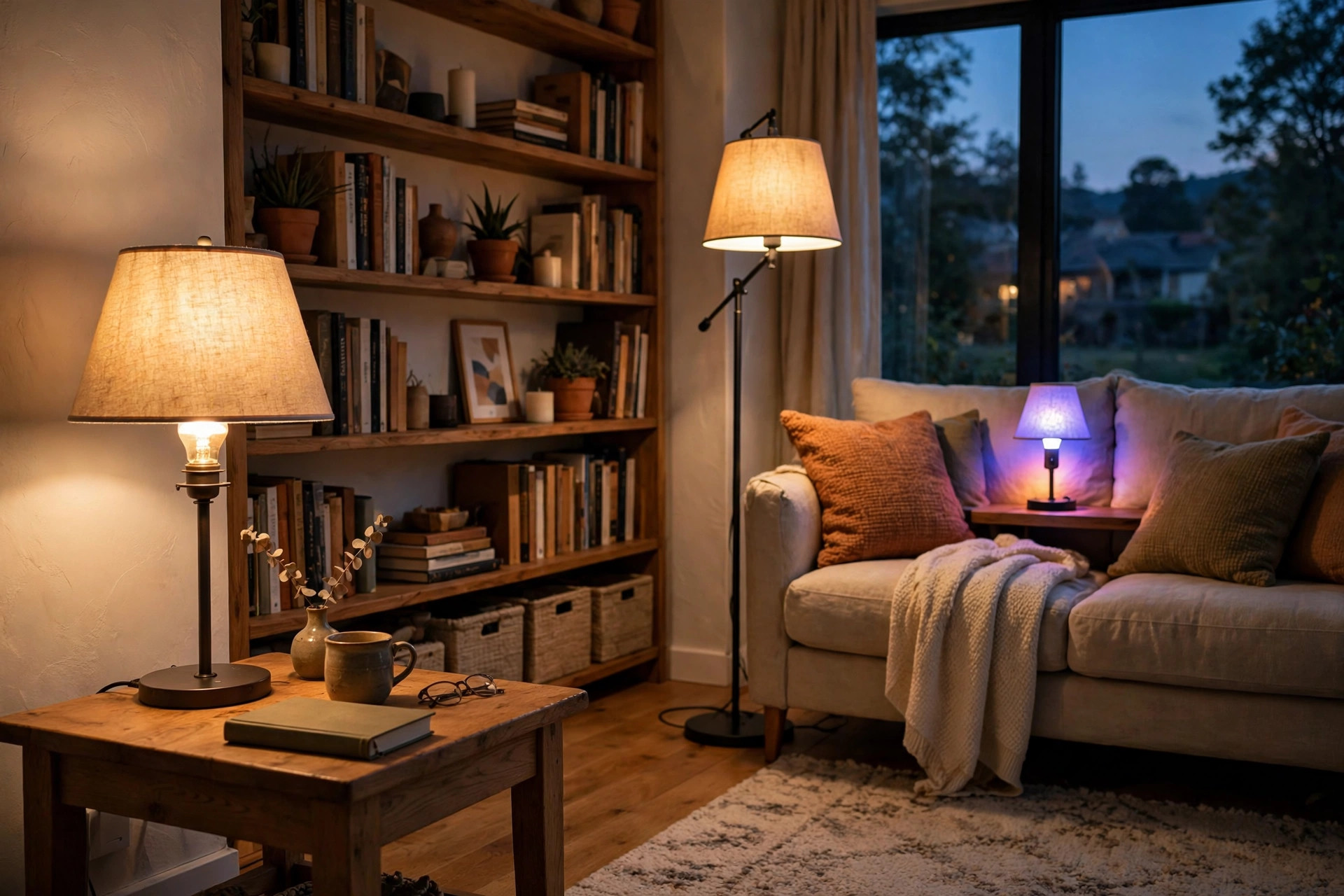

This wifi smart bulbs reviews buying guide usa is written for the average home owner. A WiFi smart bulb looks like an ordinary light bulb. It screws into the same socket. It draws power from the same wires. The difference lies inside. A small radio chip lets the bulb join your home WiFi network. Once joined, you can switch it on or off from your phone. You can dim it. You can change its color. You can set a timer. You can do all this from the couch, from the office, or from another state. No hub box is required. No new wiring is required. This guide explains what these bulbs do, how to pick them, what they cost, and how to use them safely.
Why WiFi Smart Bulbs Matter
Lighting shapes a home. A bright cool light helps in a kitchen or a work room. A soft warm light helps in a bedroom or a den. Before smart bulbs, a single fixture gave one kind of light. If you wanted a change, you replaced the bulb or you added a dimmer switch. A WiFi smart bulb changes this. One bulb can give warm white light in the evening and cool white light in the morning. Some models can glow red, blue, green, or any shade between. This range matters for comfort. Studies of indoor light have long noted that warm dim light in the evening helps people relax. Cool bright light in the day helps people stay alert.
Energy use matters too. WiFi smart bulbs are LED bulbs. An LED uses far less power than an old incandescent bulb. A bulb that once drew sixty watts may now draw nine watts for the same light. That is a saving on every electric bill. The small radio inside draws only a trickle of extra power. Over a year, the saving from the LED far outweighs the cost of the radio.
Convenience is the third reason. A porch light that turns on at sunset keeps a home safer. A hallway light that fades up at six in the morning starts the day gently. A lamp that switches off at midnight saves power while you sleep. These are small comforts. They add up. They also help people who travel. A light that follows a schedule makes a home look lived in, even when it is empty.
What to Look for When You Choose: Wifi Smart Bulbs Reviews Buying Guide Usa
Reviews of smart bulbs often mention the same few traits. These traits are the ones that matter most.
Brightness
Brightness is measured in lumens. A 60-watt replacement bulb gives about 800 lumens. That fits most lamps and fixtures. A 100-watt replacement gives about 1600 lumens. That fits kitchens and large rooms. Check the lumens on the box. Do not rely on “watts” alone, since watt numbers on LED boxes can confuse. More lumens mean more light.
Color Temperature
Color temperature is measured in kelvins. Low numbers, near 2700K, give warm yellow light like an old bulb. High numbers, near 5000K, give cool white light like daylight. Tuneable white bulbs slide between these values. Full color bulbs add millions of hues. If you want simple comfort, a tuneable white bulb is enough. If you want party scenes or movie-night scenes, choose full color.
Connection Type
True WiFi bulbs connect straight to your router. They need no extra hub. This is the simplest setup. Some bulbs use Bluetooth for local control and add WiFi for remote control. Check your router. Most WiFi bulbs need the 2.4 GHz band, not the 5 GHz band. Most modern routers offer both. If your phone is on 5 GHz while you set up the bulb, the setup may fail. Temporarily switching your phone to the 2.4 GHz network solves this. Setup takes about five minutes per bulb.
App Quality
Every brand ships its own phone app. The app is how you control scenes, timers, and groups. Read app reviews before you buy. A good app is stable and simple. A poor app drops the connection or crashes. Some bulbs also work with voice helpers such as Alexa or Google Assistant. If you want voice control, confirm this on the box before you pay.
Smart Home Fit
If your home already runs on a platform, pick bulbs that speak to it. Many bulbs work with more than one platform. Some support the newer Matter standard, which lets one bulb talk to many platforms. Matter support is a good sign of future-proof design. It is not yet universal, so check the label.
Types and Options
WiFi smart bulbs come in several shapes and styles.
Standard A19 bulbs are the most common. They fit table lamps, floor lamps, and ceiling fixtures. They cost the least and offer the widest range of brands.
BR30 bulbs are wider and flatter. They fit recessed can lights in ceilings. They throw light downward. They suit kitchens, halls, and living rooms with can fixtures.
Filament bulbs look like old Edison bulbs. A clear glass shell shows a warm glowing filament. They suit open fixtures and vintage style. They give warm light and a classic look. They cost more than standard bulbs.
Outdoor smart bulbs exist too. They are sealed against rain and dust. They work in porch fixtures and garden lights. If you plan to light a path or a patio, choose bulbs rated for wet locations. For a garden path, you may also compare solar path lights deals near me as a no-wiring option. For porches and patios, patio string lights florida homes usa show how string lights create mood outdoors. For walls inside the home, indoor wall sconces for sale usa cover fixture styles that pair well with smart bulbs.
Light strips are a cousin of the bulb. A flexible strip with small LEDs sticks under cabinets or behind a TV. It is controlled the same way as a smart bulb. It suits accent light, not main light.
Cost and Price
Price is where reviews help most. A single WiFi smart bulb from a well-known brand sells for about eight to twenty dollars in the USA. Packs of two or four lower the per-bulb cost. Budget brands sell for five to ten dollars. Premium brands with the best apps and the richest color range sell for fifteen to twenty-five dollars per bulb.
Consider the full cost, not the sticker price. An LED bulb lasts about fifteen thousand to twenty-five thousand hours. That is many years of normal use. An old incandescent lasted about one thousand hours. Over the life of the bulb, the power saving pays for the higher price many times over. A home that swaps ten incandescents for ten LEDs can save dozens of dollars a year on power.
Watch for sales. Big retail seasons bring deep cuts on multi-packs. Buying a four-pack during a sale can cut the per-bulb price by a third. Starter bundles that pair two bulbs with a voice speaker can also save money if you want voice control.
Do not chase the cheapest bulb without reading reviews. The cheapest bulbs sometimes have weak apps, slow response, or poor color accuracy. A mid-price bulb from a trusted brand is often the best value.
Care and Upkeep
Smart bulbs need little care, but a few habits keep them working well.
Keep the firmware updated. Brands release updates that fix bugs and improve security. The app will prompt you when an update is ready. Run updates when your WiFi is strong.
Do not put a smart bulb in a fully enclosed fixture unless the box says it is safe. Heat builds up in sealed fixtures. Heat shortens the life of the electronics inside.
Do not control a smart bulb with an old wall dimmer switch. Old dimmers cut the power in a way that confuses the bulb. It may flicker or buzz. Set the wall switch to full on, and dim the bulb through the app.
If a bulb stops responding, remove it from the app and set it up again. Most brands use a simple reset: switch the bulb on and off three to five times until it blinks. The app manual gives the exact pattern.
Clean bulbs as you would any bulb. Dust on the glass dims the light. Wipe with a dry cloth when the bulb is cool and the power is off.
Safety
Light bulbs are safe when used as directed. A few points deserve care.
Buy bulbs with a UL or ETL mark. This mark shows that an independent lab tested the bulb for fire and shock safety. Unmarked bulbs from unknown sellers may skip this testing.
Check the fixture rating. A fixture may list a maximum wattage. Smart bulbs draw little power, so this is rarely a problem, but check anyway.
Use outdoor-rated bulbs outdoors. Indoor bulbs in a porch fixture can let in moisture. Moisture plus power is a hazard. The box states indoor, damp, or wet ratings. Match the rating to the place.
Keep packaging and receipts. If a bulb fails early, the warranty covers it. Most brands offer at least a one-year warranty. Some offer two years.
Treat the app account like any account. Use a strong password. If the app offers two-step login, turn it on. This keeps strangers from controlling your lights.
Frequently Asked Questions
Do WiFi smart bulbs work without internet?
The bulb needs your home WiFi network to work, but most brands allow local control when the internet is down. The phone and the bulb talk through your router even if the wider internet fails. Some features, like voice control through a cloud helper or remote control from another city, need an active internet link.
How much power does the WiFi radio use?
Very little. The radio draws about half a watt to one watt when the bulb is on, and a small fraction of a watt in standby. The LED itself is where almost all the power goes. The total is still far below an old incandescent bulb.
Can I use a smart bulb with a regular wall switch?
Yes, but keep the switch on. The bulb needs steady power to stay on the network. If you flip the switch off, the bulb goes offline. It will rejoin when power returns, but schedules may miss while it is off. Many owners tape the switch or add a smart switch cover as a reminder.
How many smart bulbs can one router handle?
Home routers handle dozens of devices. Most homes will not hit the limit with bulbs alone. If you plan more than thirty or forty connected devices, check your router’s device limit. Mesh WiFi systems handle large device counts better than single old routers.
Do smart bulbs save money compared to regular LEDs?
The purchase price is higher, so a smart bulb costs more up front than a plain LED. The running cost is nearly the same, since both are LEDs. The saving comes from use: timers, schedules, and remote switch-off cut wasted light. A bulb that turns itself off when you forget pays back the price gap.
Are WiFi smart bulbs hard to install?
No. Screw the bulb in. Open the app. Add a device. Enter your WiFi password. The app finds the bulb and names it. The whole process takes about five minutes. If setup fails, check that your phone is on the 2.4 GHz network and that the bulb is within good WiFi range.
A Short Final Word
A WiFi smart bulb is a small upgrade with a large effect. It gives you light that fits the hour, the room, and the mood. It trims the electric bill. It adds a layer of comfort and safety to daily life. Start with one room. Pick a mid-price bulb with strong reviews and a clean app. Learn what you like. Then expand to the rest of the home. The market is wide, the prices are fair, and the technology is mature. This wifi smart bulbs reviews buying guide usa aimed to give you the plain facts so you can buy with confidence.
For more background, see Philips, The Home Depot, and Lowe’s. For more background, see Lamps Plus, The Spruce, and ENERGY STAR.
References
ENERGY STAR. (n.d.). Energy efficient products. https://www.energystar.gov Lamps Plus. (n.d.). Lighting and home decor. https://www.lampsplus.com Lowe’s. (n.d.). Home improvement products. https://www.lowes.com Lumens. (n.d.). Lighting and ceiling fans. https://www.lumens.com Philips. (n.d.). Lighting products. https://www.philips.com The Home Depot. (n.d.). Home improvement products. https://www.homedepot.com The Spruce. (n.d.). Home and garden advice. https://www.thespruce.com U.S. Department of Energy. (n.d.). Energy efficiency and renewable energy. https://www.energy.gov
Was this guide helpful?

About Robert Taylor
The My Garden US editorial team writes practical, in-depth home and garden guides for American homeowners — tested advice, no fluff.
You May Also Like

Ceiling Fans with Lights Reviews and Buying Guide for the USA
March 28, 2026 0 views
Kitchen Track Lighting Texas Homes USA: A Plain Buyer’s Guide
September 10, 2026 0 views
Landscape Spot Lights California Homes USA: A Practical Guide for Home Owners
April 13, 2026 0 views