Glare is the enemy of the home office. A bright window behind your screen turns the monitor into a mirror. An overhead light bounces off the display and washes out text. By day's end your eyes ache and your head hurts. Learning how to light a home office without glare fixes all of that. It comes down to where you put the desk, how you layer light, and which lamps you choose. If you are new to how to light a home office without glare, start with the basics below.
Table of Contents
Table of Contents
- How to Light a Home Office without Glare: Start With the Desk, Not the Lamp
- Layer Three Kinds of Light
- Tame the Window
- Choose the Right Desk Lamp
- Fix the Overhead Light
- Light for Video Calls Without Glare
- Bulbs: What to Buy
- The Evening Shift
- Build the Rest of the Office Around the Light
- Quick Anti-Glare Checklist
- Frequently Asked Questions
- References
How to Light a Home Office without Glare: Start With the Desk, Not the Lamp
When it comes to how to light a home office without glare, getting the details right makes all the difference.
Many homeowners find that how to light a home office without glare is easier than they expected once they know the basics.
The single most important glare decision is desk placement. Put the desk so the window sits to the side of your screen, not behind it and not in front of it. A window behind the screen forces your eyes to jump between bright daylight and a darker display. A window behind you throws reflections straight onto the screen. A window to the side gives you daylight's lift without either problem. This side-placement rule is the core of workplace lighting guidance, and it applies at home just as it does in an office HomeWorldDesign's home office lighting guide.
The same logic covers lamps and ceiling fixtures. A bright light directly in front of you or directly behind you causes the same trouble as a badly placed window. Keep strong light sources off that front-back axis.
Layer Three Kinds of Light
Many homeowners find that how to light a home office without glare is easier than they expected once they know the basics.
The key to how to light a home office without glare is choosing the right approach for your space and budget.
One overhead light cannot do the job. Plan three layers.
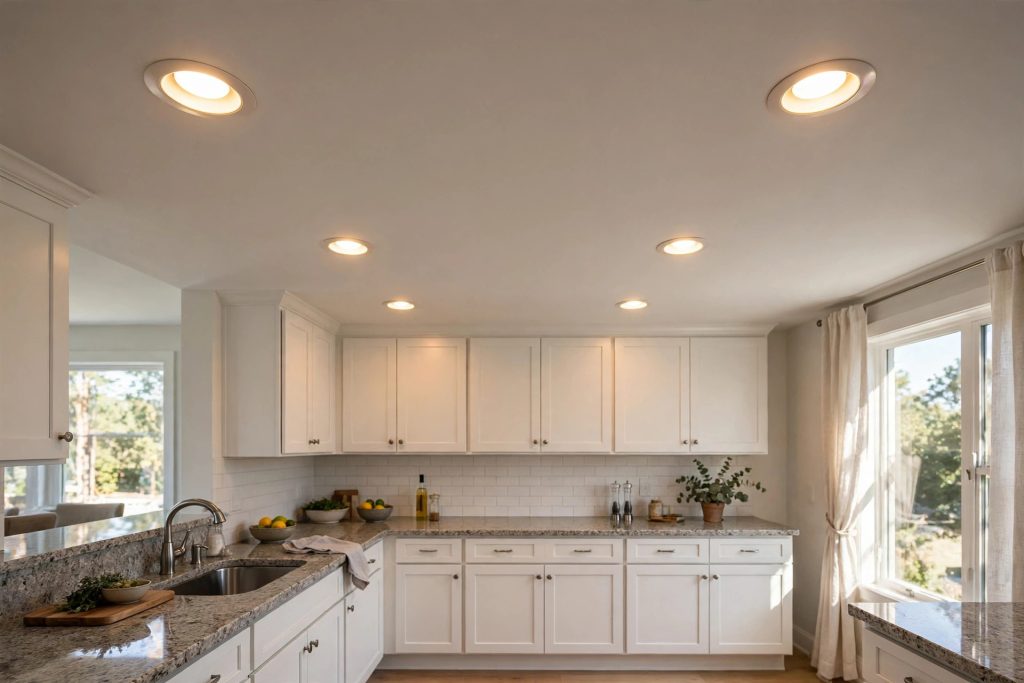
Ambient light fills the room softly. A ceiling fixture with a diffuser, or a floor lamp that bounces light off the ceiling, works well. Keep it indirect. The goal is to light the space without creating hot spots that reflect in your screen.
Task light focuses on the work surface. An adjustable desk lamp puts light on papers and the keyboard without spilling onto the screen. Aim for 300 to 500 lux at the desk surface, which is bright enough for focused work without harshness SEUS Lighting's home office setup guide.
Accent light softens contrast. A small lamp on a shelf or an LED strip behind the monitor lifts the background brightness so the screen does not feel like a glowing rectangle in a dark room. That contrast is a big source of eye fatigue.
Each layer should sit on its own control. Dimmers or smart bulbs let you shift from bright work mode to calm evening mode without rewiring anything.
Tame the Window
The key to how to light a home office without glare is choosing the right approach for your space and budget.
With a little planning, how to light a home office without glare can fit even a busy schedule.
Daylight is the best office light when you control it. Sheer curtains or adjustable blinds let you soften strong sun without killing the daylight. Top-down shades are handy: they block the harsh upper sun while leaving the lower view open.
Watch how the light moves through the day. A desk that is perfect at nine in the morning may catch direct sun at three in the afternoon. If you cannot move the desk, a monitor hood or an anti-glare screen filter helps. Tilting the monitor slightly also moves reflections out of your line of sight.
As daylight fades in the afternoon, your task and ambient layers take over. That handoff is why dimmers matter. You raise the lamps as the sun drops and your eyes never notice the change.
Choose the Right Desk Lamp
With a little planning, how to light a home office without glare can fit even a busy schedule.
Before you start, it helps to understand how how to light a home office without glare works in real homes.
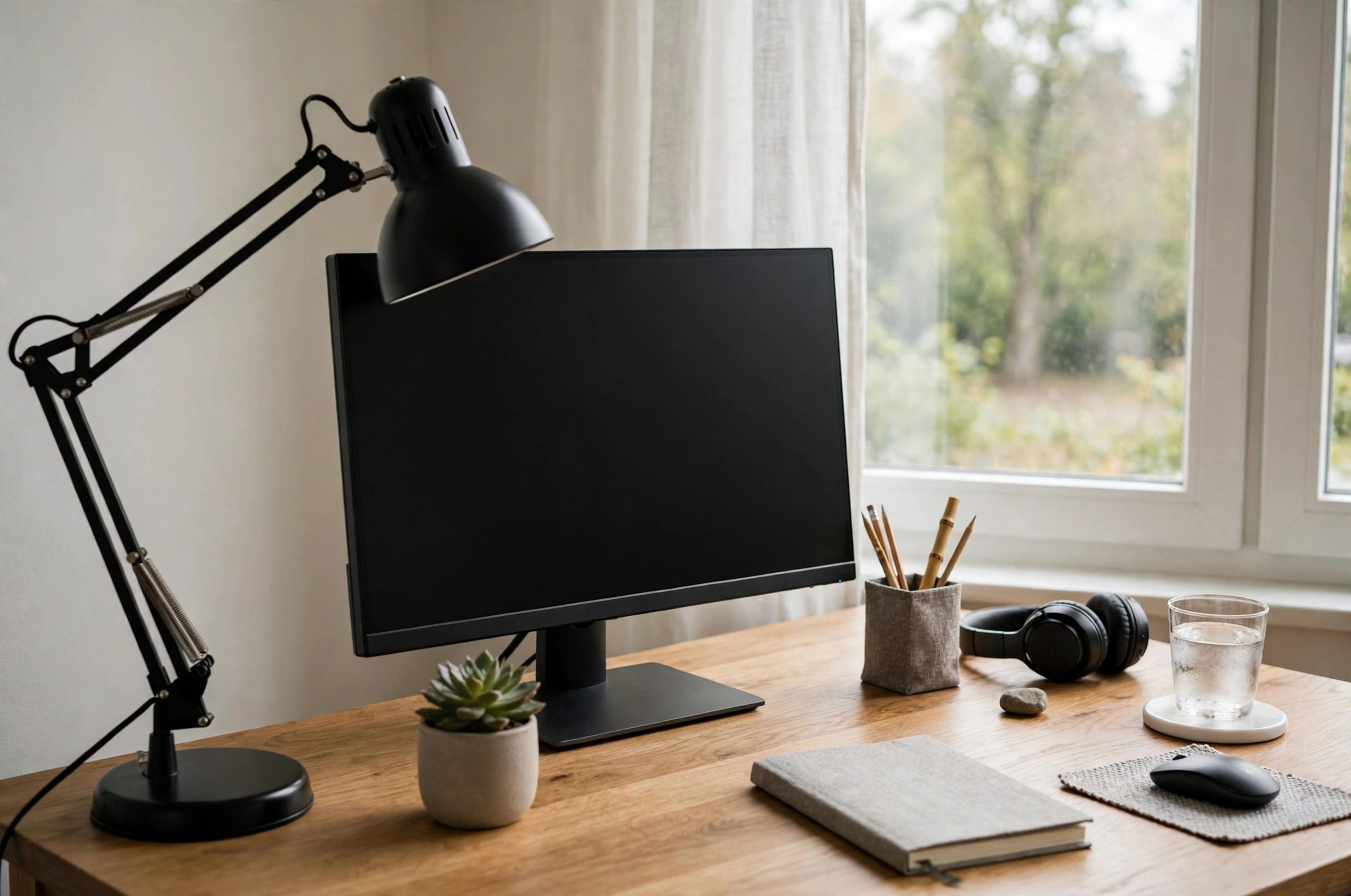
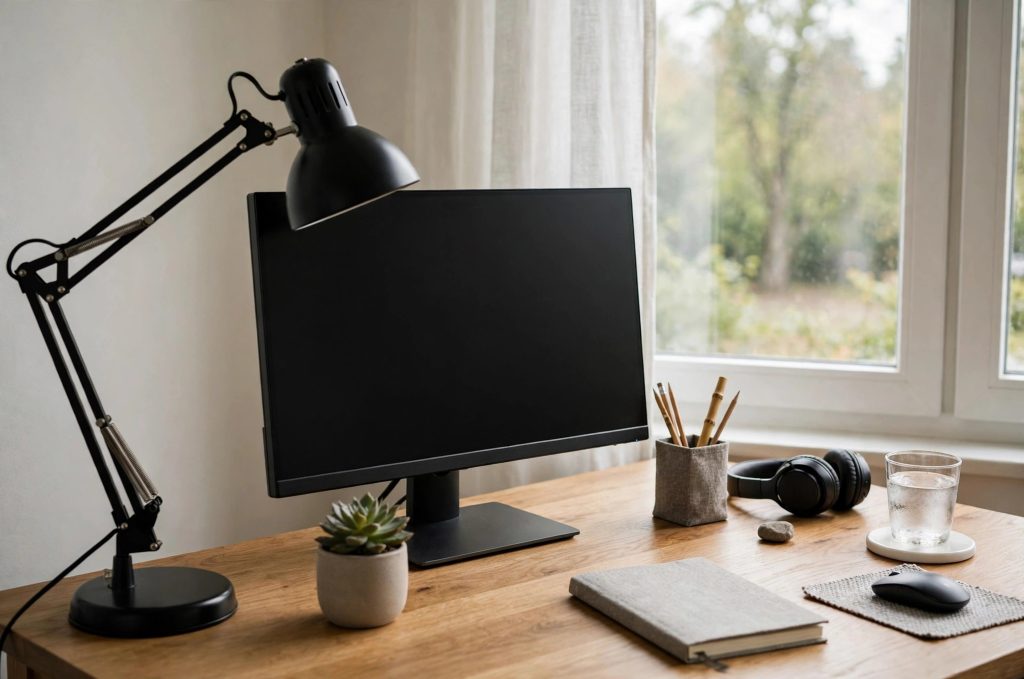
A good office desk lamp is adjustable, shaded, and dimmable. An articulated arm lets you aim light at the paper, not the screen. A shade or baffle hides the bulb from your eyes. Direct sight of a bare bulb is glare by definition.
Place the lamp on the opposite side from your writing hand. Right-handers put the lamp on the left, left-handers on the right. That keeps your hand from casting a shadow over what you are writing. Guides to glare-free desk setups stress this small detail because it makes a real difference over a long day Lights.ie's home office lighting tips.
Pick bulbs with a color rendering index (CRI) of 90 or above. High CRI keeps paper, screens, and your own face on video calls looking natural. For color temperature, neutral white around 3500K to 4000K supports focus during work hours. Warmer light near 3000K suits the evening wind-down.
Fix the Overhead Light
Before you start, it helps to understand how how to light a home office without glare works in real homes.
A good plan for how to light a home office without glare saves time, money, and frustration.
Many home offices inherit a single bright ceiling fixture, often with exposed bulbs. That is a glare machine. You have options short of an electrician.
Swap the fixture for one with a frosted diffuser. Frosted covers scatter light and kill hot spots. Or keep the fixture and switch to lower-glare bulbs with a diffuser built in.
Better yet, turn the overhead off during screen work and rely on the ambient and task layers. A torchiere floor lamp that throws light up at the ceiling gives soft, even room light with zero direct glare. Tips for indirect office lighting recommend exactly this: diffuse the ambient layer and let the task lamp do the precise work.
If the overhead must stay on, make sure it sits behind your seated position, not in front of it. Light from behind you lights the desk without reflecting in the screen.
Light for Video Calls Without Glare
A good plan for how to light a home office without glare saves time, money, and frustration.
For most people, how to light a home office without glare comes down to a few smart choices.
Video calls add a second glare problem: your face. A window behind you turns you into a silhouette. A harsh desk lamp in your eyes makes you squint.
Put a soft, diffused light in front of you, slightly to one side. A ring light or a shaded lamp with a warm bulb works. Add a subtle light behind you, like a small shelf lamp, to separate you from the background. Keep the screen brightness matched to the room so your eyes are not fighting contrast during long calls. Compact offices can still pull this off with a tight, well-planned layout Coohom's small home office lighting guide.
Bulbs: What to Buy
For most people, how to light a home office without glare comes down to a few smart choices.
Use LED bulbs. They run cool, last long, and come in every color temperature. Match lumens to the job: 450 lumens (about an old 40-watt bulb) suits a desk lamp, 800 lumens suits a room fixture. The Lighting Facts label on the box lists brightness in lumens and yearly energy cost, so compare labels instead of guessing ENERGY STAR lighting brochure (PDF).
Buy dimmable LEDs and pair them with LED-rated dimmers. Non-dimmable bulbs on a dimmer flicker and buzz. If a bulb flickers, that mismatch is usually the cause.
The Evening Shift
If you are new to how to light a home office without glare, start with the simplest option and build from there.
Eyes tire as the day goes on. In the evening, drop the color temperature and the brightness. Warm 3000K light at lower levels tells your body the workday is ending. This is also where smart bulbs earn their keep: schedule a warmer, dimmer scene for the last hour of work.
Keep one small light on after you shut down for the day if the office doubles as a guest room or pass-through. A dim lamp prevents the black-hole effect of a dark room off a lit hallway.
Build the Rest of the Office Around the Light
When it comes to how to light a home office without glare, getting the details right makes all the difference.
Lighting works best when the furniture cooperates. A stable desk chair without wheels keeps your seating position fixed, which keeps your glare-free setup consistent. Pair the desk with a bookshelf and desk combo to keep reference materials off the work surface and out of the light path. A desk organizer set for small desks cuts clutter that casts shadows. If noise breaks your focus, a home office noise machine helps. For seating that breathes through long days, see our breathable mesh office chair guide.
Quick Anti-Glare Checklist
Many homeowners find that how to light a home office without glare is easier than they expected once they know the basics.
- Desk perpendicular to the window, screen at a right angle to daylight
- Three layers: soft ambient, focused task, gentle accent
- Sheers or blinds on the window; adjust through the day
- Adjustable desk lamp on the opposite side from your writing hand
- Shade or baffle on every bulb you can see directly
- Overhead light diffused, dimmed, or off during screen work
- CRI 90+ bulbs; 3500K to 4000K by day, 3000K in the evening
- Soft front light for video calls, no bright window behind you
Frequently Asked Questions
Where should my desk face to avoid glare? Face so the window is to your side. The screen should sit at a right angle to the window, not facing it or backing it.
What is the best color temperature for a home office? Neutral white, 3500K to 4000K, for daytime focus. Drop to warm 3000K in the evening.
Should I turn off the overhead light when working? If it causes screen reflections, yes. Use a task lamp and soft ambient light instead.
How bright should my desk lamp be? About 300 to 500 lux at the work surface. In bulb terms, a 450-lumen LED in a shaded desk lamp is a good start.
Do anti-glare screen protectors help? They help with reflections, but fix the lighting first. A filter cannot fix a window blasting into your screen. A little care goes a long way with how to light a home office without glare.
References
Coohom. (n.d.). Small home office feels cramped? Fix layout and lighting. https://www.coohom.com/article/small-space-home-office-ideas-for-maximum-productivity
HomeWorldDesign. (n.d.). Home office lighting: Desk placement, glare and brightness. https://homeworlddesign.com/home-office-lighting/
Lamp Insider. (n.d.). How to pick the right size lamp shade guide. https://lampinsider.com/how-to-pick-the-right-size-lamp-shade/
Life Mapped. (n.d.). Lighting tips for home and office. https://learn.life-mapped.com/editorial/69011f42b226124665830838-lighting-tips-for-home-and-office?utm_campaign=%257B%257Bcampaign.id%257D%257D&utm_content=%257B%257Bad.id%257D%257D&adset=%257B%257Badset.id%257D%257D&placement=%257B%257Bplacement%257D%257D&terms_id=test_abc&utm_term=test_abc&ac=v3&ubt=1&utm_source=facebook&referrerAdCreative=Best%2BAnimated%2BVar&pixel_id=1037777481127329
Lights.ie. (n.d.). Lighting design for the home office: Tips for the perfect working light. https://www.lights.ie/inspiration/home-office-lighting-planning
Luminii. (n.d.). Toolbox: 5 tips for better home office lighting. https://www.luminii.com/?p=26920
SEUS Lighting. (n.d.). Home office lighting: Setup guide for work and eyes. https://www.seuslighting.com/blogs/p/home-office-lighting
U.S. Environmental Protection Agency. (n.d.). ENERGY STAR lighting brochure. https://www.energystar.gov/ia/partners/publications/pubdocs/ENERGY%20STAR%20Lighting%20Brochure_508.pdf?94ed-58b5=&utm_source=chatgpt.com
Was this guide helpful?

About My Garden US
The My Garden US editorial team writes practical, in-depth home and garden guides for American homeowners — tested advice, no fluff.
You May Also Like

Solar Path Lights for Texas Homes USA: A Plain Buying Guide
January 4, 2026 21 views
Bedroom Table Lamps: Where to Buy in the USA
March 7, 2026 14 views
Best Smart Light Switch for Older Homes: No Neutral Wire Picks
November 11, 2026 9 views