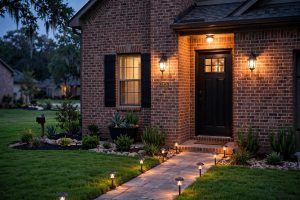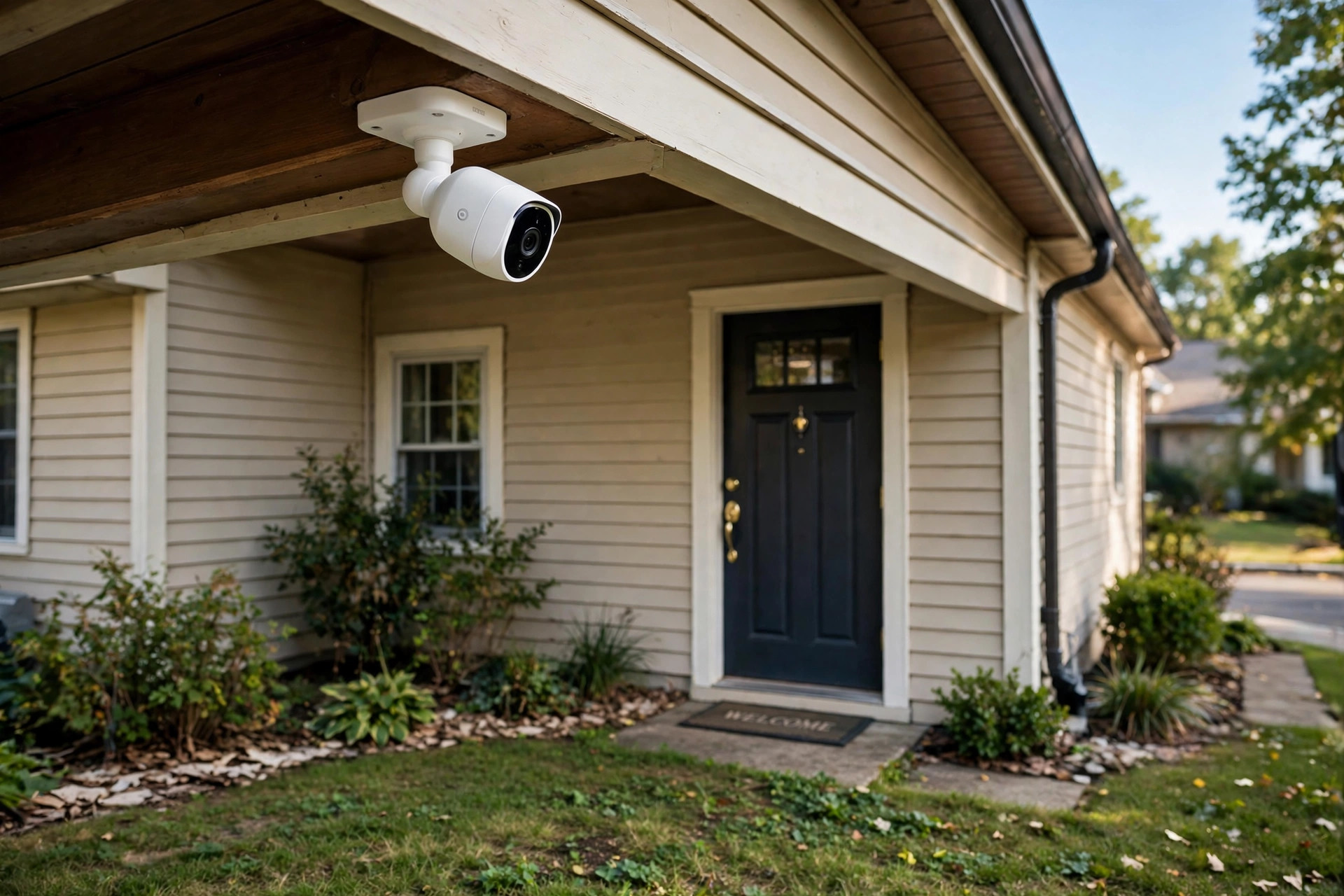

The market for top rated outdoor security cameras for sale has grown fast in recent years. A decade ago, a camera system cost thousands of dollars and needed a professional to set it up. Today, a single unit can cost less than a tank of gas, and many models work out of the box. This guide explains what matters, what does not, and how to pick a camera that fits your home and your budget. The advice comes from years of home-improvement guides such as This Old House and long-standing reviewers like The Spruce, who test home products the way a careful buyer would.
Why Homeowners Buy Outdoor Cameras
The main reason is simple: people want to know what happens around their home when they are not looking. A camera by the front door shows who rang the bell. A camera over the driveway records cars and foot traffic. A camera by the back door covers the yard. The video can stop theft, and it can help the police if a crime takes place.
Studies of home burglary show that a visible security setup makes a house a less attractive target. A camera does not need to record a crime to do its job. Its presence alone can make a stranger walk away. For this reason, many homeowners mount a camera where it can be seen, not just where it can record.
Cameras also give peace of mind to families who travel. A parent can check the phone from a hotel and see that the house is quiet. A son can keep an eye on an older parent who lives alone. A landlord can watch a rental property between tenants. The use cases are wide, and the price of entry keeps falling.
What to Look for When You Choose a Camera: Top Rated Outdoor Security Cameras for Sale
A good camera is not always the one with the most features. The best camera is the one that fits your house, your weather, and your habits. The points below cover the traits that matter most.
Video Quality
Resolution tells you how sharp the picture is. A camera with 1080p video, called full HD, is clear enough for most homes. You can see faces, license plates, and packages on a porch. A camera with 2K or 4K video is sharper still, but it costs more and fills up storage faster. For a typical driveway or porch, 1080p is plenty. Look for a frame rate of at least 20 frames per second so motion looks smooth and not choppy.
Night Vision
Most break-ins happen at night, so night vision matters a great deal. Cameras use one of two methods. The first is infrared light, which the human eye cannot see. It turns the picture black and white after dark and can reach 25 to 50 feet. The second is color night vision, which uses a small white spotlight or a very sensitive sensor. Color video at night makes it easier to describe a car or a jacket. If your yard is dark, pair the camera with motion-activated lights. Good exterior lighting fixtures can turn a grainy night picture into a clear one.
Field of View
Field of view is the width of the scene the camera sees. A wide lens, around 130 degrees or more, covers a whole porch or yard from one corner. A narrow lens covers a door or a gate with more detail. Think about where the camera will sit before you buy. A wide view suits a garage and a driveway. A tight view suits a back gate or a side path.
Weather Rating
An outdoor camera must survive rain, snow, heat, and dust. Look for an IP rating of at least IP65. This rating means the unit keeps out dust and stands up to strong rain. An IP66 rating is better still. In very cold states, check that the camera works below zero. Cheap indoor cameras, sold as outdoor units, will fail in the first winter storm. Reviewers at Consumer Reports and CNET both stress weather sealing as one of the first things to check.
Power Source
Outdoor cameras get power in three ways. A battery-powered camera is the easiest to install, since no wire is needed. The battery lasts one to six months between charges, depending on how often the camera wakes up. A plug-in camera needs an outdoor outlet but never runs out of power. A wired camera, often part of a PoE system, uses one cable for power and data and is the most stable option. Choose the power source that fits your house. If you have no outdoor outlets and no wish to drill holes, a battery model is the right start.
Storage and Subscriptions
Video must be stored somewhere. Some cameras record to a small memory card inside the unit. Others send video to a base station with a hard drive in your home. Many brands now push cloud storage, which costs a monthly or yearly fee. The fee can run from 3 to 20 dollars a month per camera. Before you buy, read what the camera does without a subscription. Some models still record motion clips for free. Others lose most of their value if you do not pay. A local-storage option keeps you free of fees for years.
Smart Features
Person detection, package detection, and two-way talk are common extras. Person detection tells your phone when a human is in view, not a cat or a passing car. Package detection can warn you when a box is left at the door. Two-way talk lets you speak through the camera to a visitor or a delivery driver. These features are useful, but they add cost. Decide which ones you will truly use.
The Main Types of Outdoor Security Cameras
Not all outdoor cameras work the same way. The four types below cover nearly everything sold today.
Battery and Wireless Cameras
These are the most popular models for do-it-yourself buyers. Brands like Ring and the Nest line at the Google Store sell slim wireless units that mount with one screw. They connect to your home Wi-Fi and send alerts to your phone. Their weak point is the battery and the signal. A camera far from the router may miss events. A solar panel add-on can keep the battery topped up in sunny spots.
Wired PoE Cameras
PoE stands for power over Ethernet. One cable carries both power and video back to a recorder box. These systems are the choice of people who want steady, always-on recording with no monthly fee. The trade-off is the install. You must run cables through walls or along the eave, and that work takes a day or a weekend. For a large property, though, nothing beats a wired system for steady video.
Floodlight Cameras
A floodlight camera mixes a bright motion light with a camera in one housing. When motion is seen at night, the lights turn on and the camera records in color. This is one of the best choices for a driveway or a dark backyard. The light itself scares off many intruders, and the color night video is far more useful than black and white. Many models sold at The Home Depot come in this style.
Video Doorbell Cameras
A video doorbell watches the front door and lets you talk to visitors from your phone. It is a camera with a doorbell button built in. For homes where most trouble starts at the front step, a doorbell camera covers the most common risk. Pair it with a strong lock and a solid door. Many buyers also look into a storm door installation or an exterior door replacement to make the entry as strong as the camera watching it.
Cost and Price Guide
Prices for outdoor cameras fall into three bands. Budget models, from 30 to 80 dollars, offer 1080p video, basic night vision, and phone alerts. They suit renters and small homes. Mid-range models, from 80 to 200 dollars, add better night vision, person detection, and wider views. Most homeowners are well served here. Premium models, from 200 to 400 dollars per camera, offer 2K or 4K video, color night vision, floodlights, and long warranties. A full PoE system with four cameras and a recorder can run 400 to 900 dollars.
Watch the hidden costs. Cloud plans can double the price of a budget camera over two years. Mounts, long power cables, and solar panels add up too. DIY sites like Family Handyman and Bob Vila publish cost guides that help you plan the full project, not just the camera price.
Installation and Placement Tips
Good placement matters more than an expensive camera. Mount cameras 8 to 10 feet high. That height keeps them out of easy reach but low enough to see faces. Aim the camera down at a slight angle so the sun never points straight into the lens. Cover the front door, the driveway, and the back door first. These three spots see almost all visitor traffic.
Keep the camera out of direct rain if you can. Under the eave is ideal. The eave adds years to the life of the seal around the lens. Make sure the Wi-Fi signal is strong at each spot. If your phone shows a weak signal on the porch, the camera will struggle too. A mesh Wi-Fi system or an outdoor access point can fix that. Some buyers pick a whole-home system from SimpliSafe so the cameras and the alarm work from one app.
Test the view before you screw anything in. Hold the camera in place, open the live view on your phone, and check what you see at day and at night. Move it once or twice. An hour of testing saves a year of regret.
Care and Upkeep
Outdoor cameras need little care, but not none. Wipe the lens every few months with a soft cloth. Dust, pollen, and spider webs blur the picture faster than anything else. Check that the mount is tight after each storm season. Recharge or swap batteries before they die, so the camera never sleeps through an event.
Update the camera software when the maker offers it. Updates fix bugs and close security holes. Change the default password if the maker lets you set one. Use a strong, unique password for the app account, and turn on two-step sign-in if it is offered. A camera that watches your house should not be easy for a stranger to watch.
Safety and Privacy
A camera points outward at your own property, and that is its job. Still, it is wise to aim it away from a neighbor’s windows. Many states have rules about recording audio, and some have rules about video of neighbors. A quick check of local rules is worth the time. Let your neighbors know you have cameras. A friendly word prevents bad feelings and can even make the street safer for all.
Turn off audio recording if you do not need it. Audio raises the privacy stakes and can run afoul of two-party consent laws in some states. Keep the camera feed inside your own account. Never share the login with a friend or a handyman when a guest account will do.
Frequently Asked Questions
Do I need Wi-Fi for an outdoor security camera?
Most wireless cameras need Wi-Fi to send alerts and live video to your phone. Some can record to a memory card with no Wi-Fi, but you lose the remote view. Wired PoE systems need no Wi-Fi at all, since they use cables to a recorder box in your home.
How long does a battery-powered camera last?
It depends on use. A camera that wakes up 20 times a day may last two to three months. A quiet camera by a side gate may last five or six months. Cold weather shortens battery life. A small solar panel can keep the battery charged all year in sunny spots.
Can a camera stop a burglar?
No camera can stop a determined criminal by itself. But visible cameras, good lights, and strong locks together make a home a hard target. Most burglars pick the easiest house on the street. A camera pushes your house off that list.
Is cloud storage worth the fee?
It depends on what you need. Cloud storage keeps video safe even if the camera is stolen. Local storage on a card or a home recorder costs nothing each month but can be lost with the device. Many owners pick local storage for daily use and a cloud plan for the front-door camera only.
What is the best height for an outdoor camera?
Eight to ten feet is the sweet spot. At that height, a thief cannot grab the camera without effort, and the lens still captures faces clearly. Go higher only if the yard is very large, and expect faces to be smaller in the frame.
A Final Word
The top rated outdoor security cameras for sale today give any homeowner a clear view of the home, day and night, for a modest price. Start with your weak spots, pick a power source that fits your house, and read the fine print on subscriptions. Place the camera with care, keep the lens clean, and keep the software up to date. A well-chosen camera will serve you for years, and the peace of mind it brings is worth far more than the price on the box.
References
Bob Vila. (n.d.). Home improvement advice. https://www.bobvila.com CNET. (n.d.). Technology news and reviews. https://www.cnet.com Consumer Reports. (n.d.). Product reviews and ratings. https://www.consumerreports.org Family Handyman. (n.d.). DIY home repair and maintenance. https://www.familyhandyman.com Google Store. (n.d.). Smart home devices. https://store.google.com Ring. (n.d.). Smart home security devices. https://www.ring.com SimpliSafe. (n.d.). Home security systems. https://www.simplisafe.com The Home Depot. (n.d.). Home improvement products. https://www.homedepot.com The Spruce. (n.d.). Home and garden advice. https://www.thespruce.com This Old House. (n.d.). Home renovation guidance. https://www.thisoldhouse.com
Was this guide helpful?

About Robert Taylor
The My Garden US editorial team writes practical, in-depth home and garden guides for American homeowners — tested advice, no fluff.
You May Also Like

Brick Veneer Siding Reviews and Buying Guide
February 1, 2026 0 views
Top Rated Garage Door Replacement Reviews: A Plain Guide for Homeowners
January 20, 2026 0 views
Seamless Gutter Guards Price Comparison USA: A Homeowner’s Plain Guide
March 29, 2026 0 views